
Most implant product pages still look the same: a hero photo, a short feature list, and a PDF size table. That package works for catalog codes and sterile pack info. It fails when a surgeon or buyer needs to understand the device in space.
At PYCAD we build interactive 3D for implant manufacturer marketing, med-ed, and sales enablement. Spine, ortho, and dental device teams. We help you show your cage, plate, or screw family the way a strong rep would on a table — in the browser, with no install.
What buyers and surgeons actually need to see
On a product page or a five-minute sales call, people are trying to answer spatial questions:
- What does the cage look like from the endplate view?
- How do the screws seat relative to the body?
- Which footprint and height options exist in the family?
- How does the construct read when you rotate it, not when you stare at one JPEG?
A photo freezes one angle. A PDF lists millimeters. Neither lets someone orbit the SKU (Stock Keeping Unit), hide a component, or walk through seating. That gap shows up in congress booths, Zoom demos, and on product pages when flat assets are not enough.
Stock anatomy libraries (generic bodies, generic spines) help teach anatomy. They do not market your cage geometry, your screw family, or your assembly logic. Surgeons and hospital buyers comparing vendors want the commercial SKU, not a textbook model with a similar shape.
Why the PDF size table still matters (and where it stops)
Keep the PDF or IFU extract for:
- Exact dimensions and catalog numbers
- Materials, coatings, sterilization
- Labeling text counsel already approved
- Print handouts when Wi-Fi dies
Add interactive 3D when:
- The SKU is hard to read from a 2D drawing (cages, plates, modular screws)
- Sales calls waste time explaining seating with flat figures
- Med-ed needs one consistent object surgeons can rotate
- The website still ships a single hero shot plus a download link
The embed does not replace labeling. It replaces the moment where someone says “imagine the cage from the endplate view” while pointing at a JPEG.
A practical playbook for marketing and med-ed
Three surfaces cover most implant manufacturer needs.
1. Website product-page embed
Drop a live 3D block under the hero. Same page as the PDF. Visitor orbits the commercial mesh, switches variants if you expose them, and downloads the size table when they need numbers. Domain allowlisting and a short embed snippet keep IT and web teams calm.
2. Dedicated microsite or demo URL
Use this when the SKU story needs more room than a product-page section: guided steps, exploded views, or a congress campaign landing page. Same meshes, fuller narrative. Link it from ads, email, and QR codes on booth panels.
3. Rep tablet / congress leave-behind
Same viewer in a tablet layout for booths and hospital calls. Offline packaging depends on your stack; the claim rules stay the same. Reps stop flipping through slide decks to find one angle of the cage.
Brief before design starts
- Purpose: website SKU, microsite, congress, or tablet. Sales and education.
- Assets: CAD or mesh sources for the commercial SKU set you are allowed to show.
- Placement: section embed vs full-page demo vs tablet.
- Variants: which footprints, heights, and screw options must be selectable on day one.
- Hand-off: who owns updates when the catalog changes.
Lock that brief before an agency starts polishing controls. Pretty UI on the wrong SKU set wastes a quarter.
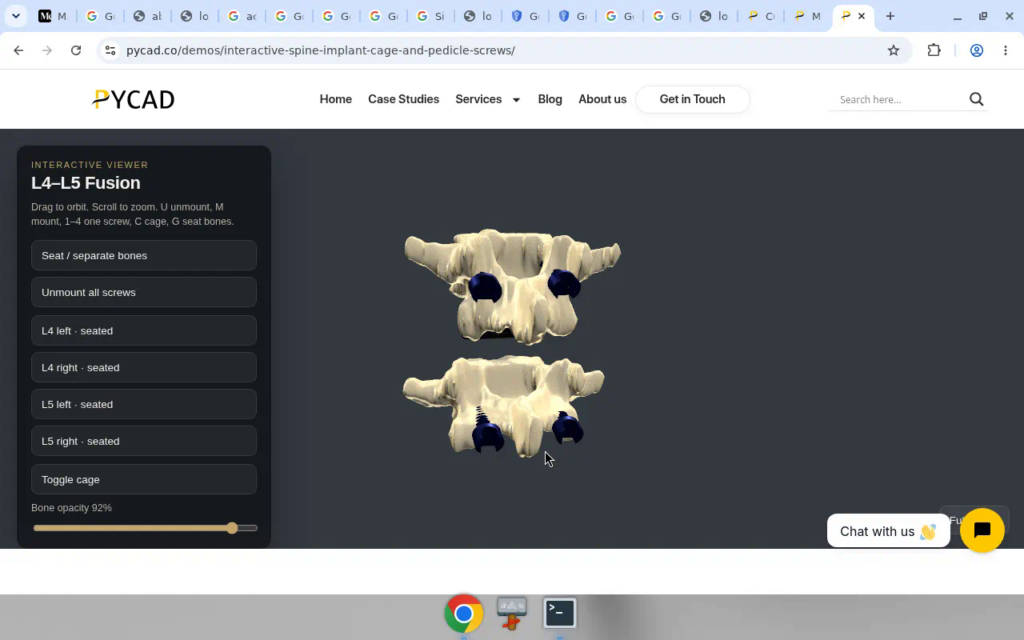
Concrete proof: our interactive spine cage + pedicle screws demo
We keep a public leave-behind so buyers can click instead of imagining:
Interactive spine implant cage and pedicle screws
Open it. Orbit the cage. Place and inspect screws. Compare that to a PDF size chart alone: the chart lists numbers; the demo shows the construct.
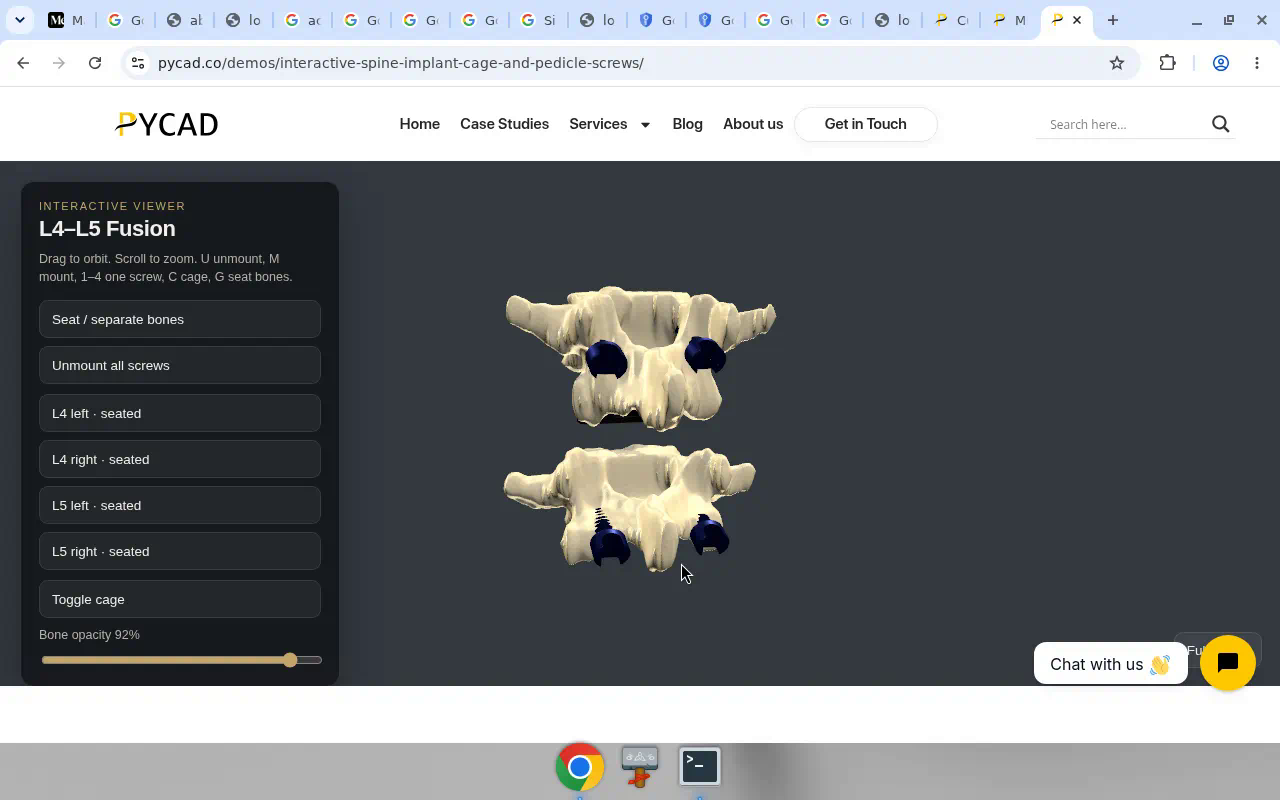
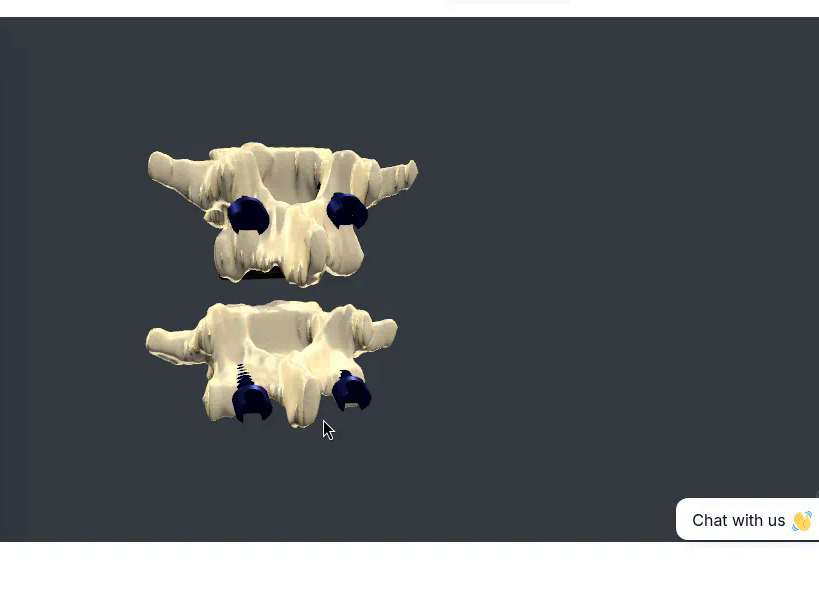
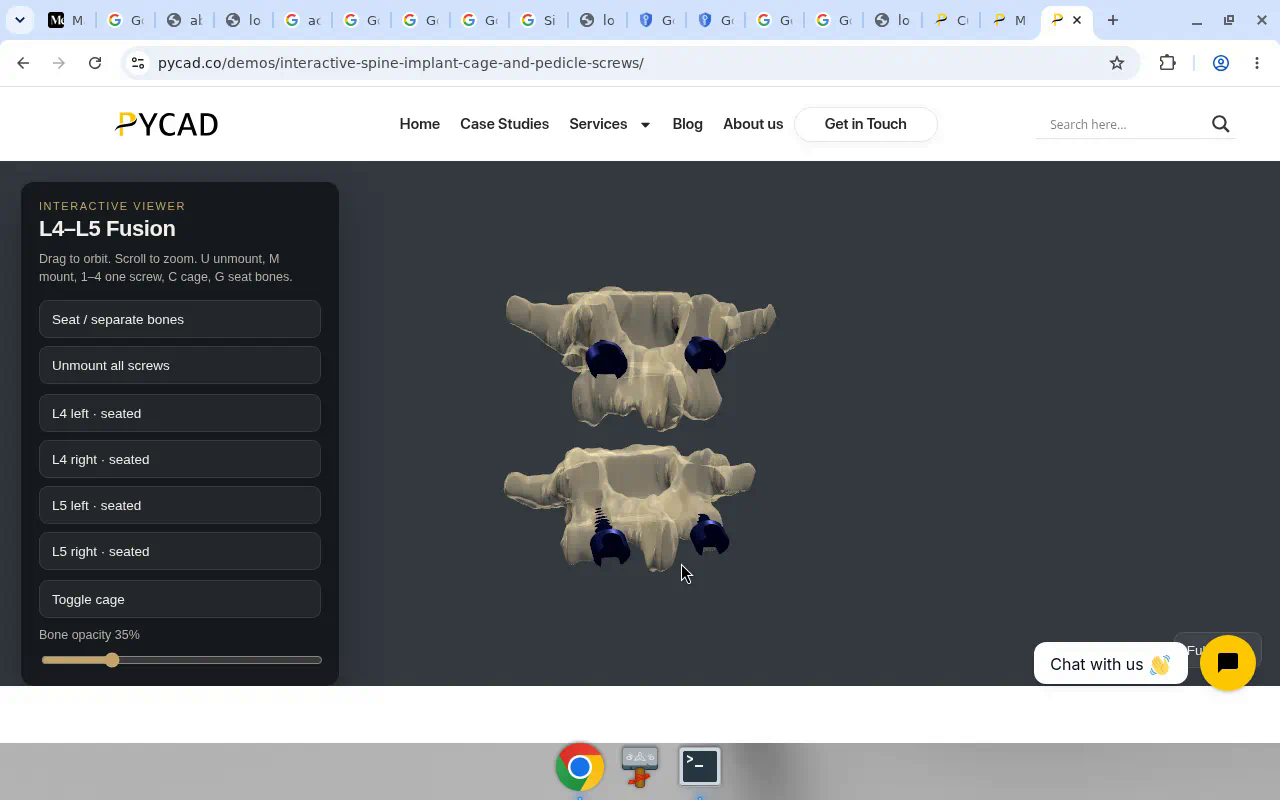
Customer sites pull the same class of viewer with a short embed:
<div data-pycad-embed="YOUR_EMBED_ID" data-layout="section"></div>
<script async src="https://implant-demo.pycad.co/embed/v1.js"></script>
data-pycad-embed is the public ID we assign. data-layout is usually section on a product page or full on a dedicated demo URL. The loader and iframe come from the embed host. Domains are allowlisted.
Under the hood this is manufacturer-embed / interactive mesh work for web and tablets (Unity and glTF-style showcases sit in the same marketing motion as medical animation studios). Cleared planning viewers are a different purchase with a different claim set. If you need patient-scan planning software, that is another RFP. This post is about marketing the device you already sell.
What “better marketing” looks like in practice
A typical page today: one render, three bullets, a PDF. Reps email the PDF after the call. Surgeons still ask for another angle.
With interactive 3D: keep the PDF for numbers, and add a live block where the visitor (or the surgeon on the call) rotates your SKU. Med-ed uses the same object in a course module. Congress QR codes open the microsite instead of a dead image gallery.
Next step
If you market spine, ortho, or dental implants and want a custom product-page, microsite, or rep embed built around your cage, plate, or screw family, Contact us. Send the SKU set and where it should live. Bring the PDF size table. We will tell you what stays in the document and what belongs in the live 3D block.