
Plain multiplanar reformats open a CBCT on axial, coronal, and sagittal planes. That is useful. It is not how most dental users want to read an arch.
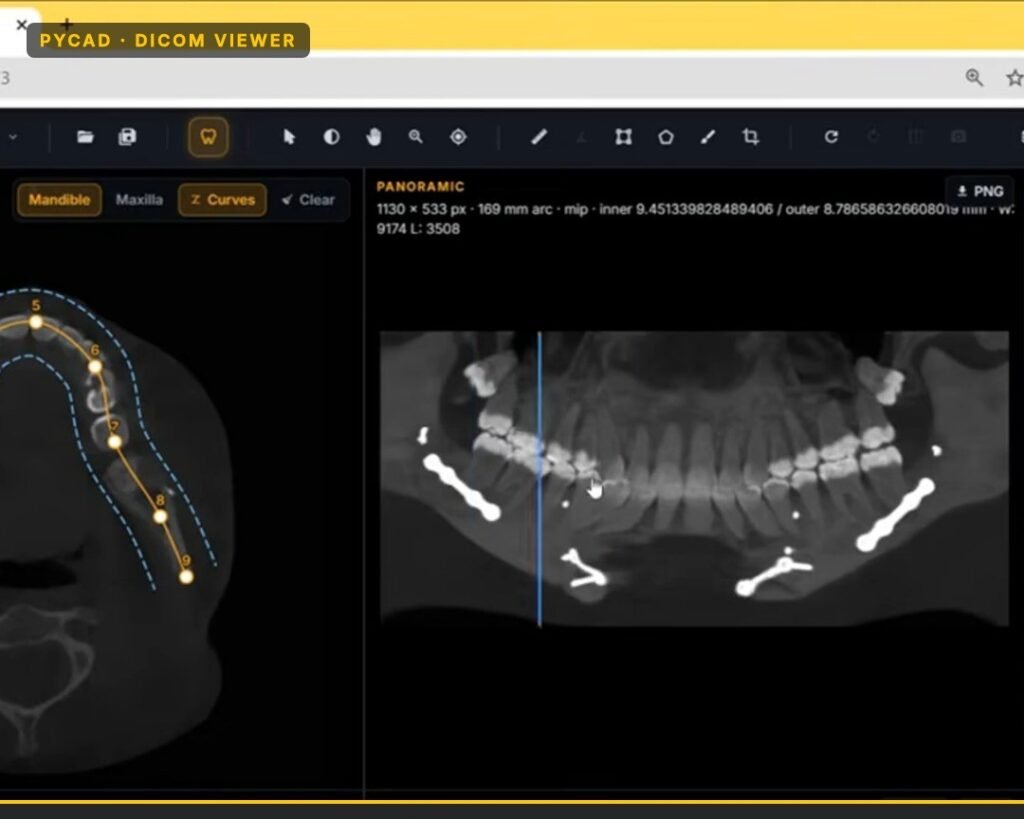
We have a dental DICOM viewer that treats the arch as the control surface: you set a curve along the mandible or maxilla, get a panoramic-style rebuild from that curve, and keep cross-sections locked to positions along the arch. Same CBCT volume. Different reading habit.
This post shows that product surface. For canal mesh overlay on the same viewer, see our mandibular canal note.
Plain MPR vs what the dental viewer does
Plain MPR. You scroll orthogonal planes. You can find a tooth. You can measure. You spend time reorienting the volume so the arch reads the way a dentist expects.
Arch-aware viewing in our dental viewer. You define a curve through the dental arch. The viewer rebuilds a panoramic-style strip from that curve and keeps cross-sections perpendicular to it. Move along the arch; the panoramic marker and the cross-section stay together.
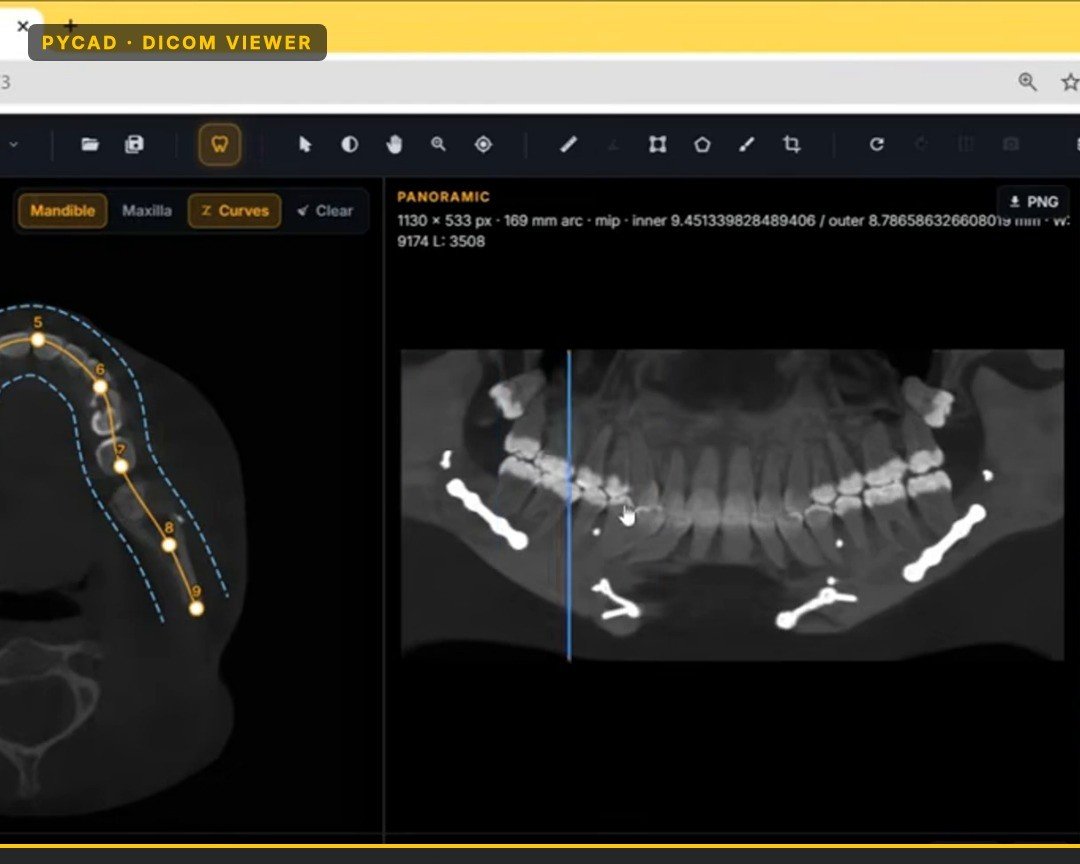
That coupling is why dental teams prefer this over generic radiology layouts. Without it, every user reinvents dental orientation with MPR alone.
What you can do in the product
In our dental DICOM viewer you can:
- Open a CBCT and switch mandible or maxilla curve tools
- Place and edit arch control points (and adjust the strip width around the curve)
- Rebuild a panoramic-style view from that curve, with length and window/level readouts
- Scrub along the arch so panoramic position and related views stay aligned
- Use the same viewer stack for other dental work (for example canal overlays) without leaving the product
You edit the curve when anatomy is atypical. A bad locked arch is worse than plain MPR — so edit handles matter as much as the first rebuild.
Why this matters for dental teams
General radiology viewers already show CBCT. Dental users still ask for arch tools because they judge the product on dental reading habits:
- Overview often wants a panoramic-style strip, not only three orthogonal planes
- Restorative and implant conversations move tooth-by-tooth along the arch
- Training and demos go faster when the UI speaks dental
- Buyers comparing dental CBCT modules expect panoramic rebuild and arch cross-sections as table stakes
You are not buying “another MPR.” You are using a viewer that already speaks that workflow.
Try the same sample
Open the dental DICOM viewer demo. Trace or adjust an arch, watch the panoramic rebuild, and scrub so the views stay linked. That is the product, not a sketch of what someone might build later.
Next step
If you want this dental viewer for your clinic stack, OEM product, or education lab, Contact us. Say whether you need arch + panoramic first, or canal overlays as well. We will point you at the product path that fits.