
Imagine a single digital file that tells a patient's complete medical story, captured in a moment of time. That’s a DCM file. It’s the lifeblood of modern medicine, built on the universal DICOM standard to ensure doctors, researchers, and software anywhere in the world can understand a patient's critical imaging data.
This isn't just about images; it's about connecting clinicians, researchers, and even artificial intelligence to a single source of truth, ultimately leading to better patient care.
What Is a DCM File and Why Does It Matter?
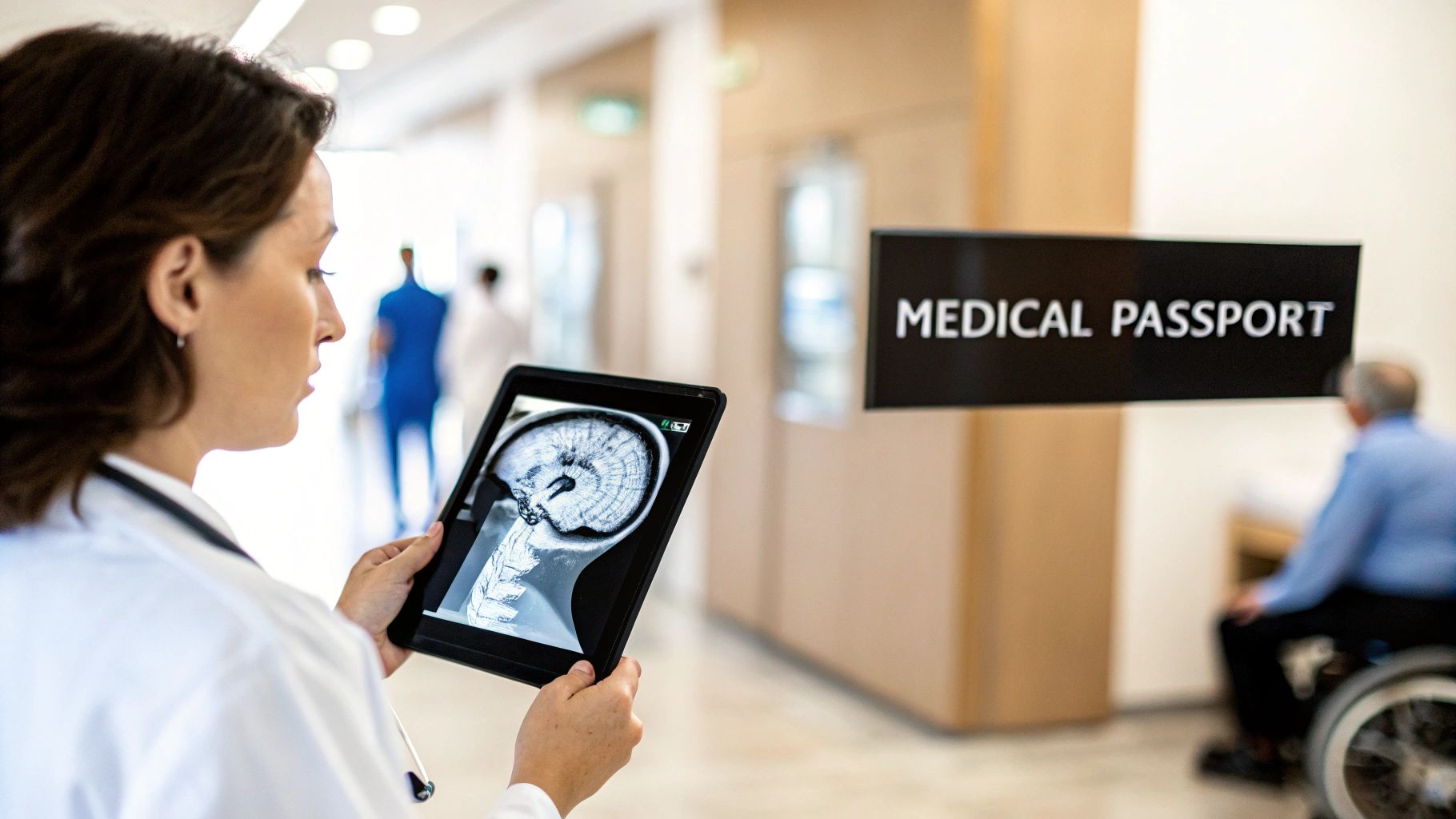
Think of a .dcm file as a kind of digital medical passport for an image. It's so much more than a simple JPEG or PNG.
A standard photo just shows you the pixels, the picture itself. But a DCM file bundles the image—like a CT scan or an MRI—with all the vital context needed to make a life-changing diagnosis. This embedded information creates a comprehensive, portable, and truly intelligent medical record.
This powerful combination is exactly what makes the DCM file format so indispensable in healthcare. It guarantees that every piece of medical imaging carries its own story, preventing critical details from ever getting lost in translation. Thanks to this structure, a radiologist across the country, or an AI algorithm running in the cloud, can instantly understand the full clinical picture without needing to hunt down separate charts or notes.
Let's break down what's inside. Every DCM file is built from two core parts that work together to create a complete record.
Core Components of a DCM File
| Component | Analogy | Purpose |
|---|---|---|
| File Header | The Cover of a Book | Contains the "who, what, when, where" of the image. This includes patient ID, study date, modality (e.g., CT, MRI), and equipment settings. |
| Pixel Data | The Pages of the Book | This is the actual image itself—the grayscale or color pixels that form the scan, waiting to be interpreted by a trained eye or a sophisticated algorithm. |
This elegant design, locking the context and the image together, is the secret to its power and widespread adoption.
A Foundation Built on Collaboration
The creation of this format was a landmark moment for medical technology. The DICOM (Digital Imaging and Communications in Medicine) standard has its roots in the early 1980s, when the American College of Radiology (ACR) and the National Electrical Manufacturers Association (NEMA) teamed up. Their mission? To solve the absolute chaos of incompatible imaging formats that was holding back progress.
Their hard work led to a unified standard, rebranded as DICOM in 1993, which has since become the global foundation for medical image exchange. If you're curious about the journey, the official DICOM standards body has a great overview of its history.
Given how much sensitive patient information is packed into these files, implementing robust cybersecurity measures is non-negotiable. The integrity of the format is paramount for protecting patient privacy and ensuring diagnostic accuracy.
The Modern Impact on Healthcare Innovation
Today, the .dcm file is at the very heart of healthcare innovation. For medical technology companies, working with this format isn't just about viewing images anymore; it's about weaving them into seamless digital workflows that improve outcomes.
It's what we live and breathe at PYCAD. We build custom web DICOM viewers and integrate them into medical imaging web platforms, giving clinicians the instant, secure access to patient data they need. This standard is the engine driving everything from teleradiology and global research collaboration to the training of next-generation AI diagnostic tools. You can see examples of our work on our portfolio page.
Peeking Inside a DICOM File
So, what makes a DCM file so special? To really get it, you have to look under the hood. Don't think of it as just another image file like a JPEG. A DICOM file is more like a complete, self-contained medical chart, meticulously organized and packed with vital information.
Every single DICOM file is built on two core parts that work together: a header and the pixel data.
This two-part structure is the key to its power. It guarantees that the image itself and all of its crucial context are permanently locked together. This creates a complete, unchangeable, and easily shareable medical record. It’s this brilliant design that turns a simple scan into an indispensable tool for diagnosis, research, and the future of medical AI.
The Header: The Story Behind the Image
First up is the DICOM header. Think of it as the detailed label on a lab sample or the cover sheet on a patient's chart. It’s pure metadata—a rich collection of information that gives the image context and meaning. An image without its header is just an anonymous picture; with it, that image becomes a vital part of a patient's story.
This information is organized using DICOM tags, which are unique codes for every single piece of data. These tags store everything you can imagine, from the patient's name and ID to the precise settings used on the scanner when the image was taken. At PYCAD, we actually specialize in building custom web-based DICOM viewers that can read and beautifully display this critical information, making it a natural part of any medical imaging platform. For doctors and radiologists, having this data instantly accessible is absolutely essential for making an accurate diagnosis.
The DICOM header is what transforms a collection of pixels into a rich clinical document. It tells you the who, what, when, where, and how behind every scan, making it the bedrock of the entire diagnostic process.
The Pixel Data: The Image Itself
Right after the header, you'll find the pixel data. This is the raw, uncompressed image captured by the medical device, whether it's a CT scanner, MRI machine, or an X-ray. And this isn't your average picture. It often contains a staggering amount of detail that standard formats like JPEG or PNG simply can't handle.
For instance, a typical black-and-white photo uses 8 bits per pixel, which gives you about 256 shades of gray. A medical image? It might use 12 or even 16 bits, capturing anywhere from 4,096 to a mind-boggling 65,536 shades of gray. This incredible level of detail is exactly what clinicians need to spot tiny, subtle abnormalities that would be completely invisible in a lower-quality image. This raw, high-fidelity data is what makes the DCM file type so incredibly valuable for both human experts and AI algorithms.
For any developers or healthcare innovators out there looking to build the next generation of medical tools, knowing how to work with both the header and the pixel data is non-negotiable. Our team has spent years mastering this, and you can see the results of that expertise in our past projects.
Essential DICOM Tags You Should Know
To give you a better sense of what's inside the header, I've put together a quick table of some of the most important DICOM tags you'll encounter. Think of these as the absolute must-knows.
| DICOM Tag ID | Tag Name | Description and Importance |
|---|---|---|
| (0010,0010) | Patient's Name | Absolutely crucial for identifying the right patient and connecting the image to their medical record. |
| (0010,0020) | Patient ID | A unique identifier that prevents dangerous mix-ups and keeps data consistent across different systems. |
| (0008,0020) | Study Date | Records the exact date the scan was taken, creating a timeline to track a patient's condition over time. |
| (0008,0060) | Modality | Tells you what kind of scan it is (e.g., CT, MR, XA), which is fundamental for interpreting the image correctly. |
| (0028,0010) | Rows | Defines the height of the image in pixels. Without this, you can't render the image properly. |
| (0028,0011) | Columns | Defines the width of the image in pixels, working with Rows to set the image's dimensions. |
While this is just a small sample, it shows how each tag plays a critical role. Understanding these key pieces of metadata is the first step toward unlocking the full potential of DICOM data in any application.
The Global Language of Medical Imaging
Can you imagine a world where a doctor in Tokyo couldn't read a critical scan from a patient in New York? Before DICOM, this wasn't just a hypothetical problem—it was the daily, fragmented reality of medical imaging.
Every scanner from every manufacturer produced its own proprietary files. This created digital islands of patient data that simply couldn't communicate with each other. This lack of a common language was a massive roadblock to collaboration, research, and life-saving patient care.
Then, the DICOM standard changed everything. It created a single, universal language for medical images, turning the file type dcm into a global passport for health information. Suddenly, geographical boundaries began to dissolve. A specialist halfway across the world could review an MRI with the exact same clarity as the original radiologist, opening the door for telemedicine and making global consultations a reality.
The Foundation of Modern Radiology
This standardization paved the way for one of the most vital systems in any modern hospital: the Picture Archiving and Communication System, or PACS. Think of a PACS as the digital heart of a radiology department—a vast, organized library that stores, retrieves, and displays millions of medical images on demand.
Without DICOM, a PACS would be impossible. The standard guarantees that every single image, no matter its origin, can be seamlessly filed away and called up from this central hub. By 1995, DICOM's ability to handle cardiology imaging and CD-based exchanges kicked this adoption into high gear. This led to thousands of hospitals deploying PACS, forever changing patient care by digitizing records and dramatically improving efficiency.
The infographic below breaks down the simple yet brilliant anatomy of a DICOM file, showing how the header and pixel data work together.
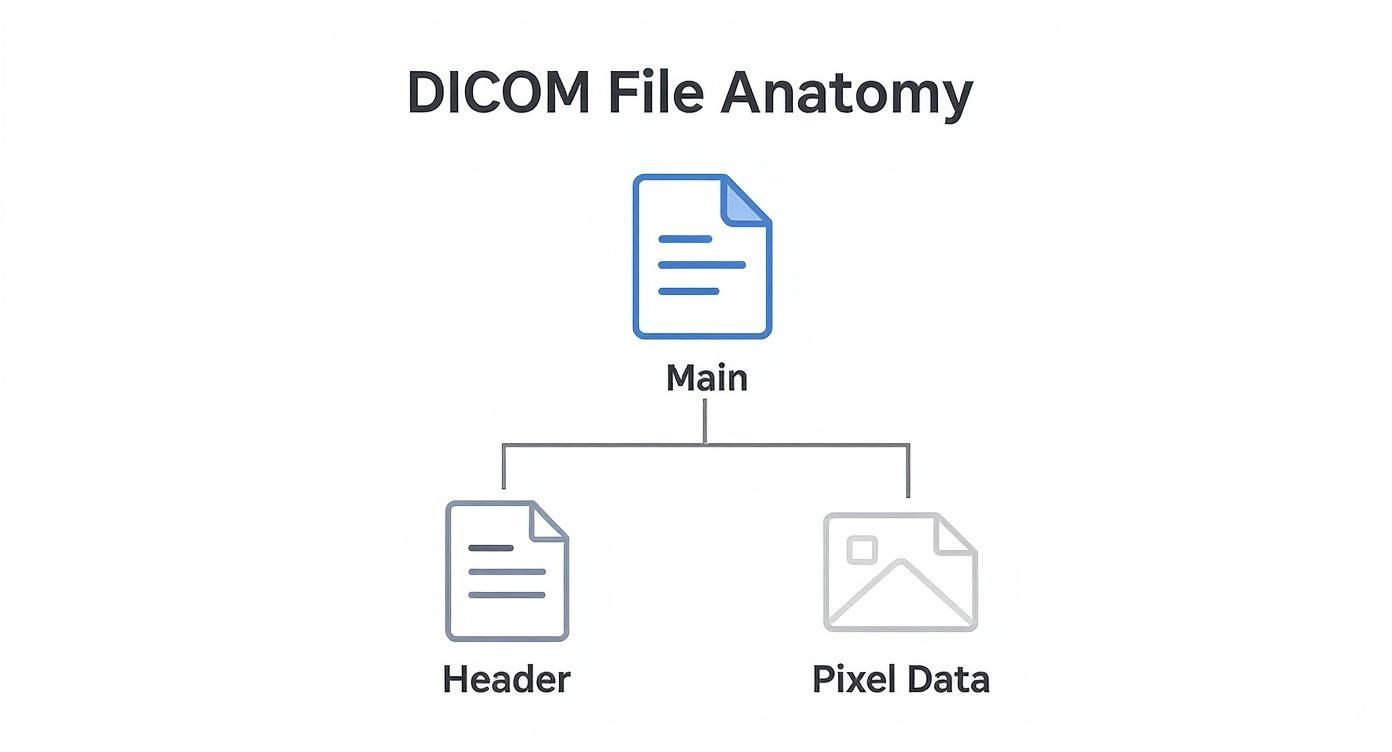
This elegant structure is what allows a single file to carry both the picture and its entire backstory in one self-contained package.
Powering the Future of Healthcare
The impact of this global language goes far beyond just sharing images. It’s the very foundation upon which future medical breakthroughs are being built.
- Global Research: Scientists can now pull together massive, anonymized datasets from around the world, allowing them to study diseases on a scale that was once unthinkable.
- AI Development: Artificial intelligence models need standardized data to learn effectively. The consistency of the file type dcm is absolutely critical for training algorithms that can spot diseases earlier and more accurately than ever before.
- Seamless Integration: Modern healthcare runs on connected systems. At PYCAD, we specialize in building custom web DICOM viewers and integrating them into medical imaging web platforms, creating fluid, intuitive workflows for clinicians.
DICOM is so much more than a file format; it's the engine of interoperability that saves lives and fuels medical progress. To truly appreciate how it all works, you can dive into the technical protocols in our detailed overview of DICOM standards.
How to View and Interact with DCM Files
You can't just double-click a DCM file and expect it to open like a JPEG. These aren't simple pictures; they're complex medical records containing sensitive patient data alongside high-fidelity images. To unlock them, you need a specialized tool: a DICOM viewer.
Think of a DICOM viewer as a translator. It’s built to read both the raw pixel data and the crucial metadata locked away in the file header, presenting them in a way a human can understand.
For students, researchers, or anyone curious to peek inside a DICOM file, plenty of fantastic free desktop viewers are available. They give you all the basic tools to see the image and sift through its metadata tags. But when you step into a clinical environment, the game changes completely.
Hospitals and major research centers run on massive, integrated platforms called Picture Archiving and Communication Systems (PACS). These are the heavy-duty workhorses of medical imaging, designed to securely manage, store, and serve up millions of files on demand. Yet, even PACS are evolving.
The Next Frontier: Web-Based Viewers
Modern medicine moves fast and is incredibly collaborative. Doctors and specialists need immediate, secure access to imaging data from any device, no matter where they are. This is where the real innovation is happening—with sophisticated web-based DICOM viewers.
For the innovators building the next generation of healthcare platforms, just viewing a file is table stakes. The real goal is to weave that viewing experience directly and seamlessly into the clinical workflow itself.
This is the challenge we live and breathe at PYCAD. We don't just build viewers; we create custom web DICOM viewers and integrate them into medical imaging web platforms. This empowers clinicians to interact with vital imaging data right inside the applications they use every day, cutting out needless steps and helping them make faster, more informed decisions.
Converting DCM Files The Right Way
Sometimes, you need to pull an image out of a DCM file for something like a presentation or a report. In those situations, converting it to a common format like JPEG or PNG makes sense.
But be warned: this conversion comes with a major trade-off. When you change a DCM file to a standard image format, you strip away its soul. All that invaluable metadata—the patient ID, study details, and scanner settings—is gone forever. The image itself is also often compressed, which can degrade its diagnostic quality.
So, while a JPEG is fine for a PowerPoint slide, it can never replace the original DCM file as the true source of medical truth. For a deep dive into different methods, check out our guide on how to open DCM files.
DICOM Data is the Lifeblood of Medical AI
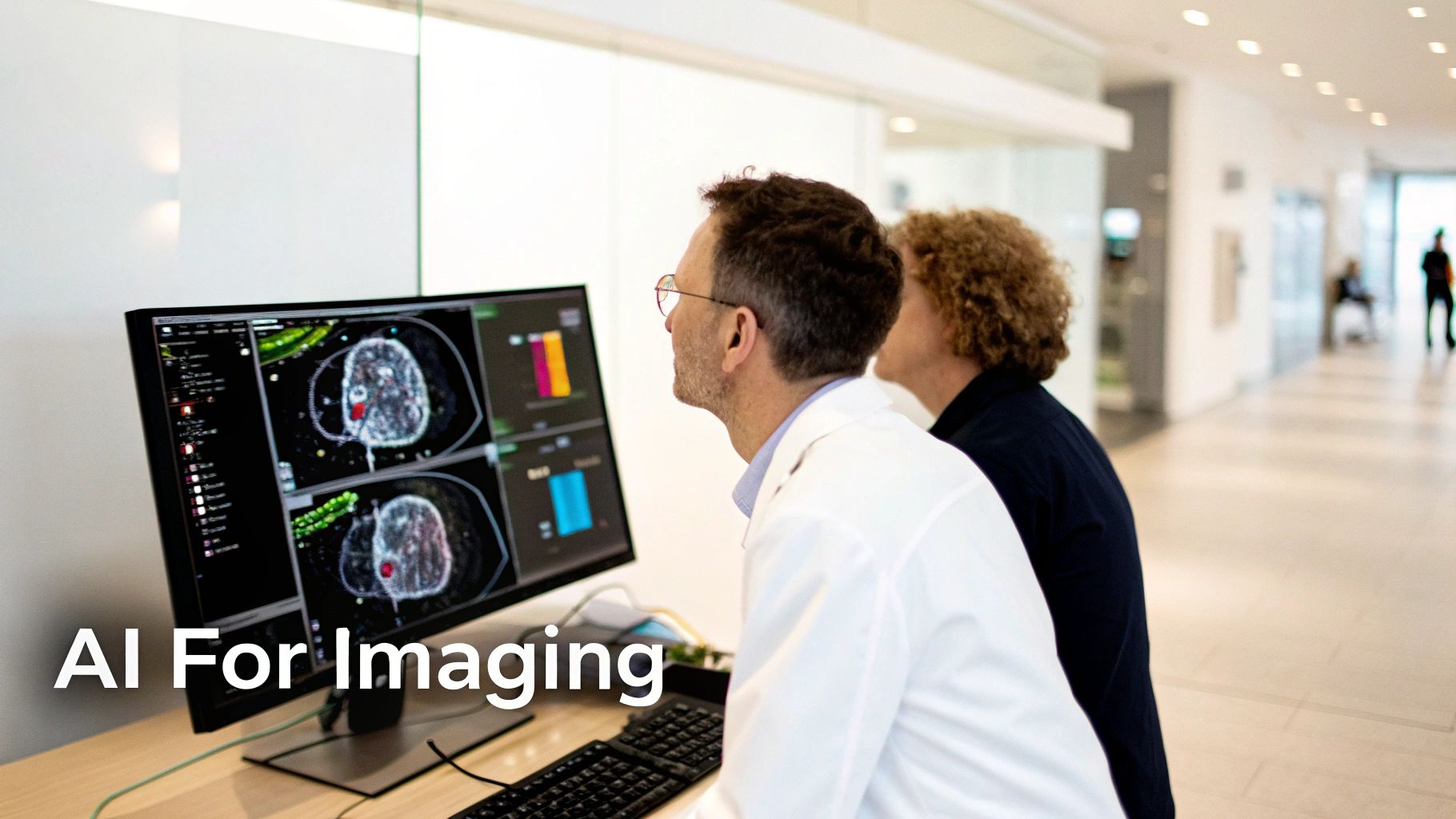
The true potential of the DCM file type is finally being realized, thanks to artificial intelligence. For years, we thought of these files as just static digital records, a replacement for old film. But that perspective is changing fast. Today, DICOM files are the rich, structured data that’s fueling a new wave of medical AI—one that's set to completely reshape healthcare.
Imagine trying to teach a medical student. You wouldn't just show them a picture of a lung and say, "Find the problem." You'd give them the full story. A simple JPEG is like that isolated picture; it shows you what but gives you no why. A DICOM file, on the other hand, is the entire case study in a single package. It’s the image, the patient's history, the specific scanner settings used to capture it, and all the clinical notes wrapped together.
This all-in-one structure is an absolute goldmine for training AI. It’s what lets an algorithm go beyond just recognizing shapes and start making connections, delivering truly incredible medical insights.
Why Context is Everything for AI
The real magic is hidden in the DICOM header. An AI model doesn't just see pixels that look like a lung nodule. It learns to connect those pixels with the patient's age, their smoking history, and the exact model of CT scanner that was used. This deep context allows developers to build incredibly sophisticated models that can:
- Spot Disease Before We Can: AI trained on huge DICOM archives can learn to detect patterns so subtle they are invisible to the human eye. This means catching cancers or neurological disorders at their absolute earliest and most treatable stages.
- Achieve Pinpoint Accuracy: Think about radiation therapy. Manually outlining a tumor is painstaking work. An AI can segment the tumor and surrounding healthy tissue with a level of precision and speed that a human simply can't match.
- Forecast Patient Outcomes: By analyzing the data from thousands of previous cases, AI can start to predict how a new patient might respond to a certain treatment, opening the door to truly personalized medicine.
The DICOM standard is the quiet hero behind the medical AI revolution. The original creators had the foresight to bundle images with machine-readable context, and in doing so, they created the perfect raw material for the diagnostic tools of the future.
Getting DICOM Data Ready for AI
Of course, you can't just feed raw patient files into an algorithm. The data has to be meticulously prepared. The most crucial step is anonymization—stripping every piece of personally identifiable information from the DICOM headers to protect patient privacy. This process creates the secure, ethical datasets that are the foundation of all medical AI research.
The standard itself has kept up with the times, with recent updates adding support for AI and cloud workflows. It's why over 90% of medical imaging devices around the world are on the same page. With millions of DICOM files created every day, they're driving a global medical imaging market that blew past USD 40 billion in the early 2020s. You can explore the evolution of medical imaging to get a sense of this massive scale.
At PYCAD, we're in the trenches with this technology every day. We build custom web DICOM viewers and weave them directly into the medical imaging platforms where clinicians work. This is where the magic happens—where raw data and powerful AI come together in an intuitive tool that helps doctors make better, faster decisions. It’s a thrilling space to be in, and you can see some of our work on our portfolio page.
Questions We Hear All the Time About DCM Files
As you've gotten deeper into the world of medical imaging, you've probably started asking some really practical questions. That’s a great sign—it means you're moving from theory to real-world application. Let's tackle a few of the most common questions that come up.
Can I Just Open a DCM File in Photoshop?
You can, but you absolutely shouldn't. Opening a DCM file with a standard image editor like Photoshop is like ripping the cover and first ten pages out of a book before reading it.
Sure, you might see the main story—the image itself—but you lose all the critical context. The patient's name, the date of the scan, the specific machine settings… all of that crucial information lives in the metadata header, which Photoshop completely ignores. To see the whole picture, you need a proper DICOM viewer designed to read both the image and its story.
What’s the Difference Between DICOM and PACS?
This is a fantastic question because it gets right to the heart of how a modern hospital's imaging department actually works. The simplest analogy is this: DICOM is the letter, and PACS is the post office.
- DICOM is the universal standard for the letter itself—the file format and the rules for writing it so that any doctor, anywhere, can read it.
- A Picture Archiving and Communication System (PACS) is the massive, complex post office that stores, sorts, and delivers millions of these letters every day. It’s the hospital's central library for every scan ever taken.
So, a PACS is the powerful system that manages the huge volumes of files, and all of those files are written in the DICOM language.
The real magic happens when DICOM and PACS work together. This partnership is what allows a specialist to pull up a critical scan from across the country in seconds, fundamentally changing how we approach patient care.
Why Don’t We Just Convert Everything to JPEG?
It's tempting, right? JPEGs are easy. But converting a DCM file to a JPEG is a one-way street to losing essential information. The damage happens in two major ways.
First, you lose image quality. JPEG uses "lossy" compression, which means it throws away tiny bits of data to make the file smaller. In medical imaging, one of those "tiny bits" could be the subtle sign of a developing condition.
Even more importantly, you strip out all the metadata. The patient ID, the study date, the acquisition parameters—gone. A JPEG is fine for a PowerPoint slide, but the original DCM file is the unalterable legal medical record. It has to stay intact.
How Does PYCAD Fit into This Picture?
Many DICOM viewers are clunky, standalone desktop apps. But modern medicine is collaborative and web-based. This is where we come in. At PYCAD, we bridge that gap.
We build custom web DICOM viewers and integrate them into medical imaging web platforms. This creates a fluid, secure, and powerful workflow, allowing doctors to interact with patient scans directly from any device. You can see some of our integration work on our portfolio page.
At PYCAD, we don't just work with DICOM; we build the bridges that connect this foundational data to the future of medicine. If you're building a platform that needs to speak the language of medical imaging, take a look at our work at https://pycad.co/portfolio and let's explore what's possible.