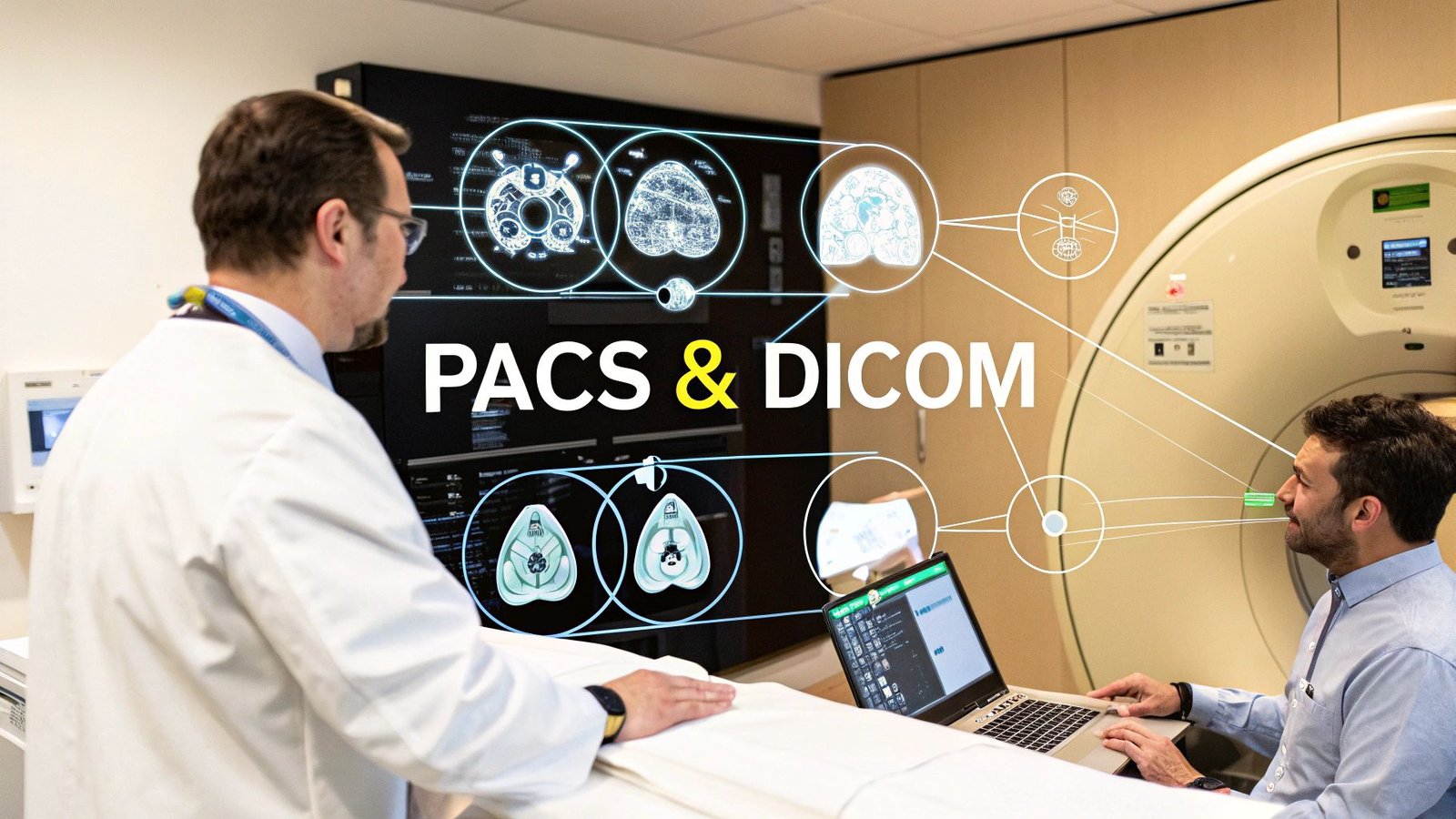
Picture this: a bustling, modern hospital suddenly unable to share, view, or even store a single X-ray or MRI. It's a scenario that feels almost impossible today, and that's thanks to PACS and DICOM, the two foundational pillars of modern medical imaging.
Think of it this way: DICOM is the universal language that all imaging machines speak, and PACS is the vast digital library where these conversations are stored and brought to life.
The Heartbeat of Digital Medicine Understanding PACS and DICOM
In the complex world of medical technology, few partnerships are as crucial as the one between PACS and DICOM. To really get a feel for how they work, let’s use an analogy.
Imagine DICOM as the universally accepted format for all digital photographs. It's the standard that ensures a photo taken on any brand of camera can be perfectly understood, opened, and printed by any other device in the world, without losing a single pixel of information.
Now, think of PACS (Picture Archiving and Communication System) as the incredibly smart and meticulously organized digital art gallery for all those photos. It doesn't just pile them up; it archives them with critical details, sorts them by patient and study type, and gives physicians powerful tools to view, compare, and analyze the images. Without the common language of DICOM, this PACS gallery would be nothing but a chaotic mess of unreadable files.
A Perfect Partnership
The relationship here isn't a competition; it's a perfect synergy. PACS and DICOM are two sides of the same coin, working together to create the seamless diagnostic workflow that clinicians depend on every single moment of every day.
- DICOM (Digital Imaging and Communications in Medicine): This is the global standard that governs how medical images are transmitted, stored, and viewed. It's the reason a GE MRI scanner and a Siemens viewing station can communicate flawlessly.
- PACS (Picture Archiving and Communication System): This is the actual infrastructure—the software and hardware—that uses the DICOM standard to manage the entire journey of medical imaging data, from the moment it's captured to its long-term archiving.
To better understand their distinct roles, let's break it down.
PACS vs DICOM At a Glance
| Aspect | PACS (The Library & Viewing Room) | DICOM (The Universal Language) |
|---|---|---|
| Primary Purpose | To store, retrieve, manage, and display medical images. | To standardize the format and communication protocol for medical images. |
| Analogy | The entire library system, including shelves, catalog, and reading rooms. | The common language all the books in the library are written in. |
| Core Function | An application and infrastructure for image management and workflow. | A set of rules and a file format for interoperability. |
| Example | A hospital's central server where radiologists access patient CT scans. | The .dcm file format of the CT scan itself. |
This table shows how they are fundamentally different yet completely codependent. You can't have an effective PACS without DICOM, and DICOM's potential is only fully realized through a PACS.
This collaboration is what finally freed healthcare from the constraints of bulky film jackets and ushered in the digital age. The shift was dramatic. In the early 1990s, fewer than 10% of hospitals had any form of PACS. By the mid-2010s, that number soared past 90% in most Western nations.
And it's not slowing down. The global medical image management market is on track to grow from USD 5.73 billion in 2025 to a staggering USD 11.76 billion by 2033. You can dig deeper into these market trends and their implications for healthcare innovation.
At its core, the synergy between PACS and DICOM creates a fluid, reliable, and instant channel for diagnostic information. This foundational system is what enables doctors to make faster, more informed decisions that ultimately save lives.
This is exactly where modern solutions can make a huge impact. At PYCAD, we specialize in building on top of this powerful ecosystem. We build custom web DICOM viewers and integrate them into medical imaging web platforms, effectively making that 'library' accessible from anywhere, on any device.
You can see some of these advanced applications in our portfolio. This level of accessibility is the final, crucial piece of the puzzle—getting life-saving diagnostic information directly into the hands of clinicians, right when they need it most.
Tracing the Journey of a Medical Image
To really get a feel for the power of PACS and DICOM, let’s follow a single medical image on its journey through a hospital's digital ecosystem. This isn't just some dry technical process; it's more like a beautifully choreographed performance, where data, standards, and systems work in perfect harmony to deliver critical information right when it’s needed.
The story starts the moment a patient is on the table for a CT scan. The scanner captures hundreds, maybe even thousands, of detailed cross-sectional images. But each slice is far more than just a picture—it’s an incredibly rich packet of data, packed with pixel information and vital metadata like the patient’s ID, the study date, and the modality type.
This is where DICOM takes center stage.
From Creation to Communication
Before that image can travel anywhere, the CT scanner has to bundle it into a format that everyone can understand. It takes the raw image data and all the associated information and wraps it up neatly into a DICOM file. Think of it like a smart, highly secure digital envelope. The image is the letter inside, and the DICOM header acts as the detailed address, shipping instructions, and handling information all written clearly on the outside.
This standardization is everything. It guarantees that whether the scanner is from GE, Siemens, or Philips, the digital file it produces will be perfectly readable by any other system in the hospital that also speaks DICOM. It's the handshake that makes true interoperability possible. If you're curious about the nitty-gritty, you can learn more about the bedrock of this system in our guide to DICOM standards and their importance.
The High-Tech Postal Service in Action
With the DICOM file ready to go, it needs to get to its destination: the PACS server. This is where DICOM's "postal service" kicks in. The imaging machine uses a command called C-STORE (the DICOM Storage Service) to send the image on its way. In simple terms, C-STORE is the "send" button that securely pushes the image file across the network to the PACS.
C-STORE is the unsung hero of medical imaging. It's the workhorse responsible for moving petabytes of data every single day in hospitals across the globe, ensuring every scan gets to its destination safely and without a single bit of data lost.
The PACS, acting as the central library and archive, receives this data. It immediately checks the DICOM file's integrity, reads the header, and intelligently files it away. The system links the new study to the patient's existing medical record, making it instantly accessible for anyone who needs it. This whole sequence, from the click of the scanner to secure storage, often happens in just a few seconds.
This flow is beautifully illustrated below, showing how an image goes from the modality, gets encoded into the DICOM format, and is securely archived in the PACS.
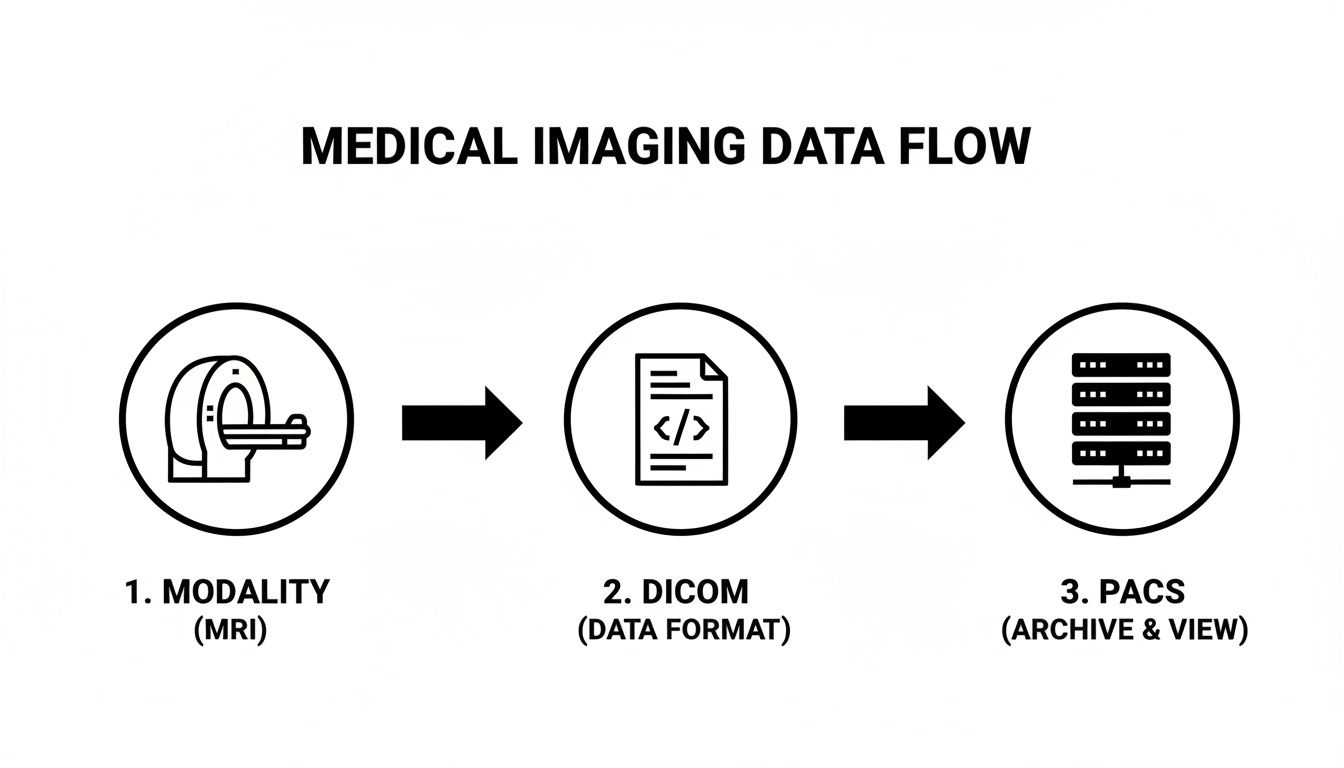
This clear, standardized pathway is the secret to the entire ecosystem's incredible efficiency and reliability.
Retrieval and the Final Mile
Later, when a radiologist needs to review that scan, they don't have to dig through a chaotic digital mess. From their workstation, they send a query to the PACS using other DICOM commands—like C-FIND to search for the study by patient name or ID, and C-MOVE to pull it up for viewing.
This last step is where the magic truly becomes apparent to the clinician. The PACS serves up the requested images to their viewing station almost instantly. At PYCAD, this is where our expertise comes in. We build custom web DICOM viewers and integrate them into medical imaging web platforms, handling this "last mile" and allowing physicians to access and manipulate these complex datasets right from a web browser, no matter where they are. This entire journey, driven by the quiet, seamless partnership of PACS and DICOM, is what makes modern medicine possible.
Choosing Your PACS Architecture and Deployment Model
Now that we’ve seen how PACS and DICOM work hand-in-hand, it's time to talk about where your PACS will live. This isn't just a technical detail—it's a foundational decision that will define your organization's workflow, budget, and ability to grow for years to come.
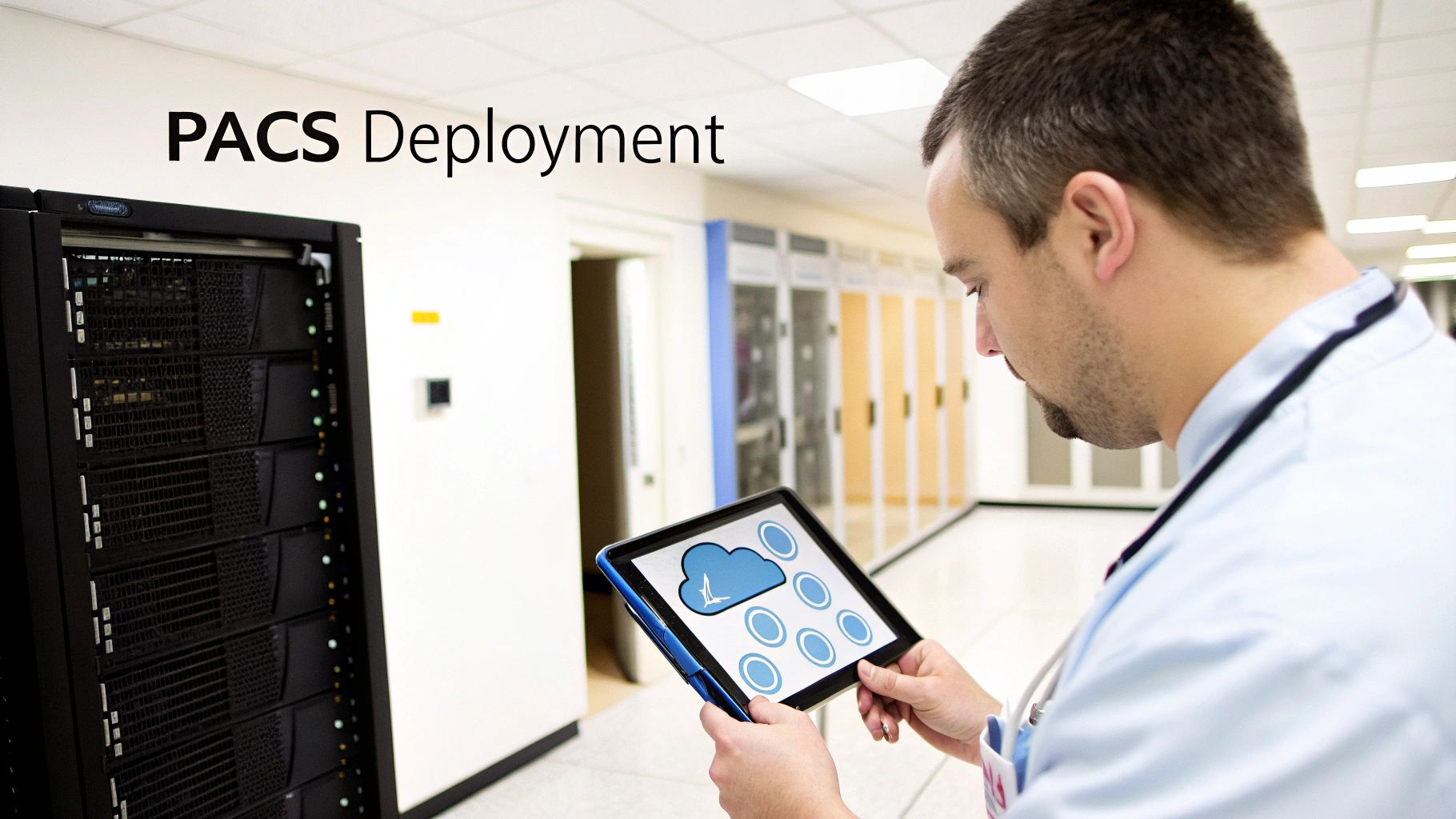
Think of it like deciding how to store a massive, ever-expanding library of priceless books. Do you build a grand, physical library on your own land, with complete control over every shelf and security guard (On-Premise)? Do you subscribe to a massive digital lending service that handles all the storage and maintenance for you (Cloud)? Or do you keep your most treasured volumes on-site while using the digital service for everything else (Hybrid)?
Each path has its own set of benefits and challenges. Choosing the right one means taking a hard look at your clinical needs, financial realities, and vision for the future. Understanding the basics of software architecture design patterns can also provide a solid framework for making a more informed, strategic choice.
On-Premise PACS: The Fortress
The classic on-premise approach is exactly what it sounds like: your PACS servers, software, and all the data live right there within your facility's walls. This model gives you the ultimate control over your data and infrastructure.
Of course, with great control comes great responsibility. Your internal IT team owns everything—from managing the hardware and software updates to ensuring data security and planning for disaster recovery. This is often the path for large, established hospitals with deep IT resources and a non-negotiable need to keep sensitive patient data completely in-house.
Cloud PACS: The Utility
With a cloud-based model, you partner with a specialized vendor who hosts and manages the entire PACS for you in highly secure, remote data centers. You access your imaging studies over the internet and typically pay a subscription fee, much like you would for electricity or water.
This completely shifts the burden of maintenance, security, and updates to the provider. It brings incredible flexibility, letting you scale your storage and computing power on demand without sinking huge amounts of capital into hardware. For smaller clinics or growing teleradiology practices, this agility is a massive advantage. Our guide to PACS integration shows just how well modern cloud solutions can connect with your other systems.
Hybrid PACS: The Best of Both Worlds
A hybrid strategy thoughtfully combines on-premise and cloud solutions. For example, a facility might keep the most recent studies on a local server for blazing-fast access while archiving older images to the cloud for more affordable, long-term storage.
This approach strikes a beautiful balance between performance, cost, and security. It delivers the speed of an on-premise system for day-to-day work while tapping into the scalability and robust disaster recovery options that the cloud offers.
The choice isn't just about technology; it's about strategy. The right PACS architecture will align with your clinical workflow, your financial model, and your long-term goals. It turns your imaging data from something you just store into a powerful, accessible asset for better patient care.
To really clarify the decision, let's break down the pros and cons of each model.
Comparing PACS Deployment Models
Here's a practical, side-by-side look at the three main PACS deployment strategies to help you weigh your options.
| Model | Key Advantages | Key Considerations | Best For |
|---|---|---|---|
| On-Premise | Total control over data security; fast local network access without internet dependency. | High upfront investment in hardware; ongoing maintenance and IT staffing costs; scaling is slow and expensive. | Large hospitals and health systems with robust IT departments and strict data sovereignty requirements. |
| Cloud | Low initial costs; pay-as-you-go flexibility; experts handle security and maintenance; easily scalable. | Reliance on internet connection; potential for data latency; recurring subscription fees can add up over time. | Small-to-mid-sized clinics, startups, and teleradiology groups that need to stay agile and minimize capital expenses. |
| Hybrid | Blends on-site speed with cost-effective cloud archiving; creates powerful disaster recovery options. | Can be more complex to manage and integrate the two environments seamlessly. | Organizations looking to optimize storage costs while keeping high-speed access to recent studies. |
Ultimately, there is no single "best" answer—only the one that best serves your mission.
At PYCAD, we live and breathe this modern imaging landscape. We build custom web DICOM viewers and integrate them into medical imaging web platforms, engineering solutions that are built to perform flawlessly in any deployment model, especially in secure, cloud-native architectures. This ensures that no matter which path you take, your team has the seamless and secure access to critical imaging data they need to excel. You can see examples of our work in our portfolio.
The Expanding Universe of Specialty PACS
For decades, the PACS and DICOM world really revolved around one department: radiology. It was the heart of the imaging ecosystem, the primary driver of innovation, and where this powerful technology truly found its footing. But that story is changing fast. PACS is breaking out of its traditional home and finding its way into a fascinating, ever-growing universe of medical specialties.
This shift is happening for one simple reason: a one-size-fits-all approach to medical imaging just doesn't cut it anymore. The specific demands of cardiology, the microscopic detail required in digital pathology, and the multi-dimensional data of modern oncology all need more than a generic image viewer. They need tools and workflows built from the ground up for their unique challenges.
Why Generic PACS Falls Short in Specialized Medicine
Think about it. Would you ask a world-class cardiologist to analyze complex cardiac ultrasound loops using a viewer designed for static X-rays? Or imagine an oncologist trying to correlate PET and CT scans without the right fusion tools. It just wouldn't work. The core issue is that each specialty speaks its own "visual language" and follows a very distinct diagnostic path.
- Cardiology PACS: This isn't just about viewing images; it's about handling motion. Systems need to manage dynamic studies like echocardiograms and angiograms, demanding robust video playback, advanced measurement tools (like for ejection fraction), and structured reporting templates tailored to cardiac procedures.
- Pathology PACS: Here, we're dealing with massive whole-slide images, which can be gigabytes in size. Viewers have to deliver a flawless zoom and pan experience, provide annotation tools for marking cellular structures, and integrate seamlessly with laboratory information systems (LIS).
- Ophthalmology PACS: This field is all about high-resolution retinal scans and optical coherence tomography (OCT). These systems need specialized viewers that can layer images and offer precise tools for measuring retinal thickness or tracking disease progression over time.
This push for specialized solutions isn't just a fleeting trend; it’s a seismic shift defining the market. The global specialty PACS market was valued at around USD 3.74 billion in 2024. While radiology still holds the largest share at about 46%, other fields are gaining ground with incredible speed. Ophthalmology, for example, is a real standout, with its market segment projected to nearly double by 2034. It's also telling that over 60% of its current deployments are already part of integrated systems, showing a strong desire for connected platforms. You can dive deeper into these dynamics by exploring the full market analysis on specialty PACS growth.
The Rise of Integrated and Unified Platforms
The explosive growth across all these specialties points to a critical need in modern healthcare: unification. Clinicians need to see the whole patient, which means tearing down the walls that have traditionally separated different imaging departments. The future isn't about having a great cardiology PACS sitting next to a separate oncology PACS; it's about weaving them together into a single, cohesive platform where all this information can finally connect.
This is where custom development becomes absolutely essential. Off-the-shelf products often can't bridge these complex, specialized worlds. For healthcare innovators, building a truly unified vision requires a platform that can be shaped and molded to fit their exact needs.
The next great leap in diagnostic medicine will come from our ability to see the complete picture. A unified platform that combines imaging from every specialty gives clinicians the context they need to make connections that were previously invisible.
This is the very challenge that gets us excited at PYCAD. We know that every medical specialty has its own unique imaging language. That’s why we build custom web DICOM viewers and integrate them into medical imaging web platforms. Our entire mission is to empower healthcare innovators with the bespoke, high-performance tools they need to serve any medical field—from the most established to the most emergent. By creating these unified environments, we help turn fragmented data into decisive clinical insight. Check out our portfolio to see how we bring these specialized solutions to life.
Integrating AI into Your Medical Imaging Workflow
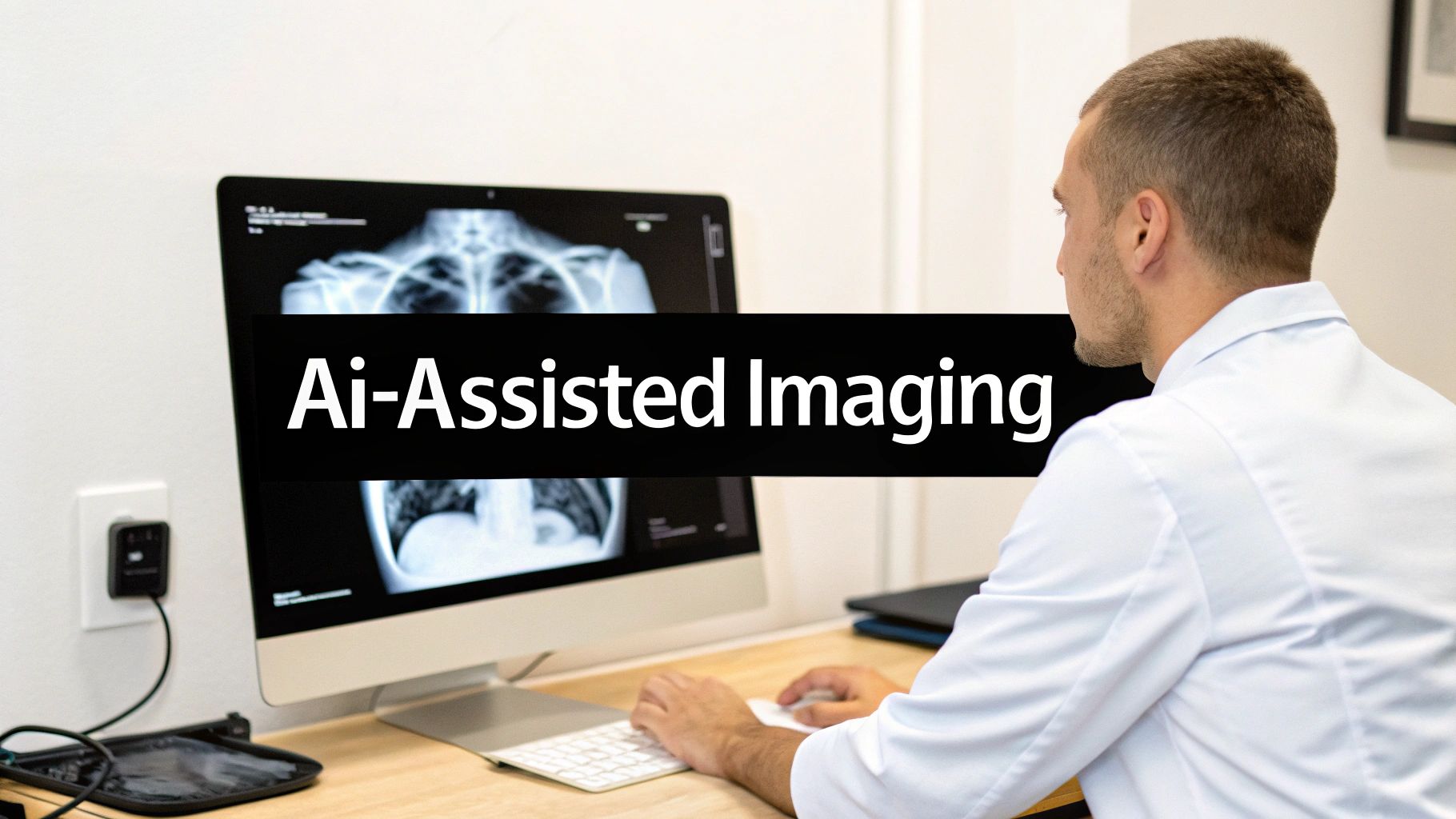
The worlds of PACS and DICOM are standing at the threshold of their most meaningful evolution yet, one driven by the power of Artificial Intelligence. This isn't some far-off, futuristic idea. It’s about practical, real-world tools already making their way into clinical practice, helping augment the incredible skills of clinicians to make diagnostics faster, sharper, and more insightful.
Think of it this way: an AI algorithm works quietly and tirelessly in the background of your PACS. As soon as DICOM images arrive from a scanner, the AI gets to work, instantly analyzing them and flagging subtle anomalies that a human eye might miss during a long and demanding shift. The goal isn't to replace the radiologist. It’s to give them a second, incredibly vigilant set of eyes.
Practical AI Applications in Modern PACS
The benefits of bringing AI into the fold are already being felt in workflows across the globe. Beyond just spotting anomalies, these smart tools are starting to handle the repetitive, time-consuming tasks that contribute to burnout. This frees up clinicians to focus their expertise on complex diagnostic challenges and, most importantly, on their patients.
Here are just a few game-changing applications we're seeing today:
- Automated Triage: Imagine an AI model that can scan incoming studies and automatically push the most critical cases to the top of the list—flagging a potential stroke or pulmonary embolism, for example. This simple step ensures that urgent findings get a radiologist's attention immediately.
- Intelligent Measurement: Think about the tedious work of measuring tumors, calculating organ volumes, or assessing cardiac function. AI can automate these tasks with astounding precision, which not only saves precious time but also makes the results more consistent and reproducible.
- Predictive Insights: By analyzing immense datasets of images and corresponding patient outcomes, AI is beginning to spot patterns that can help predict disease progression or how a patient might respond to treatment. This is a huge step toward more personalized medicine.
To get the most out of these tools, it helps to approach implementation with a plan. Thinking through a strategic AI adoption ensures the technology you bring in serves clear clinical and operational goals.
DICOM's Role in an AI-Driven Future
The DICOM standard itself is evolving to embrace this new reality. New structures are being developed to embed AI-generated results—like probability maps or segmentation masks—right inside the DICOM file itself. This is a brilliant move, as it ensures that the AI's insights travel with the original images, maintaining a clear, auditable trail between the raw data and the analysis.
This evolution is absolutely critical. By standardizing how AI results are stored and communicated, DICOM guarantees that these powerful insights can be seamlessly shared, viewed, and validated across different PACS and viewer platforms. It prevents the creation of new data silos.
This structured approach is what makes AI a scalable, trustworthy partner in the diagnostic process. It’s also unlocking the potential for more powerful web-based viewers that can intelligently display both the original DICOM images and the AI-generated overlays side-by-side. For anyone new to this, our guide on how to read DICOM files is a great place to start building that foundational knowledge.
This is exactly where we at PYCAD feel we have a unique advantage. We aren’t just software developers; we consider ourselves architects of intelligent medical ecosystems. We don't just build custom web DICOM viewers and integrate them into medical imaging web platforms—we also develop and integrate the custom AI models that power them. This end-to-end expertise allows us to build truly cohesive solutions where the platform, the viewer, and the AI work in perfect harmony.
Take a look at our work at https://pycad.co/portfolio to see some of these intelligent systems in action. We’re all in on building the future of medical imaging—a future where the synergy of PACS, DICOM, and AI empowers clinicians to reach new heights of diagnostic excellence and profoundly improve patient outcomes.
Your Essential PACS and DICOM Implementation Checklist
Bringing a new PACS and DICOM system to life—or overhauling an existing one—is a huge moment for any healthcare organization. This isn't just another IT project; it's a fundamental shift in how your clinical teams work. A truly successful rollout is less about flipping a switch and more about carefully choreographing every step to ensure a smooth transition that empowers your staff from the very first day.
Think of this checklist as your strategic roadmap. It's built from experience to help you navigate the crucial stages, sidestep common pitfalls, and make smart decisions that pay dividends for years to come. The goal here isn't just to build something that works, but to create an imaging ecosystem that truly excels.
Phase 1: Foundational Planning and Assessment
The strength of your entire project hinges on the work you do right here, at the beginning. So many issues down the line can be traced back to a rushed or incomplete planning phase. Before you even think about talking to vendors, you have to look inward and get crystal clear on what you actually need.
- Dig Deep with a Needs Analysis: Get everyone in a room—radiologists, technologists, IT specialists, and administrators. Map out your current workflows, warts and all. What are the biggest frustrations? What’s the dream setup? Document everything.
- Nail Down the Technical Specs: Get specific. What are your real-world storage needs? How much network bandwidth can you spare? Which DICOM services are non-negotiable? What security protocols must be in place? Write it all down.
- Build an Honest Budget: The sticker price is just the start. You have to account for the hidden-in-plain-sight costs of data migration, comprehensive staff training, ongoing support contracts, and any necessary infrastructure upgrades.
Phase 2: Vendor Selection and Validation
Choosing your technology partner is one of the most important decisions you'll make. You're not just buying a piece of software; you're investing in a relationship with a team that needs to understand your unique clinical vision.
A truly great implementation partner doesn't just sell you a system. They invest in your success, offering the expertise to guide you through integration, ensure compliance, and unlock the full potential of your new platform.
Put potential vendors through their paces. This is where you separate the talkers from the doers.
- Craft a Detailed RFP: Your Request for Proposal should be built directly from your needs analysis. Ask vendors to respond with specific solutions, realistic timelines, and completely transparent pricing.
- Do Your Homework: Don't just watch the canned demos. Request live, tailored walkthroughs. Call their references—especially facilities that are similar to yours. Investigate their financial stability and the quality of their support team.
- Prove the Interoperability: This is a deal-breaker. Demand proof that their system can and will integrate seamlessly with your existing EMR/HIS and other essential clinical platforms.
Phase 3: Execution and Go-Live
With your partner chosen, it's time to bring the plan to life. This is where all that meticulous preparation pays off. The keys to success in this phase are relentless communication and exhaustive testing.
- Plan Your Data Migration: Create a rock-solid strategy to move your historical PACS and DICOM data. It needs to be secure, verifiable, and done without compromising a single byte of its integrity.
- Train, Train, and Train Again: Don't skimp here. Develop role-specific training programs to make sure every single user, from the tech to the top surgeon, is confident and capable before the system goes live.
- Test Everything End-to-End: Simulate your entire workflow. From the moment an image is acquired to the second it's archived and viewed on a diagnostic workstation, test every step. Find the bugs now, not when a patient is on the table.
This strategic, phased approach is what separates a chaotic, stressful rollout from a successful one. At PYCAD, this project lifecycle is in our DNA. We build custom web DICOM viewers and integrate them into medical imaging web platforms, turning a visionary concept into a secure, compliant, and fully realized clinical tool. You can see examples of our end-to-end projects in our portfolio.
Your Top Questions About PACS and DICOM, Answered
Stepping into the world of medical imaging technology can feel like learning a new language. Let's clear up some of the most common questions about PACS and DICOM to give you a solid footing.
What’s the Real Difference Between a VNA and a PACS?
This is a fantastic question, and the best way to think about it is with a library analogy.
Imagine your hospital's radiology department has its own specialized library—that's your PACS. It’s perfectly organized for the radiologists, with everything they need for their day-to-day work right at their fingertips. It’s fast, efficient, and built for a specific purpose.
Now, think of a Vendor Neutral Archive, or VNA, as the university's massive central archive. Its job isn't to serve one department's daily needs but to collect, store, and preserve images from every department—cardiology, oncology, dermatology, you name it—all in a standard format. The VNA breaks down the walls between departmental silos, making sure all this valuable data can be accessed and used together for years to come, no matter which vendor's software you're using.
Can I Actually View PACS Images on a Web Browser?
Yes, you absolutely can! This isn't just a feature anymore; it's a fundamental part of modern healthcare. Thanks to standards like DICOMweb and the development of zero-footprint web viewers, authorized clinicians can securely pull up medical images on any device with a browser. No special software, no lengthy installs—just immediate access.
This is exactly where we live and breathe at PYCAD. Our specialty is that we at PYCAD, build custom web DICOM viewers and integrate them into medical imaging web platforms. The goal is simple: give clinicians the ultimate freedom and performance to access imaging data wherever they are.
How Does DICOM Keep Patient Data Secure?
The DICOM standard has security baked right in, but it’s just the starting point. It uses DICOM TLS (Transport Layer Security) to encrypt data as it travels from a scanner to the PACS, which is like sending a sensitive package in a locked, armored truck instead of an open convertible. It also supports integration with hospital-wide user authentication systems to make sure only the right people get access.
But true security, especially for meeting standards like HIPAA or GDPR, requires more. A truly secure system builds on top of DICOM with things like detailed audit trails (who accessed what, and when?), strict user permissions, and powerful data anonymization tools. These are the layers that turn a standard system into a fortress for patient data.
At PYCAD, we don't just understand this technology—we build it. We specialize in creating the next generation of medical imaging tools, as we at PYCAD, build custom web DICOM viewers and integrate them into medical imaging web platforms. We make sure your data is not just easy to access, but also powerful and fundamentally secure.
Ready to see what’s possible? Take a look at our work in our portfolio.