PYCAD products

Medical imaging software we build and run ourselves

Besides building custom platforms for clients, we develop our own browser-based DICOM viewers. They open CT, MRI and CBCT scans in any modern browser, on desktop or phone, with nothing to install.

Available

General-purpose viewer

PYCAD DICOM Viewer

A fast viewer for any CT or MRI study. Drop in a folder of DICOM files and review it in 2D and 3D, then share the case with a link instead of a CD or a zip file.

  • DICOM, NIfTI, NRRD and STL, opened directly in the browser
  • Multi-planar views, 3D volume rendering, measurements and window/level
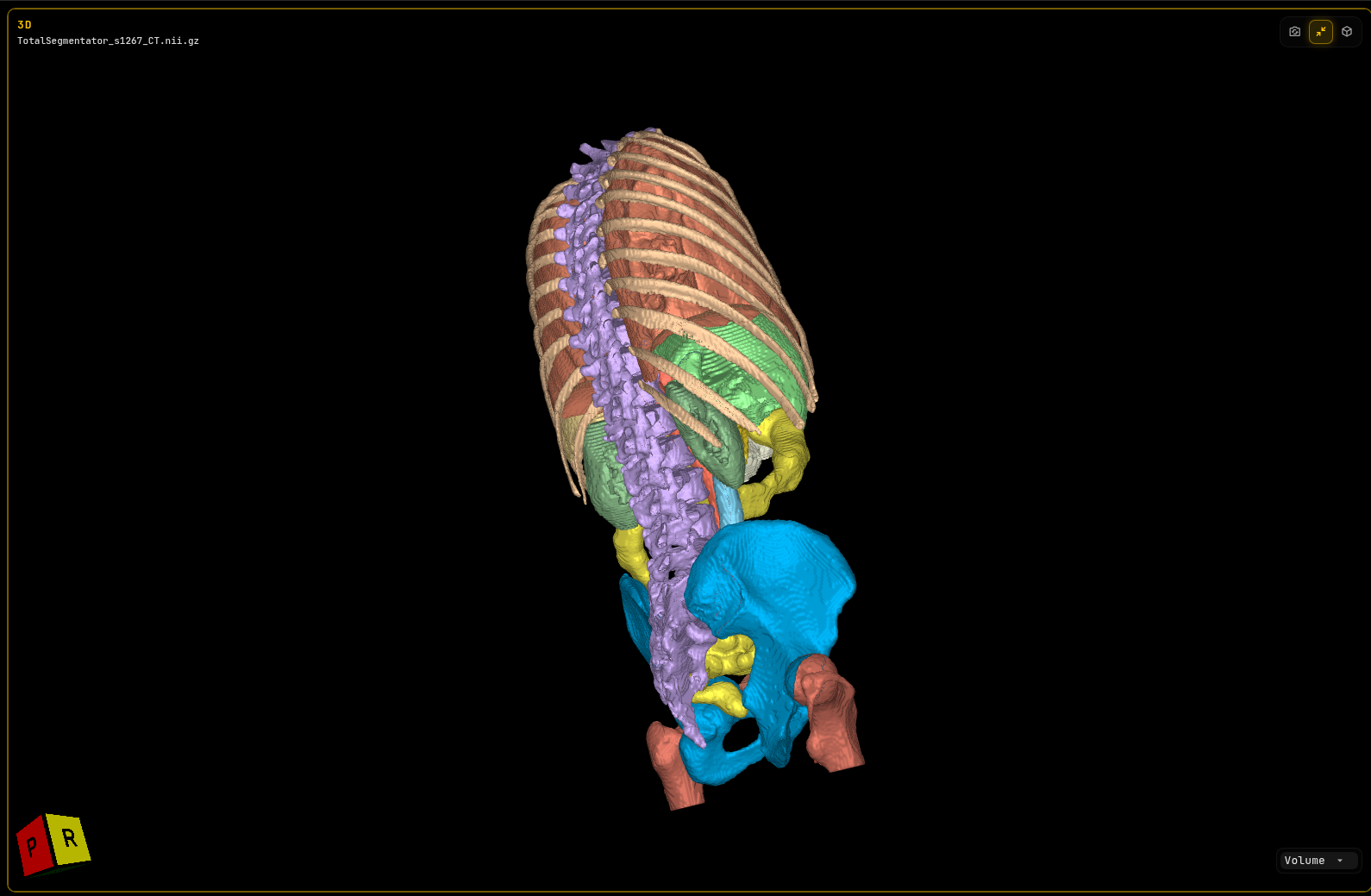
  • Segmentation overlays and 3D models, with outlines of meshes on the slices
  • Secure share links with an expiry date, and a dashboard to manage them
  • Works on phones and tablets; available in English, Spanish, French, German and Portuguese
PYCAD DICOM Viewer showing a segmented CT scan as a 3D model of the spine, ribs, pelvis and organs
Free to viewOpen and review scans at no cost.
Plans for sharingMonthly plans for teams that send cases to patients and colleagues.
License itWhite-label it or embed it in your own platform.

Dental CBCT

PYCAD Dental Viewer

A browser viewer built for dental CBCT, with two workflows: one for reading scans, one for planning implants. When you open it, you pick the one you need.

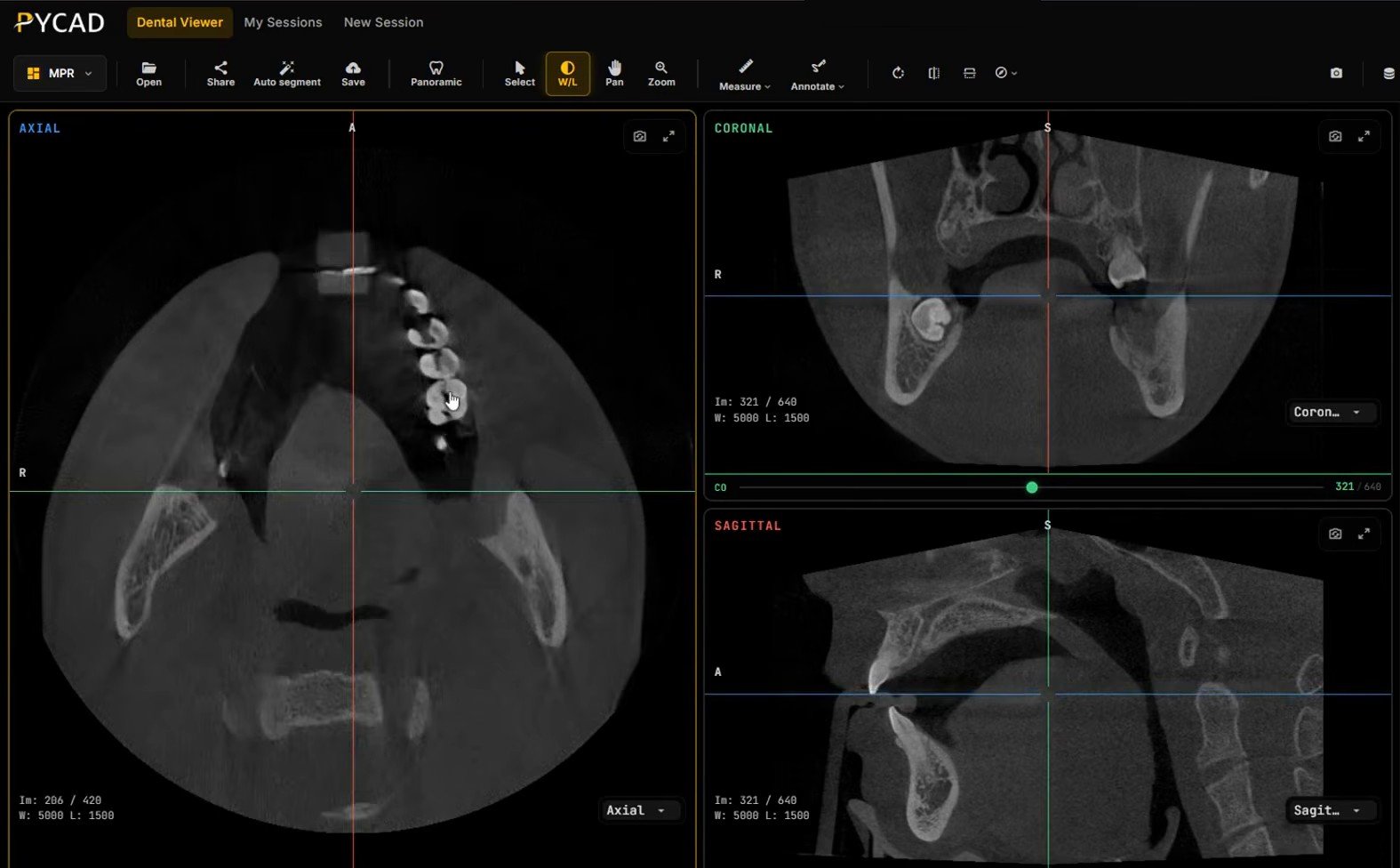
Dental CBCT in the PYCAD Dental Viewer with axial, coronal and sagittal views
Early access

Teleradiology Reading

For radiologists and reading groups who report dental CBCT remotely.

  • Axial, coronal and sagittal views, plus an automatic panoramic from the dental arch
  • Cross-sections, measurements and annotations
  • AI segmentation of teeth, jaws, mandibular canal and airway
  • Saved sessions and share links for the referring clinic
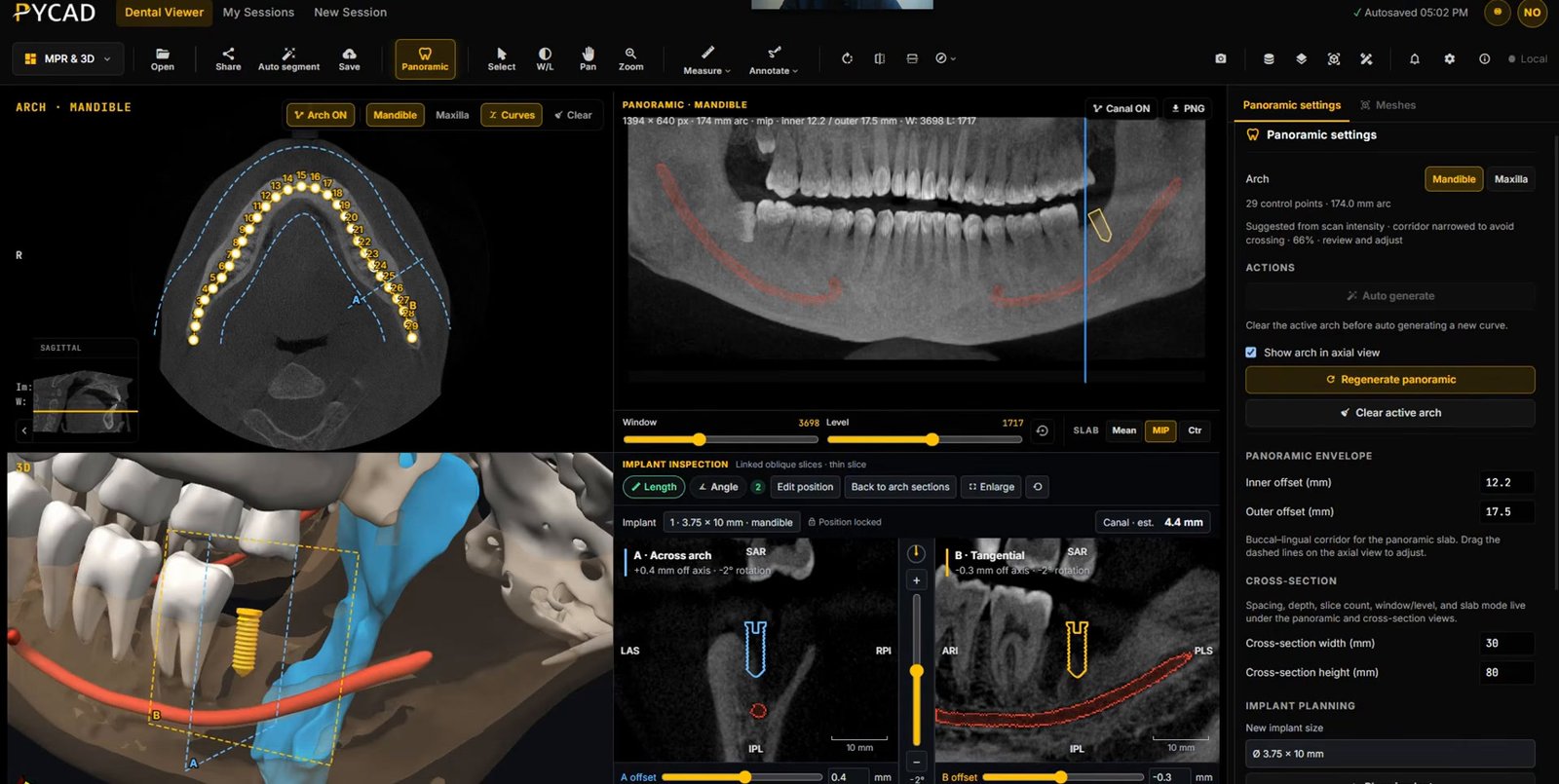
Implant planning in the PYCAD Dental Viewer with the dental arch, panoramic view, cross-sections and a 3D implant next to the mandibular canal
Research preview · free to test

Implant Planning

A research tool for exploring implant planning in the browser.

  • Draw the arch, then plan on panoramic and cross-sectional views
  • Place implants in 2D and 3D, with the distance to the mandibular canal
  • Guided steps for first-time users

For research and evaluation only. Not for clinical use. Implant Planning is not sold and is not open source; anyone can test it for free.

Need a viewer built around your workflow?

Our products share their engine with the custom platforms we build for clients. We can adapt them to your specialty, data and systems.

PYCAD viewers are not cleared as medical devices unless stated otherwise. Scans you open stay in your browser until you choose to save or share them.

We build custom medical imaging platforms — advanced DICOM viewers, AI segmentation, and the clinical systems around them.

Get in Touch

Copyright © 2026 PYCAD. All Rights Reserved.