For anyone in medtech or hospital IT, understanding a Picture Archiving and Communication System (PACS) is non-negotiable. It’s the very heart of modern medical imaging, the system that handles the storage, retrieval, management, and viewing of every X-ray, CT scan, and MRI. In short, it’s what replaced the old-school world of physical film and light boxes.
Your Guide to Understanding PACS in Healthcare
Let's rewind for a moment. Picture a radiology department from a few decades ago. It was a physical space, dominated by massive filing cabinets, glowing light boxes, and the distinct smell of film processing chemicals. If a doctor needed to see a patient's prior X-ray, someone had to physically track it down. Sharing that study with a specialist across town? That meant putting a bulky film jacket in the mail and hoping for the best.
This entire process was slow, clunky, and incredibly prone to error. Films got lost, misfiled, or damaged.
A PACS throws that entire model out the window. Think of it less like a simple storage drive and more like a dynamic, intelligent library for all medical images. The moment a patient's scan is complete, the digital images are whisked away to a secure PACS server. From that central hub, authorized radiologists and clinicians can pull them up instantly on a secure workstation—whether they're down the hall, in a different clinic, or even working from home.
A PACS isn't just a digital filing cabinet. It's a workflow engine that ignites faster diagnoses, seamless collaboration, and ultimately, better patient care by putting critical imaging data exactly where it's needed, the moment it's needed.
The explosive growth of this technology tells its own story. The global PACS market was recently valued at around $3.38 billion and is on track to hit $5.80 billion by 2034, climbing at a compound annual growth rate of 6.18%. This isn't just a trend; it's a direct response to the massive, ever-increasing volume of diagnostic imaging happening worldwide. For a deeper dive, you can explore more data on the picture archiving and communication system market.
Before we get into the nuts and bolts, let's quickly summarize what a PACS truly is.
PACS at a Glance
This table breaks down the essential functions of a PACS, giving you a clear, high-level overview of its role in a clinical environment.
| Aspect | Description |
|---|---|
| Primary Function | To store, retrieve, manage, and display medical images and related data. |
| Key Components | Imaging modalities (CT, MRI), secure network, servers, workstations, archives. |
| Core Standard | DICOM (Digital Imaging and Communications in Medicine) for image data. |
| Main Benefit | Replaces physical film archives with instant, on-demand digital access. |
| Business Impact | Improves diagnostic speed, enhances clinical collaboration, and boosts workflow efficiency. |
Essentially, a PACS is built from the ground up to solve some of the most persistent challenges in healthcare delivery.
At its core, a PACS is designed to do a few things exceptionally well:
- Make Images Instantly Accessible: It demolishes the physical barriers that once delayed patient care, putting critical images in front of expert eyes in seconds.
- Centralize Everything: It creates a single, bulletproof source of truth for a patient's entire imaging history. No more hunting for missing studies.
- Power Real-Time Collaboration: Specialists in different locations can view and discuss the same images simultaneously, leading to more comprehensive and well-informed decisions.
- Streamline Clinical Workflows: By automating the grunt work of storage and retrieval, it gives clinicians back their most valuable resource: time to spend with patients.
These systems are the bedrock of any modern hospital or imaging center. Here at PYCAD, we build custom web DICOM viewers and integrate them into medical imaging web platforms, unlocking even more value from this vital imaging data. To see what that looks like in the real world, take a look at some of our work in our portfolio.
How a PACS System Actually Works
Ever wonder what happens behind the scenes after you get an MRI or a CT scan? Think of a PACS as the digital heart of a modern hospital's imaging department—a high-speed, ultra-secure command center for medical images. Every scan is like a critical piece of intelligence that needs to be captured, routed, stored, and delivered to the right specialist for analysis.
The entire system is a finely tuned cycle of image acquisition, communication, storage, and interpretation. Let's break down the core components that make it all possible.
The Four Pillars of PACS Architecture
To really get what a PACS does, you need to understand the four essential parts that work together. Each one has a specific, vital job in the life of a medical image.
-
Imaging Modalities: This is where it all begins. The modalities are the machines that create the images—think MRI scanners, CT machines, X-ray equipment, and ultrasound devices. Each one generates a unique set of digital files that kick off the entire process.
-
Secure Network: This is the digital superhighway. Once an image is created, the network is responsible for whisking that massive data file over to the central archive. It has to be incredibly fast and reliable, but most importantly, it must be rock-solid secure to protect sensitive patient information.
-
PACS Archive and Server: This is the brain and the library combined. The server is the central hub that receives images from the network and files them away in a highly organized, secure database. It's far more than just a giant hard drive; it's an intelligent system that manages data access, retrieves prior studies on demand, and ensures everything is preserved for the long term.
-
Diagnostic Workstation: This is where the magic happens—the radiologist's cockpit. A workstation is a high-powered computer equipped with specialized software and high-resolution monitors built for one purpose: interpreting medical images. From here, clinicians can zoom in on tiny details, take precise measurements, add annotations, and compare new scans against old ones to make a life-saving diagnosis.
This diagram helps visualize how the PACS acts as the central nervous system connecting storage, processing, and sharing.
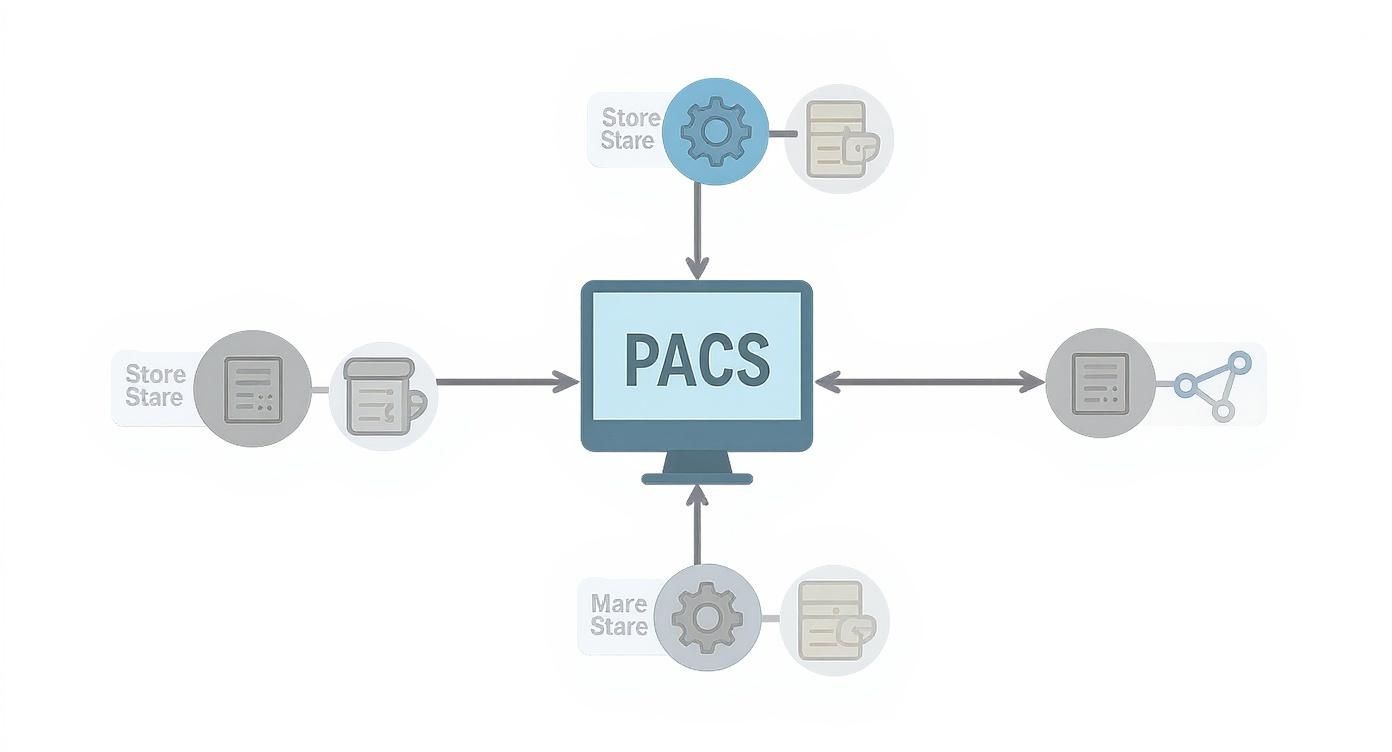
As you can see, the PACS isn't just a passive storage locker. It’s an active, dynamic system that powers the entire imaging workflow.
Tracing the Journey of a Digital Image
Let's follow an image to see how this all comes together. Imagine a patient comes in for an abdominal CT scan.
The moment the modality finishes the scan, it packages the images into a universal format. This is where DICOM, the global language of medical imaging, comes in. It ensures that every machine, from any manufacturer, speaks the same dialect. If you want to dive deeper into the nuts and bolts, we have a complete guide that unpacks the DICOM communication protocol.
Next, those DICOM files are sent across the hospital’s secure network to the central PACS archive. This happens in seconds—a world away from the old days of manually developing and transporting physical films. The server instantly receives the study, files it with the correct patient record, and flags it as ready for review.
The real power of a PACS is its ability to turn a static image into a dynamic piece of actionable data, accessible anywhere, anytime, by anyone who needs it to make a life-altering decision.
Finally, a radiologist sits down at their diagnostic workstation. They simply search for the patient's name to pull up the brand-new CT scan, often right alongside previous scans for immediate comparison. This is where their expertise comes to life, leading to the crucial final step: interpretation and diagnosis.
At PYCAD, our passion is perfecting this final piece of the puzzle. We build custom web DICOM viewers and integrate them into medical imaging web platforms, making the diagnostic step more intuitive, accessible, and powerful. By creating browser-based tools, we empower clinicians to view images on any device, which is a game-changer for collaboration and speeding up patient care. This seamless workflow, from scan to diagnosis, is what drives modern radiology forward. You can see examples of our work on our portfolio page.
The Universal Languages of Medical Imaging
How does an MRI scanner from Siemens talk to a diagnostic workstation from GE without a single hiccup? It's not magic; it's a shared language. For the entire PACS ecosystem to work as a single, unified system, it depends on universal standards that tear down the communication walls between different vendors' hardware and software.
Without these standards, every hospital would be a digital Tower of Babel, filled with machines that can't understand each other. This would create dangerous silos of information, making it impossible to share critical patient data. Two standards, in particular, form the very bedrock of this interoperability: DICOM and HL7.
DICOM: The Blueprint for Every Medical Image
Think of DICOM (Digital Imaging and Communications in Medicine) as the "JPEG of healthcare." When you snap a photo on your phone, the JPEG format guarantees you can open that picture on any computer or tablet, no matter the brand. DICOM does the same thing, but for incredibly complex medical images.
It's a powerful standard that defines both a file format and a network communication protocol.
- File Format: A DICOM file isn't just a picture. It’s a sophisticated container that bundles the image itself (like a CT slice or an X-ray) with a treasure trove of metadata. This includes everything from patient demographics to the specific scanner settings and acquisition parameters.
- Communication Protocol: DICOM also lays out the rules of engagement for how medical imaging devices communicate. It specifies precisely how to send, receive, and query for images, ensuring a smooth, error-free transfer from a scanner to the PACS archive.
This dual role is what makes DICOM so indispensable. It ensures an image captured in one department is perfectly readable—with all its vital context intact—when a specialist opens it in a completely different location. To dive deeper, you can check out our comprehensive guide on what is DICOM in healthcare.
DICOM is the fundamental handshake that ensures a medical image maintains its diagnostic integrity and context, no matter where it goes in the healthcare ecosystem. Without it, a PACS would be nothing more than a digital junk drawer of incompatible files.
HL7: The Messenger for Healthcare Data
If DICOM is the language of images, then HL7 (Health Level Seven) is the language of healthcare information. While DICOM moves the pixels, HL7 manages the textual and administrative data that gives those pixels meaning within the patient's broader journey.
Picture this: a patient checks in at the front desk. Their information goes into the Hospital Information System (HIS). When they're sent for a scan, an order is placed in the Radiology Information System (RIS).
How does that information flow so smoothly? That's HL7 at work. It's the messaging standard that lets separate applications—like the EHR, RIS, and PACS—exchange critical data without a hitch.
An HL7 message might carry information about:
- Patient admissions, discharges, and transfers (ADT)
- Orders for new imaging studies
- Final, signed radiology reports
- Billing and insurance details
This constant, standardized chatter ensures that when a radiologist pulls up a DICOM study, the system has already used HL7 messages to fetch the correct patient name, medical record number, and the ordering physician's notes from the RIS.
Together, DICOM and HL7 are a powerhouse. DICOM carries the visual evidence, while HL7 provides the narrative and logistical framework. This synergy is what stops data from getting fragmented, cuts down on manual entry errors, and creates a truly connected clinical environment where information flows freely and securely.
Choosing the Right PACS for Your Needs
Picking a PACS is so much more than a simple tech refresh. It’s a strategic choice that will echo through your clinical workflows and financial planning for years to come. There’s no magic bullet, no single "best" system—only the one that fits your unique needs, budget, and long-term vision.
The decision often boils down to three core deployment models. Each has a completely different feel, a unique operational footprint, and a distinct set of trade-offs. Getting to know them is the first real step in building an imaging infrastructure that truly empowers your team.
The Traditional Fortress: On-Premise PACS
The on-premise PACS is the classic approach. Think of it as building your own digital fortress. Your organization buys, owns, and manages all the servers, storage, and software in your own data center. You’re in complete command of every piece of the puzzle.
This gives you absolute control and unmatched speed for users on your local network, since there’s virtually no latency. But that control comes with a price tag. It demands a major upfront capital investment and the ongoing costs of a dedicated IT team to handle maintenance, security, and inevitable upgrades.
The Modern Agile Solution: Cloud PACS
A cloud-based PACS flips the script entirely. Instead of building that fortress, you’re partnering with a specialized vendor who handles everything in their own secure, high-availability data centers. You access the system over the internet and pay a predictable subscription fee. It’s a service, not a possession.
This model wipes out the huge initial investment and the headache of managing hardware. It’s incredibly flexible—you can expand storage with a few clicks—and it makes remote access for teleradiology and specialist consults incredibly straightforward. This shift is gaining serious momentum. The global healthcare cloud PACS market jumped from $565.21 million to $620.16 million in just one year and is on track to smash $2.2 billion by 2035.
The Best of Both Worlds: Hybrid PACS
A hybrid PACS is all about finding a strategic middle ground, blending the best of the on-premise and cloud models. A common setup is to keep a local server for snappy access to recent or high-priority studies, while using the cloud for cost-effective long-term archiving and disaster recovery.
This approach gives you the raw speed of a local system for your daily grind, backed by the resilience and infinite scale of the cloud for everything else. It can be a brilliant compromise for organizations that want to modernize without having to rip and replace their entire existing infrastructure. As part of this, many providers weigh purpose-built systems against generic ones, and reviewing the general considerations for custom versus off-the-shelf software can add helpful context to that decision.
PACS Deployment Model Comparison
Choosing between these models involves balancing control, cost, scalability, and security. This table breaks down the key differences to help guide your decision-making process.
| Criteria | On-Premise PACS | Cloud PACS | Hybrid PACS |
|---|---|---|---|
| Initial Cost | High (hardware, software, installation) | Low (subscription-based, minimal hardware) | Moderate (some local hardware, plus subscription) |
| Ongoing Cost | High (IT staff, maintenance, upgrades, power) | Predictable (monthly/annual subscription fees) | Mixed (local maintenance + subscription fees) |
| Scalability | Limited & Costly (requires new hardware) | High & On-Demand (easily adjust storage/users) | High (cloud component offers flexible scaling) |
| Accessibility | Excellent Locally, remote access can be complex | Excellent Anywhere with an internet connection | Balanced, with fast local and flexible remote access |
| Control | Total Control over data, security, and hardware | Limited Control, relies on vendor's infrastructure | Shared Control, manage local data and cloud policies |
| IT Burden | Significant (requires dedicated in-house team) | Minimal (vendor manages infrastructure) | Moderate (in-house team manages local part) |
Ultimately, the best path depends on your organization's specific operational needs, financial model, and strategic goals for the future.
The right PACS deployment model isn't about choosing the newest technology. It’s about aligning your technical infrastructure with your clinical mission, financial reality, and vision for future growth.
At PYCAD, we live and breathe this complexity every day. We build custom web DICOM viewers and integrate them into medical imaging web platforms, which means we’re constantly helping clients navigate these deployment decisions. Whether you need a viewer that connects flawlessly to a cloud archive or a high-octane tool for an on-premise workstation, our goal is to build the access points that make your entire system sing. You can see how we apply this expertise by visiting our portfolio.
Weaving PACS into Your Healthcare Ecosystem
A PACS that stands alone is like a brilliant specialist who never talks to their colleagues—incredibly skilled, but its impact is contained. The real magic happens when it's woven into the very fabric of a hospital's digital nervous system. A standalone PACS is a library; an integrated PACS is a workflow powerhouse.
True integration is all about creating a single, intelligent data environment where information flows without friction between all the critical systems. When your PACS talks effortlessly with the Radiology Information System (RIS), the Electronic Health Record (EHR), and even billing platforms, you break down those frustrating data silos and automate countless manual tasks.
This seamless connection builds one complete patient story. A physician can pull up a patient's EHR, see their latest lab results, read clinical notes, and with a single click, launch right into their most recent MRI scan—all from one screen.
The Web DICOM Viewer: Your Universal Window
The linchpin of this modern, connected world is the web DICOM viewer. Think of it as a universal key that unlocks the PACS archive from anywhere, on any device.
No longer are clinicians chained to a specific, high-powered workstation in the radiology department. They can now securely view and analyze images from a standard web browser on a laptop, a tablet, or even a smartphone. This is a massive leap forward for collaboration and speed. A surgeon in the operating room can pull up a CT scan for reference on a tablet, or a specialist can give an emergency consultation from their home office.
At PYCAD, we specialize in this very thing: we build custom web DICOM viewers and integrate them into medical imaging web platforms. Our goal is to create these intuitive and secure gateways that make imaging data more accessible and valuable across the entire continuum of care.
The screenshot below, taken from our portfolio, gives you a peek at how a viewer like this can provide detailed, interactive access to medical scans right inside a web platform.
This image shows how complex 3D reconstructions and multi-planar views can be rendered directly in a browser, arming clinicians with powerful diagnostic tools without any specialized software installation.
Expanding the Ecosystem with AI and Beyond
But genuine integration doesn't stop with the EHR. The next frontier is plugging PACS into advanced analytical tools, especially artificial intelligence (AI). When an AI algorithm is connected, it becomes a tireless digital assistant, handling tasks like:
- Triage: Automatically flagging studies that show signs of critical findings, pushing them to the top of a radiologist's worklist.
- Quantification: Performing precise and often tedious measurements, like calculating changes in tumor volume over time.
- Quality Control: Identifying and flagging scans that might have quality issues before they even reach the radiologist.
This creates a smarter, more proactive healthcare environment. Technology doesn't replace human expertise; it enhances it, leading to faster diagnoses and more confident treatment decisions. For a deeper dive on this, check out our guide on strategic PACS integration.
Integration transforms a PACS from a simple storage system into an active, intelligent hub that connects imaging with the entire patient journey. It’s about ensuring the right data gets to the right person, in the right context, at the right time.
By building these bridges between systems, we finally unlock the full value of medical imaging. You can explore real-world examples of how we've connected these technologies in our portfolio, which showcases platforms that merge viewing, management, and analysis into one cohesive workflow.
Where Technology Meets the Human Touch: The Real-World Impact of PACS
It’s one thing to talk about technical blueprints and data storage. But the real story of PACS isn't told in server rooms; it's told in clinics and hospitals, where this technology is fundamentally changing lives. It’s about giving clinicians the tools they need for speed, clarity, and collaboration when it matters most.
Think about a radiologist’s morning. Before PACS, it involved hunting down physical films. Now, with a few clicks, they can pull up a patient’s entire imaging history—viewing today's CT scan right next to one from five years ago. This immediate context is a game-changer, allowing them to spot subtle changes and track disease progression with confidence.
That speed isn't just a convenience. It directly shortens the agonizing wait for answers that every patient and their family endures.
Erasing the Miles Between Experts
The true magic of PACS is how it collapses distance. Picture a complex trauma case arriving at a small, rural clinic. Through a secure network, the local team can share high-resolution scans instantly with a top specialist hundreds of miles away.
Suddenly, geography is no longer a barrier to world-class care. That patient gets an expert opinion without the delay, stress, and cost of a transfer. It’s about getting the right eyes on the right image, right now. For large health systems with centralized specialists, this capability is absolutely essential.
A modern PACS transforms static images into a dynamic, collaborative canvas. It's a system where technology fosters human connection, enabling clinicians to work together seamlessly to save lives, regardless of physical location.
Hospitals, with their massive imaging volumes, are the primary users of PACS. For instance, when Medica Group PLC, a major teleradiology provider for NHS trusts, needed to support over 450 radiologists serving more than 100 hospitals, they turned to an enterprise PACS to automate their workflows. You can read more on the role of PACS in large-scale healthcare.
Smarter Operations, Better Care
Beyond the clinical wins, the operational benefits are huge. Digitizing the imaging workflow means saying goodbye to film, processing chemicals, and massive storage rooms. It also slashes the risk of human error—no more misplaced films or lost scans.
All of those efficiencies free up time, money, and resources that can be poured back into what truly matters: patient care.
At PYCAD, this is where we live and breathe. We build custom web DICOM viewers and integrate them into medical imaging web platforms, creating the very tools clinicians depend on. As you can see in our portfolio, our work is all about bridging the gap between powerful technology and its ultimate purpose—delivering a higher, more responsive standard of care for every single patient.
Answering Your PACS Questions
Diving into the world of medical imaging technology can feel overwhelming, and it's natural to have questions. Let's tackle some of the most common ones we hear from healthcare leaders and IT teams to clear things up.
What’s the Real Difference Between a PACS and a VNA?
It helps to think of it this way: a PACS is like a specialist's personal workshop, while a Vendor Neutral Archive (VNA) is the central library for the entire hospital. A PACS is perfectly tuned for the daily grind of a specific department, like radiology, handling the immediate needs of storing, retrieving, and viewing images.
A VNA, on the other hand, is designed for the long game. Its job is to be the single source of truth for all imaging data across the enterprise, storing everything in a standard format. This is crucial because it means you're never locked into one vendor's ecosystem, giving you the freedom to use any system to access those images, today or ten years from now.
How Does PACS Actually Make Patient Care Safer?
In a few very direct ways. First, it virtually ends the age-old problem of lost or misfiled film scans. With PACS, a clinician can instantly pull up a patient's complete imaging history, which is a massive win for preventing duplicate scans and avoiding unnecessary radiation exposure.
But it goes deeper than just access. The digital toolsets within a modern PACS workstation—things like high-precision measurement and annotation tools—give clinicians the power to be more accurate and consistent in their diagnoses. Better accuracy leads directly to safer, more effective treatment plans.
Can We Really Trust the Cloud with Sensitive Patient Data?
Yes, and in many cases, it’s even more secure. Top-tier cloud PACS providers build their entire business on security, often deploying safeguards that are far more robust than what a single hospital's IT team can maintain alone. We're talking about end-to-end data encryption, multi-factor authentication, and round-the-clock threat monitoring.
The most important thing to remember is that these providers are legally bound to comply with rigorous regulations like HIPAA and GDPR. This isn't just a promise; it's a requirement that ensures all protected health information (PHI) is handled with the utmost care, creating a rock-solid foundation of trust.
This commitment to security is a huge reason why cloud adoption is accelerating in healthcare. For a team like ours at PYCAD, this is non-negotiable. We specialize in building custom web DICOM viewers and integrating them into medical imaging web platforms, and every solution is engineered to meet these exacting security standards without compromising on performance. You can see how we put this into practice in our portfolio.
Ultimately, to truly understand PACS in healthcare, you have to see them as more than just a digital filing cabinet. They are the engines that power efficiency, spark collaboration, and raise the bar for patient care. Choosing the right system and integrating it with care is how you build a smarter, more connected imaging ecosystem for the future.
At PYCAD, our passion is creating the secure, intuitive web platforms and custom DICOM viewers that turn medical imaging data into clinical insight. See how our expertise can bring your vision to life by exploring our work.