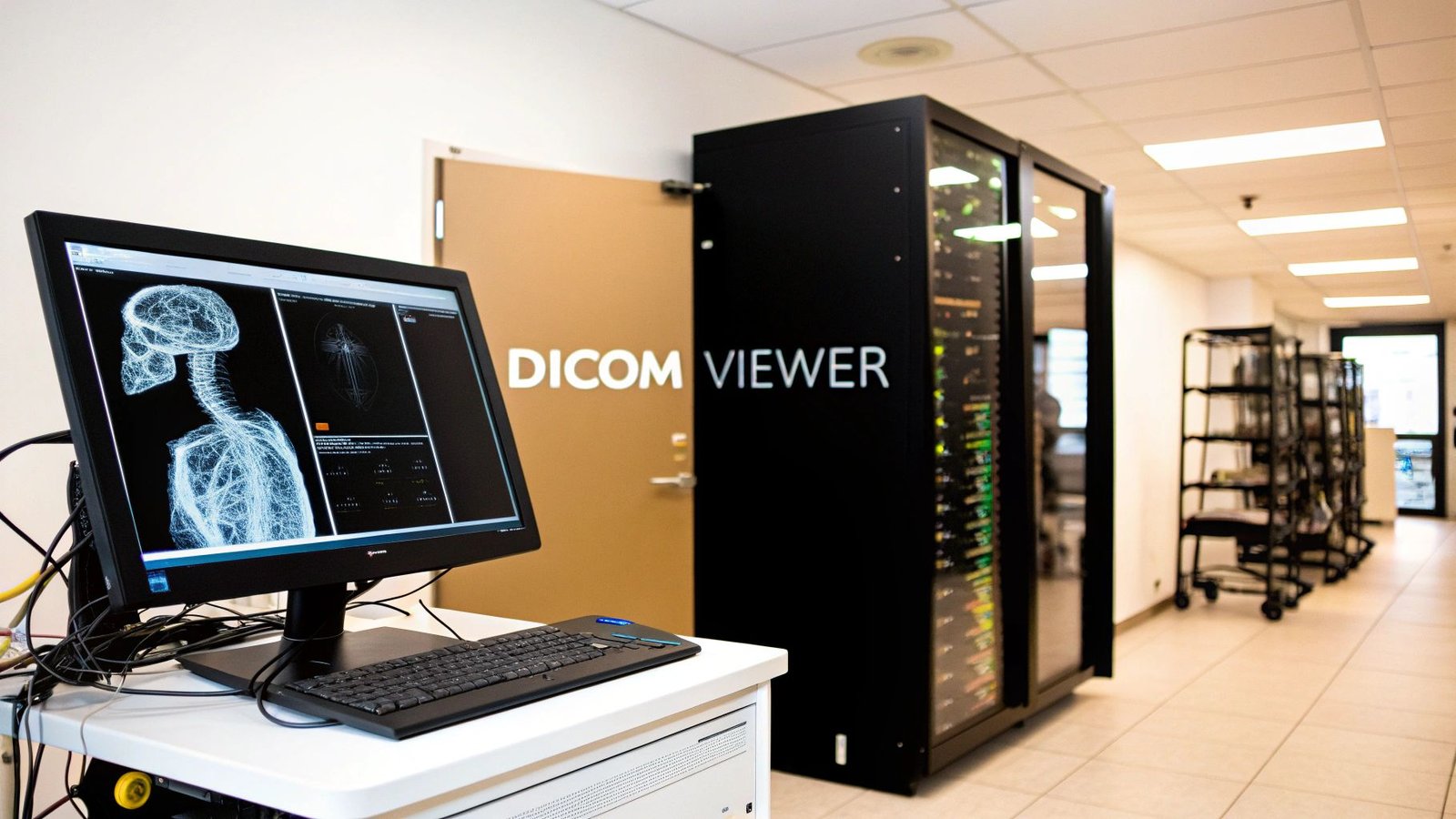
We at PYCAD, build custom web DICOM viewers and integrate them into medical imaging web platforms. See our work in the PYCAD portfolio.
What Is a DICOM Viewer?
Every time a radiologist clicks open a scan, they rely on a DICOM viewer to reveal the full story behind the pixels. It’s not just another picture tool—it’s a specialized display system that keeps every annotation, timestamp, and technical detail intact.
Imagine you’re leafing through a high-precision photo album: each image brings along its notes, settings, and patient info in perfect harmony. That’s the power of a DICOM viewer.
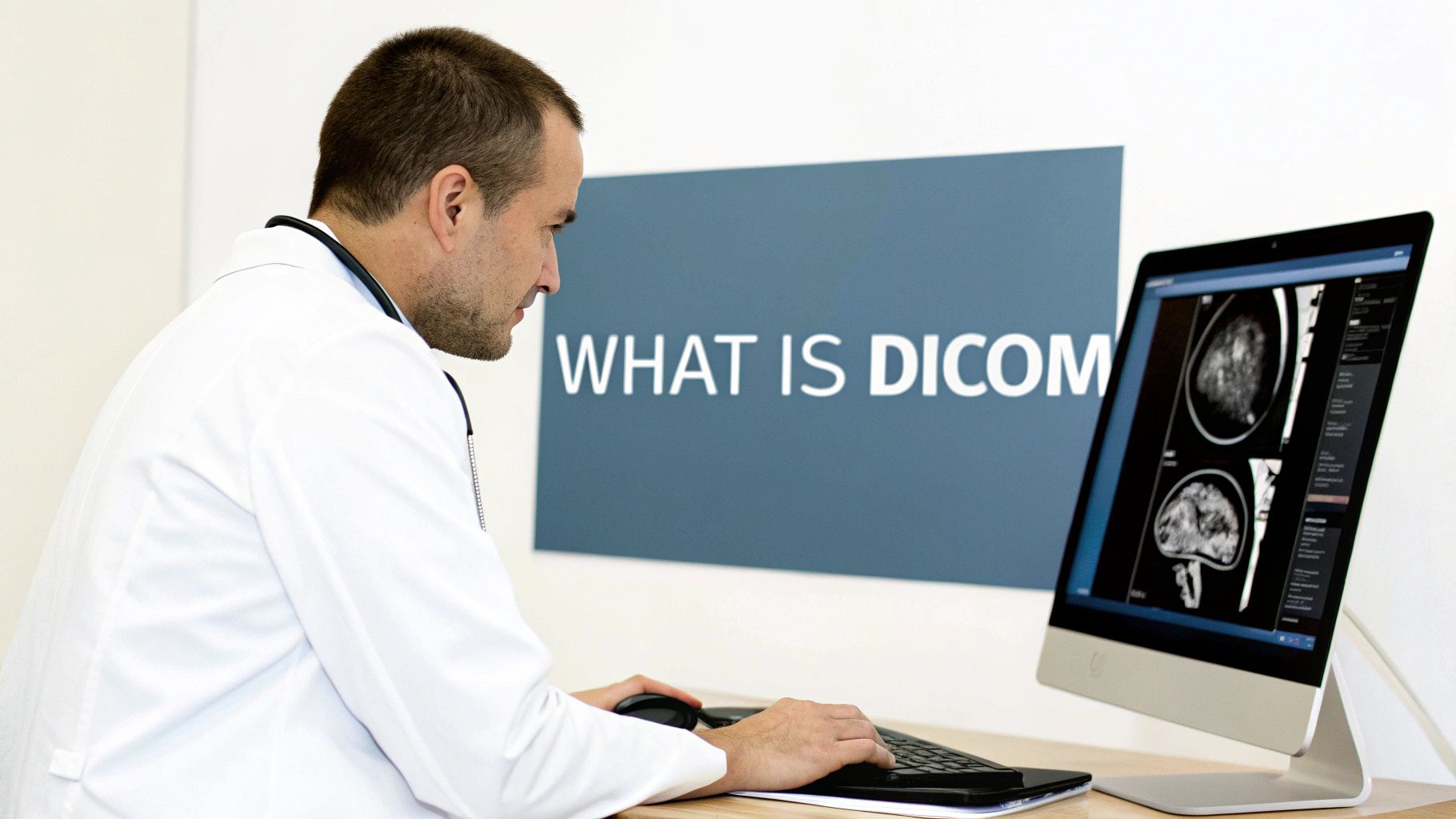
Behind that sleek interface, a DICOM viewer merges raw pixel data with metadata so you see context and imagery side by side. Clinicians gain:
- Consistent Access: One platform for CT, MRI, ultrasound, X-ray and more.
- Accurate Notes: Every annotation, exposure setting, and patient detail stays with the image.
- Interactive Tools: Zoom, pan, window/level adjustments, measurements, and custom markers.
A DICOM viewer is like a photo album where every picture comes with its own caption and editing tools.
High Precision Analogy
Think of a DICOM viewer as a digital scrapbook. Each “page” locks in device parameters, physician comments, and study context.
For instance:
- Research teams compare scans from multiple centers with ease.
- Educators highlight findings directly on live case studies.
- Surgeons preview images on their tablets moments before entering the OR.
By adjusting contrast on the fly or dropping in a measurement, clinicians streamline diagnostics and collaborate more effectively.
Read more in our DICOM fundamentals guide.
Comparison Of DICOM Viewer Types
Below is an overview of common DICOM viewer platforms and their typical use cases.
| Viewer Type | Platform | Typical Use Case |
|---|---|---|
| Desktop | Windows / macOS | Advanced analysis with local processing power |
| Web | Modern Browser | Remote access, teleradiology, team review |
| Mobile | iOS / Android device | Point-of-care checks and on-the-go assessments |
Whether you need heavy-duty desktop tools or fast mobile previews, each viewer type plays a unique role in today’s imaging workflows. This comparison sets the stage for understanding which platform aligns best with your organization’s needs.
In the next section, we’ll dive into performance benchmarks, integration tips, and how to choose the right viewer for your hospital IT team.
Core Concepts Of DICOM Viewer
Every modern medical imaging tool stands on the shoulders of the DICOM standard, which knits pixel data and patient details into one seamless package. Imagine a seasoned radiologist thumbing through physical films—now picture that entire library flicked on your screen in an instant.
That’s how image data and metadata move together, preserving exposure settings, timestamps, and patient tags without missing a beat. First published in 1993 to bridge the gap between scanners and hospital systems, DICOM remains the lingua franca of medical images. Learn more about its roots in this Philips overview: Philips DICOM History
- Multi-frame support lets one file carry an entire sequence of images.
- Embedded annotations stick with the pixels, so notes and measurements never get lost.
- Network query/retrieve (PACS) services fetch studies on demand, no USB drive needed.
Multi-Frame Support And Annotations
Think of multi-frame support as a digital flipbook—you can breeze through every slice of a CT or MRI. Embedded annotations are like sticky notes on each page, adding context exactly where it matters.
When series sync is in play, scrolling feels fluid, almost cinematic. Below is an example of a web DICOM viewer with synchronized series displays.
You’ll notice side-by-side CT slices, overlayed rulers, and measurement tools ready at your fingertips.
Network Services And Metadata Flow
Behind the scenes, DICOM’s query/retrieve protocols speak PACS fluently. A C-FIND request scouts out studies by patient name, ID, date, or modality. Then a C-MOVE or C-GET call brings the images straight to your viewer.
These quick exchanges eliminate manual file transfers and speed up diagnoses.
DICOM compliance underpins reliable workflows, meets regulatory requirements, and paves the way for AI pipelines.
At PYCAD we build custom web DICOM viewers and weave them into larger imaging platforms. By sticking to the standard, we simplify audits and security checks, laying groundwork for future AI-driven enhancements.
DICOM File Composition
Every DICOM file marries a header to a pixel array. The header holds patient ID, modality type, image orientation, and capture time. This tight pairing guarantees that no piece of context is ever orphaned from its image.
DICOM Network Query Retrieve
DICOM’s network services break down into three core commands:
- C-FIND: Search PACS for studies matching patient name, ID, date, or modality.
- C-GET: Pull images directly back to the requesting system.
- C-MOVE: Tell PACS where to forward the selected images on your network.
These transactions form the backbone of smooth, remote image access.
Compliance And Future AI Integration
Sticking to DICOM isn’t just about viewing images—it’s about future-proofing your workflows. Standardized metadata tags mean AI algorithms can digest every file the same way, whether it’s at your hospital or halfway around the world.
- AI-driven lesion detection highlights suspicious regions before you even click.
- Segmentation overlays map out tumor boundaries slice by slice.
- Workflow triage flags high-priority cases for rapid review.
Secure encryption, both in transit and at rest, shields sensitive data. Role-based access controls and detailed audit logs keep you in line with HIPAA and GDPR.
By mastering these core concepts, medtech teams and hospital IT departments can deploy robust viewers that not only meet today’s diagnostic needs but also embrace tomorrow’s AI-powered breakthroughs.
See our portfolio at PYCAD Portfolio
Types Of DICOM Viewers And Use Cases

DICOM viewers come in four main categories suited to different clinical needs.
Understanding these types helps imaging teams pick the best tool for the job.
- High Performance Desktop Workstations offer local 3D rendering, advanced post-processing, and volume measurement.
- Lightweight Web Viewers run in browsers, enabling teleradiology and cross-site collaboration without local installs.
- PACS Embedded Clients sit inside existing hospital systems, providing one-click query/retrieve and reporting.
- Mobile Apps deliver on-the-go image review and quick diagnostic checks at the bedside.
High Performance Desktop Workstations
When you need in-depth analysis, desktop workstations shine. They tap into GPU acceleration on your local machine to slice, dice, and rebuild images in three dimensions.
Neurology teams might run tractography or diffusion tensor imaging without a hitch. Cardiologists, meanwhile, can measure ventricular volumes or assess wall motion in real time.
- 3D Reconstruction with millisecond-level responsiveness
- Volumetric Analysis for precise measurements
Web Viewers For Remote Collaboration
Web viewers drop the need for installs. Simply open a modern browser and you’re in—no IT ticket required.
At one dental practice, the staff cut referral times by 50% just by sharing a link across offices.
“Our team cut referral turnaround by half with a single web link,” says Dr. Kim.
PACS Embedded Clients
Embedded viewers live inside your hospital’s PACS, so clinicians don’t bounce between applications. One login, one report, zero data silos. IT teams love the unified security model and streamlined maintenance.
Mobile Apps For Point Of Care
Mobile viewers put critical scans in a nurse’s pocket. During rounds, a quick glance at a CT or MRI can accelerate treatment decisions.
- Instant Notifications alert teams when new series arrive
- On-the-Fly Measurements for rapid triage
Market Growth Outlook
Recent studies show a shift from desktop-centric tools to cloud and enterprise solutions, with the DICOM viewer market expected to grow from USD 211.2 million in 2025 to USD 323.6 million by 2033. Discover detailed insights in this market projections report.
PYCAD Custom Web Viewers
At PYCAD, we build custom web DICOM viewers and integrate them into medical imaging platforms. Our solutions fit any environment and scale as your needs grow.
- Custom PACS Connectors to automate query/retrieve tasks using DICOM C-MOVE
- Annotation Modules for real-time collaboration on findings
- Secure Access Controls with encryption at rest and in transit
Explore Further Resources
Check out our guide on custom web DICOM viewers in our detailed article for deeper insights and best practices.
You can view examples of our work in the PYCAD portfolio.
Key Takeaways
- Desktop workstations excel at complex 3D post-processing.
- Web viewers break down geographic barriers for teams.
- PACS-embedded clients keep workflows seamless and secure.
- Mobile apps speed up bedside decisions and patient flow.
- PYCAD custom viewers adapt to any IT landscape via scalable APIs.
“Choosing the right viewer can improve diagnostic speed by up to 30%,” notes an imaging IT lead.
These four viewer types address most imaging workflows. Your choice depends on diagnostic needs, existing infrastructure, and compliance requirements.
Integration Considerations
The viewer you select will impact PACS load, network bandwidth, and authentication flows.
- Plan firewall rules for DICOM C-STORE and HL7 messaging
- Enforce SSL/TLS in transit and encryption at rest for all viewers
- Map user roles across PACS, EHR, and custom viewer permissions
Proper integration guarantees smooth operations and reduces downtime for imaging teams.
Stay tuned for insights into the essential features that make DICOM viewers powerful diagnostic tools.
Essential Features To Look For In A DICOM Viewer
A robust DICOM viewer does more than display images; it becomes a radiologist’s digital microscope and canvas.
Think of sliding brightness and contrast on a cherished family photo—window and level tweaks in medical imaging work the same way. They pull out hidden tissue details, making sure no subtle abnormality goes unnoticed.
Below are the core capabilities to evaluate in any viewer:
- Multi-Planar Reconstruction (MPR) for slicing through 3D volumes in axial, coronal, and sagittal planes
- Window/Level Adjustments to fine-tune brightness and contrast like editing a classic photograph
- Annotations And Measurement Tools for tagging landmarks, drawing lines, and calculating distances
- Synchronized Series Review that links related study sequences for side-by-side scrolling
- Integrated Reporting which embeds findings and exports structured documents without leaving the viewer
At PYCAD we build custom web DICOM viewers and integrate them into medical imaging web platforms. Explore our work in the PYCAD portfolio.
Essential Viewer Features And Benefits
At a glance, these features turn raw image data into actionable insights for clinicians.
| Feature | Description | Benefit |
|---|---|---|
| Multi-Planar Reconstruction | Rebuilds 3D volumes into axial, coronal, and sagittal views | Provides precise spatial context for diagnosis |
| Window/Level Adjustments | Controls brightness and contrast like editing a family photo | Reveals subtle tissue differences clearly |
| Annotations And Measurements | Tools to draw, label, and measure distances, areas, and angles | Improves diagnostic accuracy and record keeping |
| Synchronized Series Review | Links related image series so scrolling stays in sync across views | Speeds comparison and follow-up evaluations |
| Integrated Reporting | Embeds structured templates and export options inside the viewer | Streamlines report generation and sharing |
Each row above highlights how a specific capability sharpens diagnostic insight and accelerates collaboration.
Key Viewing Tools
Multi-Planar Reconstruction transforms stacked slices into interactive planes. With MPR, clinicians explore anatomy from every angle—just like paging through 3D blueprints.
For instance, a spine surgeon planning hardware placement uses MPR to confirm entry angles and steer clear of nerve roots.
Window and level adjustments work like sliders on a photo filter. Drag one control to lift shadows, tweak another to tame highlights. On a CT scan, this can make a soft-tissue lesion jump off the screen.
Annotations And Collaborative Workflows
Annotations and measurement tools turn a viewer into a true diagnostic partner. Circles, arrows, and calipers merge image pixels with exact data points.
Real-world example: At a multi-site oncology center, PYCAD added custom measurement modules that reduced annotation time by 25%.
“Collaborative annotation helped our team align on tumor margins faster, improving treatment planning,” says a lead radiologist.
Synchronized series review keeps scrolling smooth across related studies. When you scroll one CT series, parallel views move in lockstep—ideal for comparing contrast phases or tracking a lesion over time.
Reporting And Integration
Think of reporting as writing notes alongside snapshots in a scrapbook. Clinicians draft a narrative, embed annotated images, and export a polished PDF with just a few clicks.
This tight integration cuts down on app-switching and transcription errors. At PYCAD, our viewers include APIs that sync report data with EHR and CRM systems—so hospital IT teams can maintain a single source of truth.
Final Takeaways
Picking a DICOM viewer with these features ensures sharper diagnoses, smoother teamwork, and faster reporting cycles.
At PYCAD we build custom web DICOM viewers and integrate them into medical imaging web platforms, crafting solutions that fit clinical workflows. Visit our PYCAD portfolio to see real-world examples of custom viewers boosting team accuracy and efficiency today.
Deploying And Integrating Web DICOM Viewers
Choosing a deployment model is like picking the right vehicle for a road trip—it shapes the entire journey. You can own every component on-premise, blend local servers with the cloud, or go fully cloud-native.
Think of on-premise deployment like owning your home: total control, but you’re responsible for the upkeep. A hybrid setup feels more like a vacation home—daily needs handled locally, with cloud “bursting” when you host large gatherings. And a cloud-native viewer? That’s staying in a managed resort—minimal maintenance, automatic scaling, and built-in disaster recovery.
- On-Premise Deployment: Maximum data sovereignty and firewall-protected integration with local PACS.
- Hybrid Deployment: Local infrastructure for routine operations plus cloud resources for peak demand.
- Cloud-Native Deployment: Fully managed services offering disaster recovery, seamless cross-site sharing, and teleradiology support.
For instance, a regional hospital started with an on-premise proof of concept to verify performance in low-latency zones. Early wins led to dedicated security zones and layered load balancing, paving the way for horizontal scaling across three data centers.
This architecture now handles thousands of concurrent imaging sessions without skipping a beat.
Integration Points
Smooth clinician onboarding depends on rock-solid connections to existing systems. These integration touchpoints are your building blocks:
- PACS Query/Retrieve with DICOM C-MOVE for instant image access
- HL7 Messaging to synchronize orders, reports, and patient demographics
- RESTful APIs for embedding viewer controls in custom portals
- EHR/CRM Connectors enabling bidirectional data exchange and audit logging
After weaving these components together, the hospital advanced from PoC to an enterprise rollout in under six months, keeping downtime minimal through a carefully phased plan.
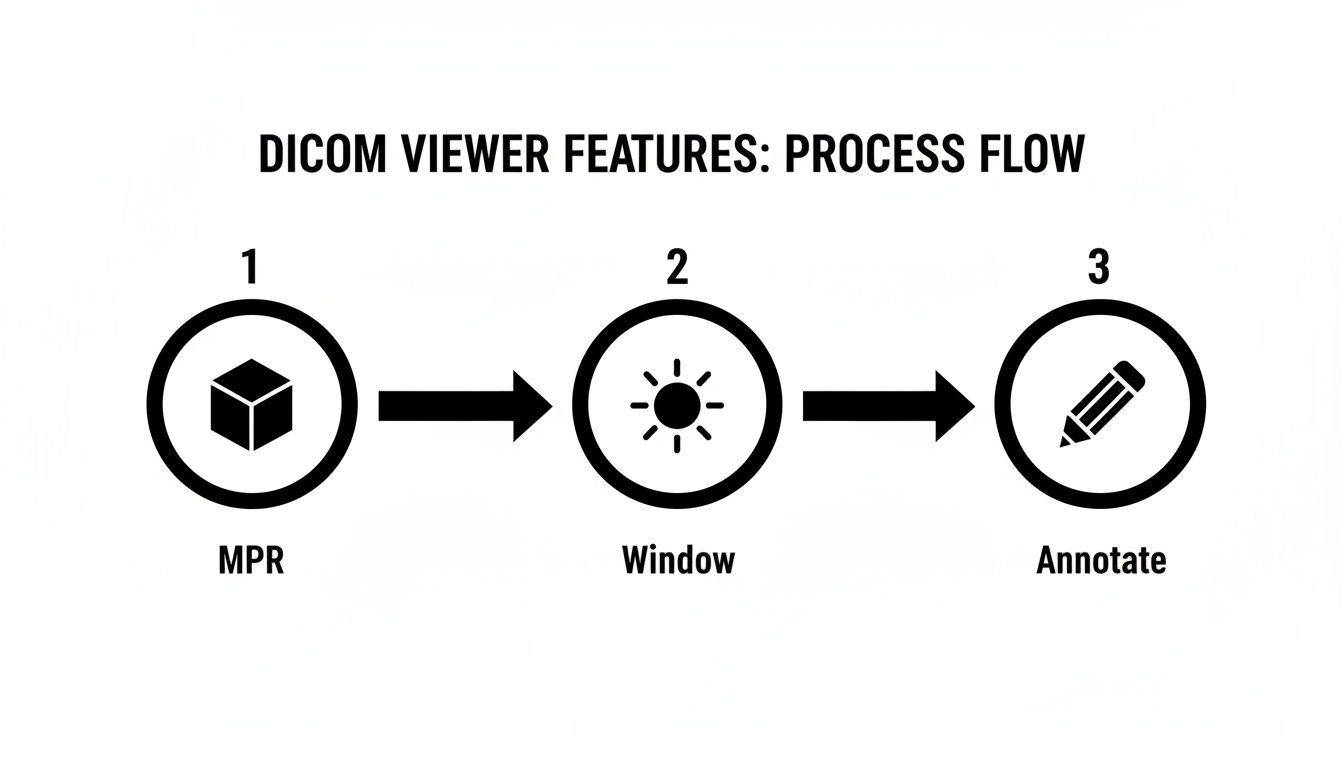
As the flowchart shows, features such as MPR, window adjustments, and annotation tools align in sequence, optimizing radiologist workflows.
Additionally, nearly 65% of healthcare organizations adopted cloud for image viewing or storage by 2024—fueling disaster recovery, cross-site sharing, and teleradiology workflows. Learn more in these medical image analysis statistics.
A clear integration plan cuts deployment time and reduces hidden costs.
PYCAD Best Practices
- Enforce role-based access controls and end-to-end encryption for DICOM C-STORE and API calls
- Leverage container orchestration and auto-scaling to absorb peak loads automatically
- Build health checks and logging dashboards to monitor system performance and error rates
At PYCAD, we design custom web DICOM viewers and integrate them seamlessly into medical imaging platforms. Our engineers adapt every solution to your hospital’s IT policies and clinical workflows.
Explore our success stories in the PYCAD portfolio to see custom viewers in action.
Common Pitfalls
Many integration efforts stumble over network and authentication hurdles, dragging out timelines and costs. Watch for these traps:
- Incomplete firewall rules blocking DICOM C-STORE ports
- Latency spikes from monolithic database queries
- Misaligned HL7 mappings leading to data mismatches
- Rigid user roles hindering smooth access control
Prevent these by testing each integration point in a staging environment and documenting firewall and API requirements from the start.
A strong load balancing strategy—complete with health checks and sticky sessions—ensures efficient request routing. Segment your security zones for image ingestion, processing, and viewer access to shrink your attack surface.
We recommend isolating API endpoints and enforcing TLS across every zone. Regularly review load test results and scaling metrics to maintain top performance as usage grows.
Contact PYCAD to kick off your integration journey.
Security Compliance And Advanced Capabilities
Medical imaging depends on solid safeguards to keep patient data out of the wrong hands. Encrypting scans both in motion and at rest builds a strong barrier against unauthorized viewers.
When you combine TLS encryption for data in flight with AES-256 at rest, you’re creating a near-impenetrable vault. Layer on role-based access, and only the right experts see the studies they need.
- Encryption In Transit via TLS
- Encryption At Rest with AES-256
- Role-Based Controls mapping each user to specific permissions
- Comprehensive Audit Logs capturing every access event
These controls align perfectly with HIPAA and GDPR requirements. For instance, a teleradiology center can insist on multi-factor authentication before granting remote reads.
Audit Logging And Compliance
Clear, detailed logs form the backbone of any compliance strategy. Every action—from opening a CT slice to exporting reports—leaves a timestamped footprint.
- User ID
- Timestamp
- IP Address
- Action Taken
Audit logs are your first line of defense in proving compliance and tracing security events.

Even if the network hiccups, encryption and role checks stay active. TLS tunnels block man-in-the-middle attempts during DICOM transfers.
AI Driven Diagnostics
Modern viewers often include AI helpers that flag urgent findings before you hit “Open.” Think of it as a vigilant partner scanning every slice.
- Automated Lesion Detection flags anomalies in seconds
- Segmentation Overlays trace tumor borders slice by slice
- Priority Triage pushes critical cases to the top of your worklist
In one pilot, the AI identified a pulmonary embolism in under 30 seconds.
AI modules can trim up to 40% off your review time.
Deployment Security Best Practices
Strong authentication is just the start. Keep your deployment locked down by:
- Rotating API keys and issuing short-lived access tokens
- Enabling session timeouts after inactivity
- Whitelisting IPs for sensitive admin endpoints
- Storing encryption keys in hardware security modules
Monitoring token use alongside IP logs adds an extra shield against unauthorized calls.
Real World Compliance Example
A regional hospital needed airtight encryption and thorough logs for remote reads. They deployed TLS 1.2 with mutual authentication at every endpoint.
- All image views, annotations, and report exports were logged
- Centralized logs cut their compliance audit time by 50%
Centralized logging turns compliance from a chore into confidence.
Advanced Data Protection Features
Protecting data on devices and servers takes extra layers:
- Dynamic Watermarks embed user ID and timestamp on every image
- Secure DICOM SR packs key findings in tamper-proof containers
- Per-Study Encryption Keys rotate automatically for added security
- Remote Wipe lets admins purge cached images on lost devices
Tie these into HL7 audit event streams for system-wide monitoring.
At PYCAD, we build custom web DICOM viewers and integrate them into medical imaging platforms. Explore our work in the PYCAD portfolio.
We also offer optional AI modules for lesion detection, segmentation overlays, and case prioritization.
Learn more about anonymizing medical images in our guide on DICOM anonymizer software.
Compliance Across Jurisdictions
Healthcare providers must juggle HIPAA in the US, GDPR in Europe, and other local laws. Key steps include:
- Defining data residency zones to control storage locations
- Automating encrypted backups on a set schedule
- Running disaster recovery drills and validating restoration
PYCAD configures each deployment to respect regional privacy rules and uses multi-region failover for uninterrupted service.
Secure your imaging pipeline with PYCAD’s DICOM viewers.
How to Choose The Right DICOM Viewer
Picking the right DICOM viewer is a lot like planning a cross-country road trip. You want a vehicle that handles every twist and turn, from your first scan to final diagnosis. Each decision you make today shapes how smoothly clinicians and IT teams adopt the tool tomorrow.
Assess Clinical Priorities
Start by mapping out your most demanding imaging workflows. Do radiologists routinely rely on multi-planar reconstruction (MPR) for complex spine cases? Or is lightning-fast teleradiology the top priority?
Next, rank your modalities by frequency and criticality. For instance, a neuroscience center will lean heavily on high-resolution MRI tools, while an urgent care clinic might prize quick CT reads.
Clinical workflows drive viewer selection more than brand recognition.
Invite key stakeholders—radiologists, surgeons, technologists—into the conversation. Their on-the-ground insights often reveal hidden needs and potential roadblocks.
Evaluate IT Infrastructure
Before you commit, take stock of your network’s horsepower and security rules. Verify that firewalls permit DICOM C-MOVE commands and that all connections use secure HTTPS.
Decide which deployment style suits your team: on-premise servers, a hybrid cloud setup, or a fully cloud-native solution. Each option brings its own trade-offs in latency, maintenance overhead, and staff skill requirements.
• Check your network topology and load-balancing strategy
• Confirm storage quotas, backup routines, and disaster-recovery plans
• Ensure seamless integration with existing PACS, HL7 feeds, and EHR portals
Review authentication workflows and user-role mappings to prevent access hiccups when you go live.
Map Budget Constraints
Look beyond sticker price to calculate total cost of ownership. Factor in one-time license fees, necessary hardware upgrades, and ongoing subscription charges. Don’t forget overage fees if your imaging volumes surge.
Think of it like leasing versus buying a fleet: what seems like a bargain today can balloon if your usage spikes unexpectedly.
• What are the initial setup and installation costs?
• Do subscription tiers scale by user count or feature set?
• How will maintenance and upgrade fees evolve over time?
Be sure to highlight fees for optional modules—like AI-assisted reading—so there are no budgeting surprises later.
Gauge Vendor Support
When a critical workflow stalls, you need help immediately. That’s why vendor responsiveness can make or break your implementation.
Ask about service-level agreements (SLAs), dedicated technical contacts, hands-on training sessions, and active user communities. Clear escalation paths keep your project on track.
• What response times does the SLA promise?
• Which system integrators or partners are on the approved list?
• Can the vendor share a public product roadmap and customization timelines?
Finally, speak with peers who’ve been through similar rollouts. Their stories reveal real-world strengths and challenges.
Build Your Decision Checklist
Pull your findings into a concise table. Keep it front and center as you review demos and vendor proposals.
| Criterion | Key Questions | Notes |
|---|---|---|
| Clinical Workflows | Which advanced imaging tools matter most? | |
| IT Fit | Can our servers sustain peak loads? | |
| Budget | What is the five-year cost projection? | |
| Support | Is round-the-clock assistance available? |
Keep this checklist visible to stay focused and avoid detours.
Review examples of custom web viewers that solved real-world challenges in our PYCAD portfolio: https://pycad.co/portfolio
Happy choosing and successful implementation!
We at PYCAD, build custom web DICOM viewers and integrate them into medical imaging web platforms. Ready for a smooth journey toward better imaging? Check out our portfolio at https://pycad.co/portfolio and contact us to get started.