

So, can you really trust Dropbox with something as sensitive as Protected Health Information (PHI)? The short answer is yes, but it’s a big "yes, if…" Getting it right is a true partnership between you and Dropbox, and it demands that you roll up your sleeves and get specific configurations just right.
Understanding Dropbox and HIPAA Compliance

Think of it this way: Dropbox gives you a powerful set of tools, but it doesn't build the compliant house for you. You are the architect. It's your responsibility to use their high-quality materials to construct a digital fortress that meets every one of HIPAA's strict standards.
This guide isn't about scaring you with compliance hurdles. Instead, let's look at this as a chance to build a truly modern, resilient, and efficient practice. It all starts with a crucial legal document that cements the shared commitment between your organization and Dropbox.
The Non-Negotiable Starting Point
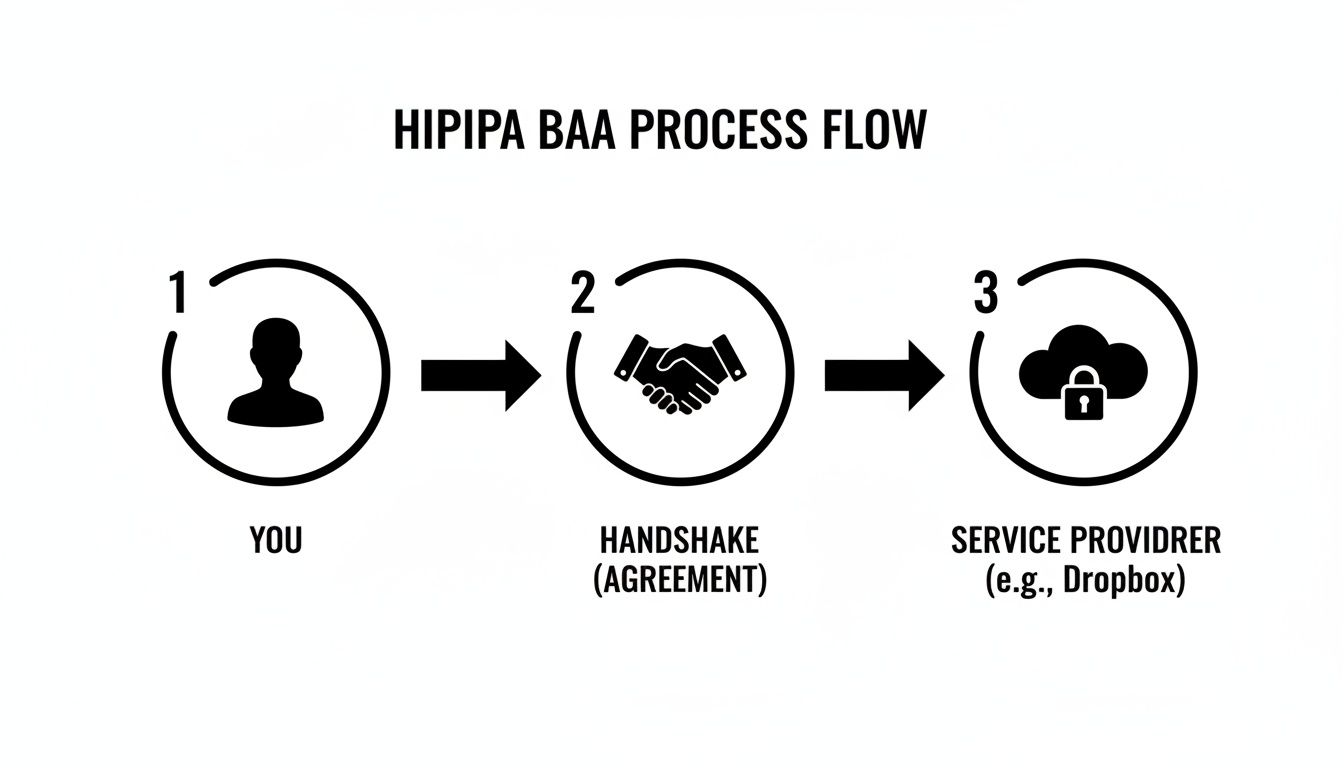
Before you even think about uploading a single patient file, you absolutely must sign a Business Associate Agreement (BAA) with Dropbox. This is the legal handshake that officially obligates them to protect your PHI according to HIPAA's rules.
Without a signed BAA, using Dropbox for any patient data is a clear and immediate violation. It's that simple.
A BAA is a game-changer. It legally binds a vendor like Dropbox to specific duties—from implementing safeguards to reporting breaches—transforming them from just another service provider into a true business associate with clearly defined HIPAA responsibilities.
But here’s the catch: not all Dropbox accounts are created equal. The ability to sign a BAA is reserved for their business-focused plans.
Eligible Plans and Essential Features
Dropbox first stepped into the healthcare world back in March 2016, offering a path for organizations looking for modern cloud storage. To even be in the running for HIPAA compliance, you must be on a Business, Business Plus, or Enterprise plan. A personal account just won't cut it—it lacks the security and admin controls you need to properly protect PHI. You can dig deeper into the details of these HIPAA-eligible plans here.
These premium plans are what give you the toolkit necessary for compliance, including features like:
- Advanced Encryption: Your data is protected with AES-256 bit encryption both while it’s being uploaded (in-transit) and while it’s sitting on their servers (at-rest).
- Granular Access Controls: You can get incredibly specific about who can see, edit, and share files, which is essential for upholding HIPAA’s "minimum necessary" principle.
- Comprehensive Audit Logs: Get a detailed trail of every action taken in your account. This is absolutely vital for monitoring, responding to incidents, and conducting your risk assessments.
To help you keep track, here's a quick rundown of what you need to do to get started.
Dropbox HIPAA Compliance At a Glance
This table summarizes the core requirements for using Dropbox in a way that respects HIPAA guidelines. Think of it as your initial checklist before diving deeper into the specific configurations.
| Requirement | Status / Action Needed |
|---|---|
| Business Associate Agreement (BAA) | Must be signed before any PHI is stored or transmitted. |
| Eligible Dropbox Plan | Must subscribe to a Business, Business Plus, or Enterprise plan. Personal plans are not compliant. |
| Access Controls | Configure user permissions and sharing settings to enforce the "minimum necessary" rule. |
| Audit Logs | Regularly review activity logs to monitor for unauthorized access or suspicious behavior. |
| User Training | Train your team on secure practices for using Dropbox with PHI. |
| Risk Assessment | Include Dropbox in your organization's formal Security Risk Analysis. |
Completing these steps sets the foundation for a secure environment, but remember, compliance is an ongoing effort, not a one-time setup.
Even with these powerful tools at your disposal, the responsibility for using them correctly falls squarely on your shoulders. For organizations that handle specialized data like medical images, things get even more complex. That’s where we come in. At PYCAD, we build custom web DICOM viewers and integrate them into medical imaging web platforms, creating seamless and compliant workflows. You can see what this looks like in practice by checking out our portfolio page.
The BAA: Your Compliance Handshake with Dropbox
Think of using a cloud service like Dropbox for patient data as building a bridge. That bridge needs a rock-solid foundation to be safe and trustworthy. For HIPAA, that foundation is the Business Associate Agreement (BAA). It’s more than just paperwork; it's a legally binding contract that turns Dropbox from a simple software vendor into a true partner in protecting Protected Health Information (PHI).
Without a signed BAA in place, that bridge is fundamentally unsafe, and storing PHI on the service is a direct violation of HIPAA. It's the official, required agreement where Dropbox contractually commits to safeguarding your data with the same level of care and security that you do. Signing it is the non-negotiable first step.
What Dropbox Commits To
When Dropbox signs a BAA, they're stepping up and taking on serious legal weight. They are formally attesting that their infrastructure is built to handle the immense responsibility of storing sensitive health information.
Here’s a breakdown of what that commitment really means:
- Implementing Safeguards: Dropbox agrees to maintain robust administrative, physical, and technical security measures to block any unauthorized use or sharing of your PHI.
- Reporting Breaches: If a security incident ever affects your data on their platform, they are legally bound to notify you without delay.
- Ensuring Subcontractor Compliance: The chain of trust doesn't stop with them. Any third-party vendors they use who might touch your PHI must also be held to the same strict standards.
- Cooperating with Audits: They agree to open their books and internal practices to the U.S. Department of Health and Human Services (HHS) to prove their compliance.
It's a Two-Way Street
A huge mistake is thinking that once the BAA is signed, your job is done. Nothing could be further from the truth. The BAA establishes a shared responsibility model—it's a partnership where both sides have critical duties.
The BAA isn’t a magic wand that transfers all responsibility. It clarifies who does what. You are, and always will be, the ultimate guardian of your patients' data.
As the healthcare provider (the Covered Entity), you're still in the driver's seat. Your responsibilities include:
- Correct Configuration: You must dive into the settings and properly configure Dropbox’s security features, including access controls, link sharing rules, and team permissions.
- Vigilant User Management: You control who gets access and why. This includes training your team on best practices and making sure everyone follows your organization's security policies.
- Ongoing Risk Analysis: You need to perform your own risk assessments that specifically evaluate how your team uses Dropbox. Our guide on HIPAA compliant data transfer is a great resource for developing this process.
This screenshot from the Dropbox trust center underscores their role in this partnership.
The message is clear: Dropbox provides the secure foundation and the necessary tools. But it's up to you to build upon that foundation correctly. The BAA is the starting line, not the finish line, for making sure your use of Dropbox is truly HIPAA compliant.
Configuring Dropbox for Maximum PHI Security
Signing that Business Associate Agreement (BAA) is a huge first step, but let's be clear: your work in creating a HIPAA-compliant Dropbox environment has only just begun. Simply having an eligible plan doesn't magically secure it. You have to actively shape that space into a digital fortress for Protected Health Information (PHI).
Think of your Dropbox Business account like a pile of high-quality building materials. They’re strong and full of potential, but they won't build a secure house on their own. You need to be the architect, carefully configuring every setting with purpose and precision.
This section is your blueprint. We'll walk through the essential administrative and technical safeguards you need to implement, transforming your standard account into a secure vault for sensitive patient data. This is about more than just checking boxes; it’s about building a deep-rooted culture of security that honors your commitment to patient privacy.
The diagram below shows how this compliant relationship starts. It's a simple but powerful visual—the BAA is the essential handshake that connects your organization's needs with Dropbox's secure infrastructure.
With that foundation in place, it’s time to get to work on the specifics.
Implementing Essential Administrative Safeguards
Your first line of defense isn't a piece of software—it's a set of smart, strong policies governing who can access PHI and what they can do with it. These administrative safeguards are the official rules of the road for your entire team.
For starters, enforce two-factor authentication (2FA) for every single user. No exceptions. This simple step adds a critical security layer that goes beyond a simple password, dramatically cutting the risk of unauthorized access from a stolen password, which is still one of the most common ways breaches happen.
Next, you need to become a master of granular permissions. HIPAA's "minimum necessary" principle isn't a suggestion; it's a rule. Team members should only ever have access to the exact PHI they need to do their jobs, and nothing more.
- Role-Based Access: Don't assign permissions person by person. Create groups based on job functions (like "Billing," "Clinical Staff," or "Admin") and assign permissions at the group level for consistency.
- Folder-Level Controls: Get specific. A doctor might need to edit patient charts, but they shouldn't have access to sensitive billing records. Configure each folder with "view-only" or "editor" rights that make sense for the data inside.
- Regular Audits: People change roles, and some leave the company. Schedule quarterly reviews to audit all user permissions. Revoke access for former employees immediately and adjust permissions for current staff as their jobs evolve.
Hardening Your Technical Security Settings
Once your administrative rules are on paper, it's time to make them real by configuring the technical settings inside Dropbox. This is where policy becomes practice. One of the most dangerous, and often overlooked, areas is link sharing.
A publicly shared link to a folder containing PHI is a data breach waiting to happen. Your configuration must prevent this by default, making secure sharing the only option.
Dive into your Admin Console and lock down your sharing protocols across the entire organization.
- Disable Public Links: The first thing you should do is turn off the ability for users to create links accessible to "anyone with the link." All shared links should require a Dropbox login to access.
- Set Link Expirations: If you do need to share files externally, don't leave the door open forever. Enforce automatic expiration dates on all links to ensure access is temporary.
- Password-Protect Shared Links: For an added layer of security, require a password for any link shared outside of your core team.
Beyond sharing, you have to prepare for the worst. The remote wipe feature is an indispensable tool in your security arsenal. If a laptop or phone containing synced PHI is lost or stolen, you can remotely delete all company data from that device, stopping a potential breach in its tracks.
Managing Third-Party Applications
Finally, take a hard look at the apps connected to your Dropbox account. Every single integration is another potential doorway into your data. A poorly configured third-party app can completely undermine all your careful security work.
You have to rigorously vet every single application before allowing it to connect to Dropbox. Make sure any app that might touch PHI is also HIPAA compliant and, ideally, covered by its own BAA. Use the Dropbox Admin Console to see and manage all connected apps, and don't hesitate to revoke access for anything that isn't essential or secure.
While these steps are fantastic for fortifying Dropbox for general file storage, handling specialized data like DICOM images requires more than just a secure folder. That's where we at PYCAD step in. We build custom web DICOM viewers and integrate them into medical imaging web platforms, providing the critical tools for clinical analysis that a storage solution alone cannot. See how we bridge this gap in our portfolio.
Understanding Dropbox's Boundaries with Clinical Data
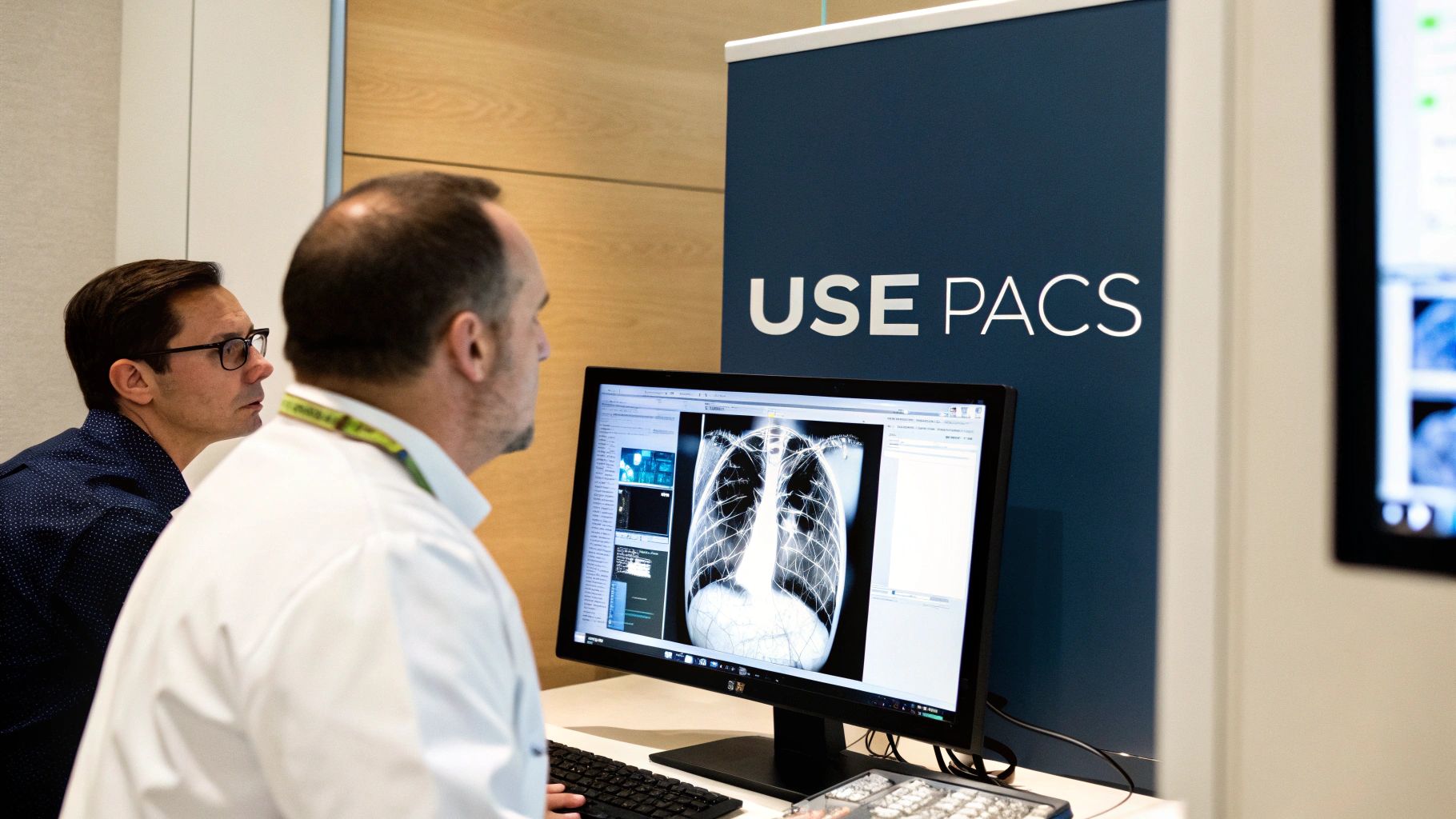
While a carefully configured Dropbox account is a fantastic digital file cabinet for many kinds of Protected Health Information (PHI), it’s vital to know where its capabilities hit a wall. When it comes to highly specialized clinical data like medical imaging, Dropbox just wasn't built for the task. This isn't a knock on its security; it's about using the right tool for the right job in healthcare.
Think of Dropbox as a state-of-the-art, secure warehouse. It's brilliant for keeping sealed boxes (your files) safe and logging who comes and goes. But it has no equipment to open those boxes and make sense of what's inside, especially when the contents are as intricate as a multi-layered MRI scan. This is the heart of the problem with medical images in the DICOM format.
Why DICOM Files Are More Than Just Pictures
DICOM (Digital Imaging and Communications in Medicine) files aren't simple images. They are complex data packages that bundle together multiple images, patient metadata, and technical details from the imaging machine itself. For these files to have any real clinical value, they demand specialized software.
A standard image viewer, let alone a file-sharing service like Dropbox, simply can't render or interpret this information correctly. Radiologists and clinicians rely on specific tools to do their jobs effectively.
- Manipulate Images: They need to adjust brightness and contrast, zoom in with absolute precision, and use filters to make different tissues stand out.
- View Different Planes: Medical scans are often 3D. A DICOM viewer lets a specialist slice through the image to see it from various angles (axial, coronal, sagittal).
- Make Measurements: Doctors must be able to measure tumors, check angles, and add notes directly onto the image for reports.
- Access Embedded Metadata: All the crucial patient and study info is baked right into the DICOM file, which Dropbox can't read or display.
Storing a DICOM file in Dropbox is like locking a critical blueprint in a vault but not giving your architects the software to read it. The data is safe, but it's not useful for its intended purpose.
This massive functional gap means relying on Dropbox for medical images creates huge workflow headaches and could even hinder the quality of a diagnosis. It forces a clunky process of downloading giant files to a local computer that has the right software, completely disrupting the fluid workflow of a modern clinic. To better grasp the nuances of protecting this type of PHI, it helps to understand concepts like what data anonymization is and how it helps secure patient information.
Closing the Gap with Purpose-Built Solutions
This is where the line between a general file service and a dedicated medical imaging platform becomes incredibly clear. A true Picture Archiving and Communication System (PACS) or a modern cloud-based imaging platform is engineered from the ground up to manage the entire journey of a medical image—from the moment it's created to diagnosis and long-term storage.
These systems do more than just store files; they create an interactive, diagnostic-quality workspace. This is the world we live and breathe in at PYCAD. We know that instant access and powerful analytical tools are non-negotiable in modern medicine. That’s why we at PYCAD, build custom web DICOM viewers and integrate them into medical imaging web platforms.
Our solutions are designed to fill the exact void left by services like Dropbox. By building a sophisticated viewer directly into a secure web platform, we give clinicians the power to view, manipulate, and analyze medical images from anywhere, on any device, without ever compromising on dropbox and hipaa compliance or diagnostic quality. You can see how these specialized tools create the seamless experience that healthcare demands by visiting our portfolio page.
Weaving Together a Secure and Smart Healthtech Ecosystem
Making a real impact in healthcare technology isn’t just about adopting one new tool. It’s about getting all of your systems to talk to each other—securely, intelligently, and without friction. When configured properly, Dropbox can be a cornerstone of this vision, but its true power is unlocked when you weave it into the very fabric of your healthtech stack.
This is where we go beyond simple file storage. We start building a truly connected ecosystem.
Imagine your Electronic Medical Record (EMR) system, your CRM, and your file storage all communicating seamlessly. This isn't some distant fantasy; it's the next step toward operational excellence and better patient care. The aim is to build data workflows that are both ruthlessly efficient and secure at every turn.
Designing Workflows You Can Trust
Connecting these systems demands a thoughtful, security-first mindset. Your guiding principle must always be maintaining a rock-solid chain of custody for any Protected Health Information (PHI). This means ensuring that sensitive data stays encrypted as it moves between platforms (in transit) and while it’s stored within them (at rest).
A great real-world example is automating the patient intake process. Think about how this could work:
- A new patient completes their intake forms digitally.
- Those documents are automatically saved to a specific, access-controlled folder in Dropbox.
- A secure API connection instantly recognizes the new file and syncs the relevant information into your HIPAA-compliant CRM.
This one piece of automation can save countless hours of manual data entry, slash the risk of human error, and get patients onboarded faster. But the security of those connections is everything. Any API linking Dropbox to another system has to be vetted to ensure it upholds strict HIPAA standards.
The strength of an integrated system is defined by its weakest link. A secure connection between two compliant platforms is essential; otherwise, you're just creating a new, high-tech vulnerability.
This interconnected approach is where things get exciting. It’s about creating a system where the data does the work for you, letting your team focus on what truly matters: caring for patients.
Tackling the DICOM Challenge with Smart Integration
As we've covered, standard cloud storage has its limitations, particularly with complex data like DICOM files. But even this challenge becomes an opportunity in a well-designed ecosystem. While Dropbox can’t act as a diagnostic viewer, it can be an excellent, secure hub for all the other documents related to a patient's case.
A typical patient journey involves much more than just the scan itself. You have signed consent forms, referral letters, insurance documents, and previous medical histories. A sophisticated healthtech platform can use Dropbox to manage these supporting files while a specialized viewer handles the diagnostic imaging.
This is exactly the kind of smart integration we build at PYCAD. We at PYCAD, build custom web DICOM viewers and integrate them into medical imaging web platforms. Our solutions create a unified world where a clinician can pull up a diagnostic-quality image in the viewer and, in the same interface, access the related administrative files from an integrated Dropbox folder.
This architecture gives you the best of both worlds:
- Clinical Excellence: Clinicians get the powerful, purpose-built tools they need for an accurate diagnosis.
- Administrative Efficiency: All the supporting paperwork is organized, secure, and right where it needs to be, smoothing out the entire case management process.
- Complete Compliance: The entire workflow is built from the ground up with dropbox and hipaa compliance in mind.
By intelligently connecting best-in-class tools, you create something far more powerful than the sum of its parts. This is how you build a modern, intuitive, and secure platform that empowers providers and elevates the standard of care. To see these kinds of interconnected systems in action, take a look at our work on our portfolio page.
Keeping Your Guard Up: Audits and Risk Management
Getting to a place of HIPAA compliance with Dropbox isn't a one-and-done task. It’s not a finish line you cross; it’s the starting block for an ongoing race to protect patient data. Real security isn't about setting it and forgetting it. It's about building a living, breathing culture of vigilance.
This mindset is what separates organizations that just check boxes from those that truly protect information. You have to actively monitor, assess, and adapt. The good news is, Dropbox gives you the tools to make this a manageable, and even empowering, part of your routine.
Using Dropbox Audit Logs to Stay Ahead
Think of your Dropbox audit logs as a 24/7 security camera feed for your data. These detailed activity reports are your best friends when it comes to understanding how PHI is being touched, moved, and shared within your team. Reviewing them isn't optional—it's a core part of keeping your Dropbox and HIPAA compliance intact.
This kind of proactive monitoring helps you:
- See Who's Doing What: Track exactly who is viewing or downloading sensitive files and when. This makes it easy to spot unusual activity, like someone accessing records that have nothing to do with their job.
- Watch for Risky Sharing: Keep a close eye on how files are being shared. You can instantly catch if someone accidentally creates a public link to a folder full of PHI or shares it with an unauthorized person.
- Spot Early Warning Signs: A sudden surge in downloads from one account or a string of failed login attempts from a strange location could be the first sign that an account has been compromised.
The Power of a Regular Risk Assessment
A formal risk assessment is your chance to take a step back and see the forest for the trees. It’s a methodical way to find potential weak spots in how your team uses Dropbox and put plans in place to strengthen them. This isn’t just a HIPAA mandate; it's just good business. For a deeper dive, check out our article on https://pycad.co/data-governance-in-healthcare/.
Make your risk assessment a recurring event. It should happen at least once a year, or anytime you significantly change how you work with data.
A risk assessment forces you to ask the tough questions: "What could go wrong with our data in Dropbox, and what are we doing to stop it?" Answering this honestly is the key to lasting security.
To maintain continuous compliance and manage risks effectively, it's wise to use resources like a comprehensive HIPAA compliance checklist. A structured guide like this ensures your policies, technical settings, and team training all align to create a rock-solid defense for patient data.
While these practices are critical for all PHI, highly specialized data demands an even more rigorous approach. Here at PYCAD, we at PYCAD, build custom web DICOM viewers and integrate them into medical imaging web platforms, engineering security and compliance into every step of the process. You can see how we build these integrated, security-first solutions in our portfolio. By committing to this ongoing diligence, you turn compliance from a burden into one of your greatest assets.
Got Questions About Dropbox and HIPAA? We've Got Answers.
Let's cut through the confusion. When it comes to using a tool as powerful as Dropbox in a healthcare setting, specific questions always come up. Here are some straightforward answers to the most common things we hear from professionals just like you.
Can We Use Our Personal Dropbox Accounts?
Absolutely not. This is a critical point to understand: Personal or Basic Dropbox accounts are not HIPAA compliant. They lack the security controls and audit trails required to protect sensitive health information.
To even begin the journey toward compliance, you must be on a business-tier plan—specifically Business, Business Plus, or Enterprise. Only these plans are eligible for the all-important Business Associate Agreement (BAA).
We Signed a BAA. Are We Compliant Now?
Not quite. Signing the BAA is the essential first step, the handshake that starts the partnership. But it doesn't automatically make you compliant. Think of it this way: Dropbox provides a secure, locked vault, but you still hold the keys.
A BAA establishes shared responsibility; it doesn't transfer it. You and Dropbox are now partners in protecting patient data, and you both have vital roles to play.
Your team is still responsible for everything that happens inside that vault. This includes properly configuring security settings, meticulously managing who has access, training your staff, and performing regular risk assessments to keep everything locked down.
Is Dropbox a Good Place to Store Medical Images like DICOM Files?
While you can technically upload any file type, Dropbox is not a Picture Archiving and Communication System (PACS) or a dedicated DICOM viewer. It's a file cabinet, not a diagnostic tool.
For clinical work—viewing, manipulating, and interpreting medical images—you absolutely need specialized software built for that purpose. Storing a DICOM file in Dropbox is one thing; using it for diagnosis is another world entirely, and Dropbox isn't built for it.
What If an Employee Accidentally Shares a File with PHI?
This is a scenario that keeps IT admins up at night, and it's precisely why the compliant Dropbox plans are so important. If an accidental share happens, it could be considered a data breach.
The advanced administrative controls in the Business and Enterprise plans are your lifeline here. With detailed audit logs and fine-grained sharing permissions, you can quickly see who shared what, with whom, and when. This allows you to investigate, contain the incident, and take corrective action immediately. It’s a powerful reminder that ongoing vigilance isn't just a best practice; it's a necessity.
At PYCAD, this is the world we live in. We specialize in solving these exact challenges by building custom web DICOM viewers and integrating them into secure medical imaging platforms. We weave together clinical functionality and deep compliance, so you don't have to choose between them.
See how our purpose-built solutions are empowering healthcare providers by exploring our work: https://pycad.co/portfolio.