
This is a short Python path from a NIfTI mask to an STL. It is not a DICOM tutorial. If the source is a CT/MRI series, convert or segment first — convert DICOM to STL — or write a NIfTI mask and then use the code below.
What the input is
NIfTI (.nii / .nii.gz) can hold a scan or a segmentation. This script wants a mask: a 3D array where background is 0 and the structure you want as a surface is non-zero (usually 1, or a label id). A raw T1/CT volume will still “work” at iso-value 0 and give you a garbage shell of noise and table. Segment first.
nibabel reads the volume. skimage.measure.marching_cubes traces an iso-surface through that volume. numpy-stl writes the triangles. The mesh lands in voxel index space unless you scale it by the header spacing (see below).
Install
pip install numpy numpy-stl scikit-image nibabel- nibabel — NIfTI I/O
- NumPy — the volume as an array
- scikit-image —
marching_cubes - numpy-stl —
mesh.Mesh+save
Load the mask
import nibabel as nib
import numpy as np
from stl import mesh
from skimage import measure

file_path = 'segmentation.nii'

nifti_file = nib.load(file_path)
np_array = nifti_file.get_fdata()
get_fdata() is a float array shaped (i, j, k). For a binary mask, unique values should be {0, 1} (or {0, label}). If you have several labels, isolate one (np_array = (np_array == 3)) before meshing.
Marching cubes and write STL
Iso-value 0 is what the original snippet uses (same path as Mr. P Solver). On a 0/1 mask that puts the surface at the background. 0.5 is the usual choice if you want the surface between 0 and 1.
verts, faces, normals, values = measure.marching_cubes(np_array, 0)

obj_3d = mesh.Mesh(np.zeros(faces.shape[0], dtype=mesh.Mesh.dtype))

for i, f in enumerate(faces):
    obj_3d.vectors[i] = verts[f]

obj_3d.save('segmentation.stl')
Optional — scale vertices by voxel size so the STL is in millimeters, not voxel counts:
zooms = nifti_file.header.get_zooms()[:3]  # mm per voxel
verts, faces, normals, values = measure.marching_cubes(np_array, 0, spacing=zooms)
Open the STL in 3D Slicer or MeshLab and check scale before you print. Repair holes and decimate with how to edit an STL file if the mesh is junk or huge.
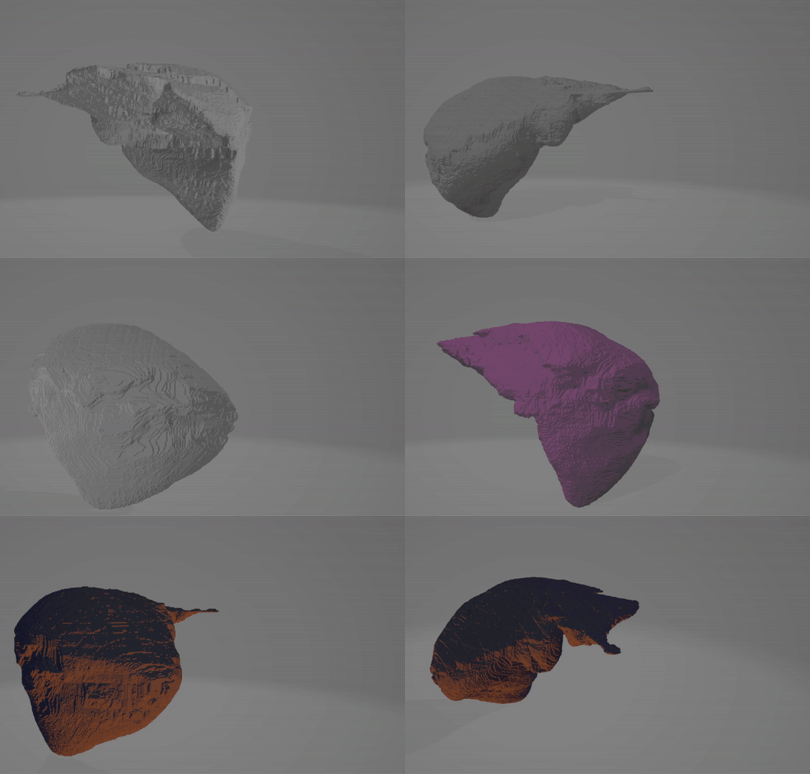
Same script on GitHub: amine0110/nifti-to-stl.
PYCAD builds custom web DICOM viewers when the volume and the mesh have to live in one clinical or medtech workflow. Case studies.