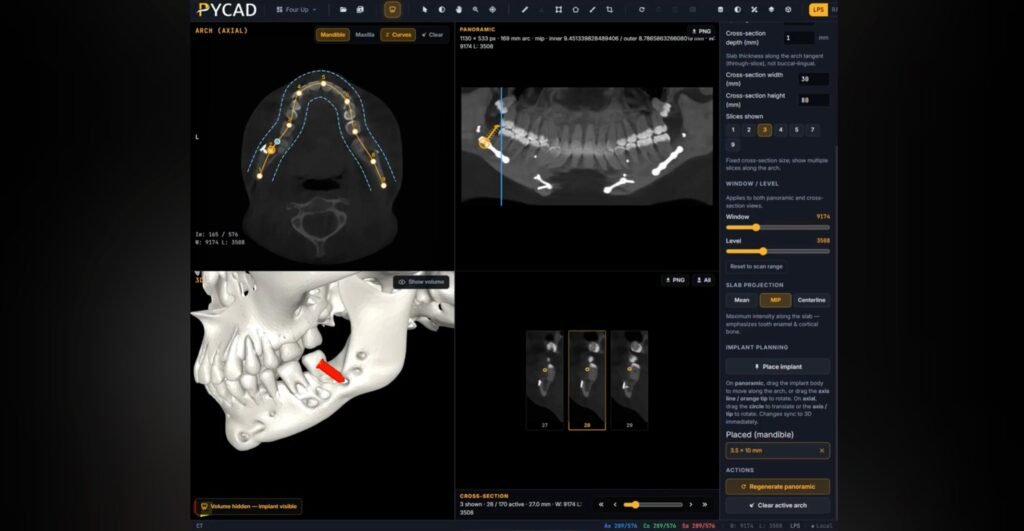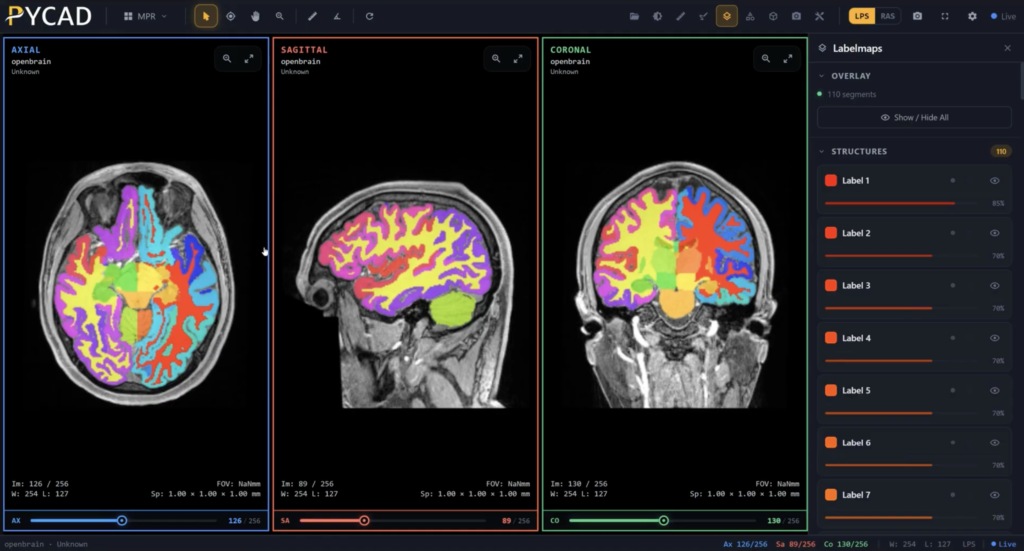
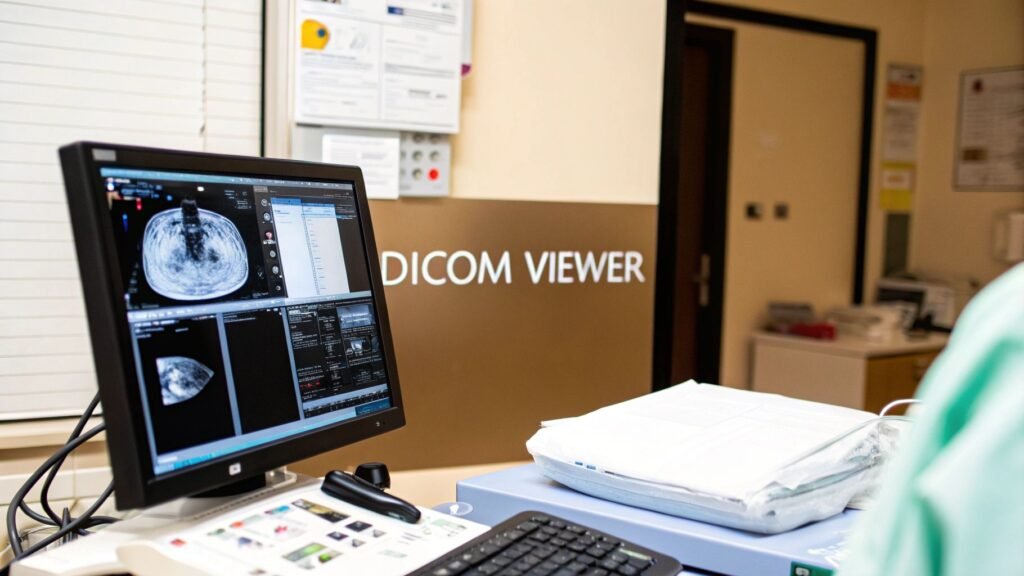
Imagine holding a detailed blueprint, one that contains life-saving information, but it's written in a language you can't understand. A specialized DICOM image viewer for Windows is the translator that unlocks this blueprint, turning raw data into life-saving medical insights. This software isn't just another program; for millions of clinicians, it's the most critical window into the human body.
The Gateway to Medical Insights on Windows
A DICOM (Digital Imaging and Communications in Medicine) file from an MRI, CT scan, or X-ray isn't just a picture. It’s a dense, layered package of information containing everything from patient details and machine settings to the intricate imaging data itself. A standard image viewer on your computer can't even begin to unpack it. This is where a dedicated DICOM viewer becomes absolutely essential, especially on the Windows operating system—the backbone of countless hospitals and clinics around the world.
The fundamental problem these viewers solve is one of translation. They take machine-generated data that would otherwise be incomprehensible and render it into clear, interactive, and diagnostically rich images. This transformation is the very first step toward spotting a tumor, planning a complex surgery, or tracking how a patient is responding to treatment.
Why a Specialized Viewer Is Non-Negotiable
A professional-grade DICOM viewer does so much more than just put an image on a screen. It hands clinicians a powerful set of tools to interact with the data in meaningful ways, turning a static picture into a dynamic diagnostic canvas. Without it, radiologists, surgeons, and specialists would be flying blind, unable to access the incredible depth of information packed into every scan.
Think of it as the difference between a simple map and an interactive GPS. The map shows you the terrain, but the GPS lets you zoom in, measure distances, and find the best route. A DICOM viewer is the clinician's GPS.
To really understand what makes these viewers so important, it helps to look at their core functions. The table below breaks down the essential capabilities that define any modern DICOM viewer.
| Essential Functions of a DICOM Image Viewer | |
| :— | :— | :— |
| Core Function | What It Achieves | Why It Matters for Clinicians |
| Data Interpretation | Accurately renders complex medical images based on the universal DICOM standard. | Guarantees that what the clinician sees on the screen is a true representation of the patient's anatomy, free from distortion. |
| Interactive Manipulation | Allows for precise zooming, panning, measuring, and annotating of images. | Enables detailed examination of specific areas of interest, comparison of structures, and clear communication of findings. |
| Advanced Visualization | Creates dynamic 3D models and multi-planar reconstructions (MPRs) from 2D slices. | Provides a more holistic view of anatomical relationships, which is crucial for surgical planning and complex diagnoses. |
| Secure Data Handling | Manages sensitive patient information in compliance with strict healthcare regulations like HIPAA. | Ensures patient privacy and data integrity, which is a non-negotiable legal and ethical requirement in medicine. |
These capabilities are what make a DICOM viewer the indispensable tool it is today. It's the engine that powers modern medical imaging.
A DICOM viewer is the bridge between raw medical data and human understanding. It translates the silent language of scanners into a visual dialogue that informs diagnosis, guides treatment, and ultimately saves lives.
At its heart, a powerful DICOM image viewer for Windows is the starting point for medical discovery. It empowers faster, more accurate diagnoses and lays the groundwork for truly innovative treatment planning. For organizations that need more than an off-the-shelf solution, we at PYCAD specialize in building custom web DICOM viewers and integrating them into sophisticated medical imaging platforms. This creates a secure and accessible imaging ecosystem built around your specific workflow. You can explore examples of our advanced work on our medical imaging solutions portfolio page.
Choosing Your Platform: Native App vs. Web Viewer
When it comes to selecting a DICOM image viewer for Windows, every healthcare organization eventually hits a critical fork in the road. Should you stick with a traditional, installed native application, or is it time to embrace a modern, secure web-based viewer? This isn't just a technical choice—it's a decision that will shape everything from your IT department's workload and physician accessibility to your organization's ability to scale in the future.
Think of it like choosing a vehicle for a specific job. A native Windows application is your high-performance race car. It's incredibly powerful, lightning-fast, and perfectly optimized for its dedicated track—the local workstation. It taps directly into the machine's hardware to handle demanding tasks like 3D rendering with ease. The catch? Its immense power is confined to that specific machine; it can't just leave the racetrack.
On the other hand, a secure web viewer is more like a versatile, all-terrain vehicle. It gives you the freedom and flexibility to go anywhere, on any device that has a web browser, without needing any special software installed. It's built for access and collaboration, reaching places a track-bound race car simply can't.
The Power and Place of Native Windows Apps
For years, native applications were the undisputed standard, and for good reason. Installed directly onto a Windows PC, they harness the full processing muscle of the local hardware, especially the graphics card (GPU). This direct line to the machine's power is a massive advantage for computationally heavy lifting.
Here's where native apps truly shine:
- Maximum Performance: They deliver unmatched speed for high-demand functions like real-time 3D volume rendering and complex multi-planar reconstructions (MPR), since all the work happens right on the machine.
- Offline Functionality: Clinicians can pull up and work with previously downloaded studies even without an internet connection—a non-negotiable feature in many clinical settings.
- Deep OS Integration: These apps often feel right at home within the Windows environment, offering a familiar user experience and sometimes faster access to files stored locally.
But this power comes with trade-offs. Every single update requires a hands-on installation on every single machine, creating a significant maintenance headache for IT teams. More importantly, access is chained to the specific workstations where the software lives, which can be a major roadblock for remote consultations or collaborative case reviews.
The Freedom and Flexibility of Web Viewers
Web-based DICOM viewers completely flip the script. Instead of living on individual computers, the viewer runs securely right inside a web browser. This is what we call a "zero-footprint" approach—there's nothing for the end-user to install, maintain, or update. Ever.
A web-based viewer centralizes the power and distributes the access. It effectively turns any connected device into a secure diagnostic window, completely breaking down the physical barriers of traditional software.
This model isn't just a niche trend; it's rapidly becoming the new standard. The DICOM Medical Image Viewer market, currently valued at $935.9 million USD, is projected to explode to $2,500 million USD by 2035. This incredible growth is driven by the soaring demand for integrated, accessible solutions, especially when you consider that over 62% of hospitals rely on their end-users to manage their own imaging tools.
This decision tree gives you a simple way to think through the process.
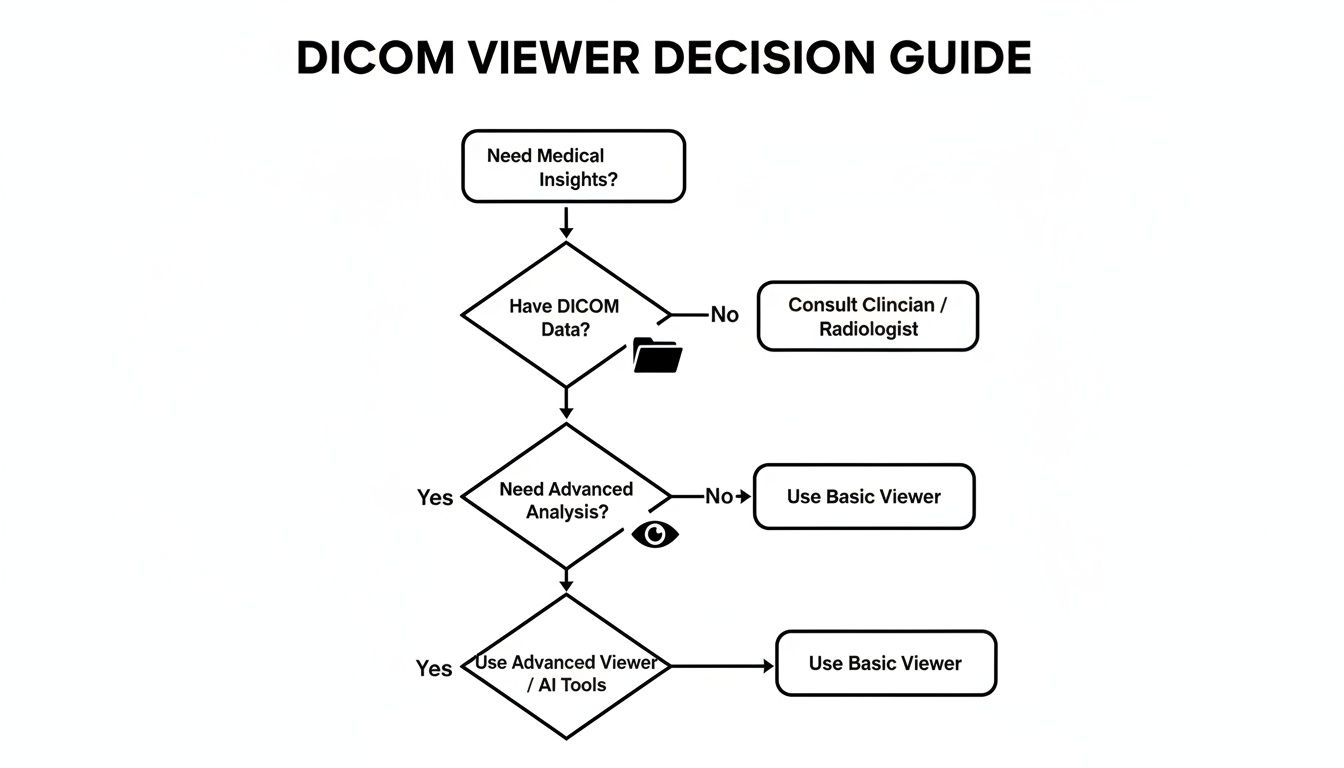
As the flowchart shows, the fundamental need to derive medical insights from DICOM data points directly toward a specialized viewer. The next step is deciding which type best fits your workflow.
Deployment Model Showdown: Native Windows App vs. Secure Web Viewer
To help you weigh the pros and cons, this table breaks down the key differences between a traditional software installation and a modern, web-based solution.
| Feature | Native Windows Application | Secure Web-Based Viewer |
|---|---|---|
| Installation | Required on every single user workstation. | Zero-footprint; no installation needed. Runs in any modern web browser. |
| Accessibility | Limited to the specific PC where the software is installed. | Accessible from any device with a browser and internet connection (PC, Mac, tablet). |
| Performance | Excellent for intensive tasks like 3D rendering by using local GPU/CPU power. | Performance depends on server capabilities and network speed; advanced viewers use server-side rendering for speed. |
| Maintenance | IT team must manually update software on each machine. | Updates are managed centrally on the server. All users instantly get the latest version. |
| Collaboration | Difficult. Sharing often requires exporting images or using separate platforms. | Built for collaboration. Secure links can be shared for real-time viewing and consultation. |
| Data Security | Data is stored locally, which can be a risk if the device is lost or stolen. | Data remains centralized on a secure server (e.g., PACS), reducing endpoint security risks. |
| Scalability | Scaling requires purchasing and configuring new hardware and software licenses. | Highly scalable. Adding new users is as simple as creating an account. |
Ultimately, the choice between native and web-based viewers hinges on your organization's specific needs—balancing the raw, localized power of a native app against the unparalleled access and scalability of a web viewer.
Here at PYCAD, we specialize in building these powerful, secure web-based platforms. We build custom web DICOM viewers and integrate them into medical imaging web platforms, giving you the best of both worlds: high performance and universal access. This approach empowers your organization to finally move beyond the limitations of workstation-bound software. For a deeper look at the landscape, check out our guide on the best Windows DICOM viewer options available today.
The Modern Diagnostic Feature Checklist
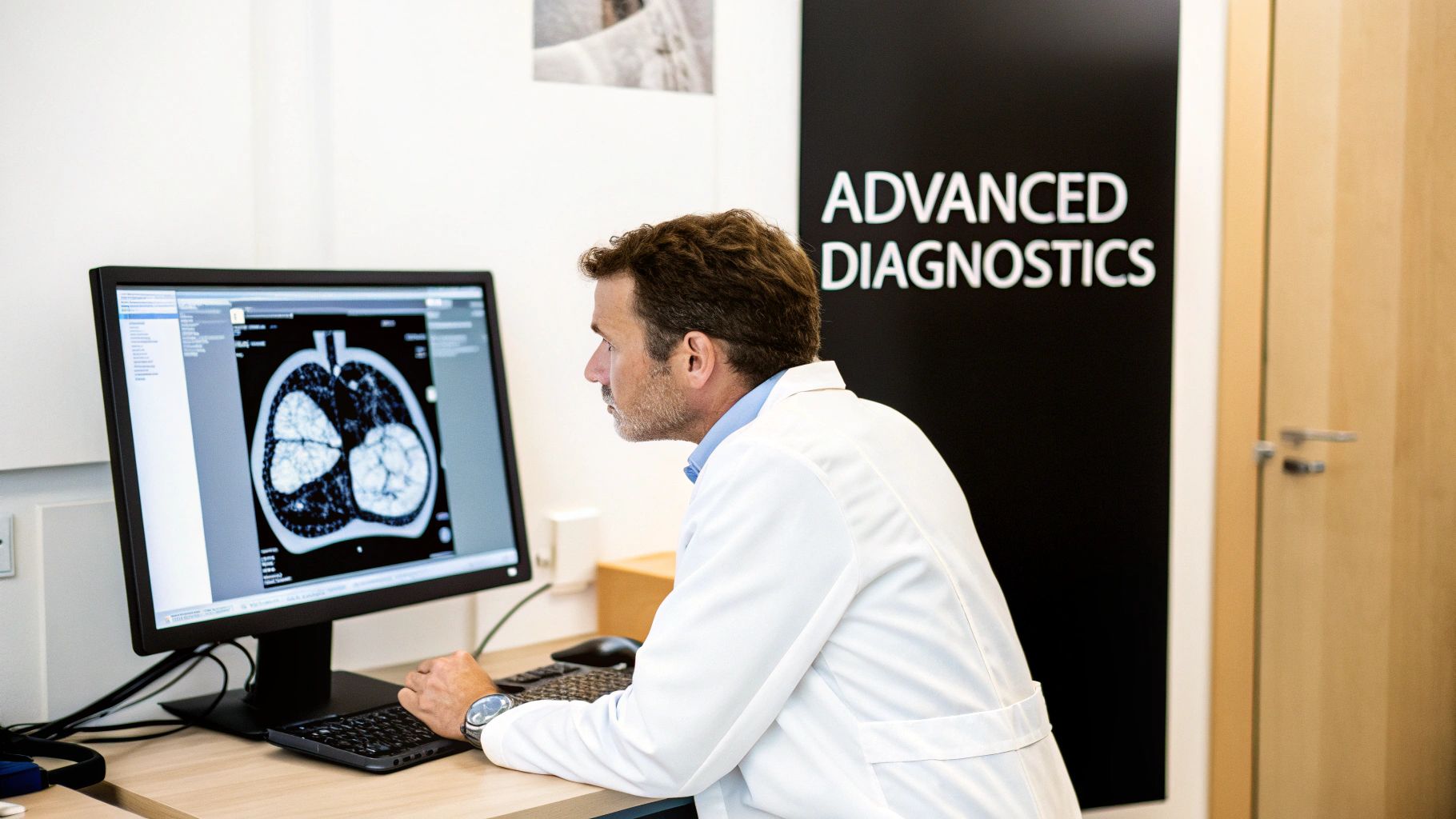
Picking a DICOM image viewer for Windows today is about so much more than just opening a file. It’s about arming your clinicians with a digital scalpel, a multi-dimensional map, and a collaborative workspace, all in one seamless package. The real difference between a basic utility and a powerful diagnostic asset comes down to a core set of advanced features. These are the tools that transform static image slices into a dynamic, interactive view of the human body, directly boosting clinical confidence and improving patient outcomes.
Without these capabilities, a radiologist is like an architect staring at a flat blueprint, unable to measure critical angles or visualize the final structure in 3D. A surgeon might see a tumor but can't fully grasp its relationship with surrounding vessels before ever making an incision. The right feature set changes everything, turning medical imaging into a practice of true insight.
From 2D Slices to 3D Understanding
The first great leap beyond basic viewing is the power to reconstruct and render images in multiple dimensions. This isn’t just a cool visual trick; it’s a fundamental shift in how clinicians can interpret anatomical data.
-
Multi-Planar Reconstruction (MPR): Think of a CT scan as a loaf of sliced bread. MPR gives a clinician the ability to re-slice that loaf in any direction they choose—not just top-to-bottom, but side-to-side, or at any custom angle. This is absolutely essential for tracing the winding path of a blood vessel or seeing the true extent of a fracture that cuts across the original image slices.
-
3D and 4D Rendering: This is where the magic really happens. The software takes the entire stack of images and builds a complete three-dimensional model. Surgeons can spin this model around, make certain tissues transparent to see what’s underneath, and plan their entire surgical approach with incredible precision. Add 4D rendering (with time as the fourth dimension), and you can watch a heart beat or see blood flow through an artery, adding a crucial layer of functional insight.
These features transport the diagnostic process from a flat, two-dimensional world into a realistic, interactive space that truly mirrors the patient's anatomy.
A powerful DICOM image viewer for Windows doesn't just display images; it reconstructs them. It gives clinicians the god-like ability to see from every conceivable angle, turning diagnostic ambiguity into surgical certainty.
Essential Tools for Clinical Confidence
Once you can see the anatomy in vivid detail, the next step is to measure and mark up what you find. These tools are the very foundation of a quantifiable, reproducible diagnosis—they are non-negotiable for any serious clinical platform. Without them, a diagnosis is just an opinion; with them, it becomes a data-backed conclusion.
The most critical measurement and annotation tools include:
- Linear and Area Measurements: The simple but vital ability to accurately measure the size of a lesion, the diameter of an aorta, or the area of an organ.
- Angle and Cobb Angle Tools: Indispensable for orthopedic and spinal assessments, allowing for the precise measurement of curvatures and alignments.
- Region of Interest (ROI) Statistics: This lets a user draw a shape over an area and get immediate data like the minimum, maximum, and mean density values (in Hounsfield Units for CT), which helps differentiate between tissue types.
- Annotation and Labeling: The power to add clear, persistent notes, arrows, and labels directly onto the images to communicate findings to other specialists or for future reference.
Advanced Visualization Techniques
Beyond standard 3D models, the best viewers offer specialized techniques that spotlight specific kinds of information, delivering an even deeper level of diagnostic clarity.
- Maximum Intensity Projection (MIP): This technique is perfect for visualizing dense structures, like bones or blood vessels filled with contrast dye. It essentially takes all the brightest points from the 3D data and projects them onto a single 2D image, creating a sharp, angiogram-like view from a standard CT scan.
- Volume Rendering (VR): Unlike other methods that only show surfaces, VR provides a semi-transparent, color-coded view of the entire data volume. This gives specialists a much more intuitive feel for the spatial relationships between different organs and structures.
Whether you're deploying a native Windows application or a more flexible web-based solution, this checklist forms the core of what your clinicians truly need to excel. At PYCAD, we know that a viewer is the heart of any diagnostic workflow. That's why we build custom web DICOM viewers and integrate them into medical imaging web platforms that not only check these boxes but are designed to support the future of medicine.
To see the kind of powerful, user-centric platforms we create, we invite you to explore our work in our portfolio page.
Weaving Together an Integrated Imaging Ecosystem
A modern DICOM viewer shouldn't be an island. Its true power is unlocked when it becomes the vibrant hub of a connected healthcare ecosystem, conducting a symphony of data from all corners of your clinical world. Think of an orchestra: the viewer is like the lead violin—brilliant on its own, but truly breathtaking when playing in harmony with the entire ensemble.
This ensemble includes your Picture Archiving and Communication System (PACS), which is the orchestra's vast music library, holding every piece of medical imaging. It also includes sophisticated AI algorithms, the virtuoso soloists who can analyze a study and spot subtle details a human eye might miss. Finally, there's your CRM system, the conductor guiding the performance with a complete, holistic view of each patient's journey. A viewer that can't communicate with these other players is just a single instrument in an empty room.
The Unbreakable Bond with PACS
The most fundamental connection for any DICOM image viewer on Windows is its link to the PACS. This is the central vault where all your imaging studies—from MRIs and CTs to ultrasounds—are securely stored. Your viewer must be able to query this archive, retrieve studies in an instant, and display them without a hitch. Without this fluid communication, workflows grind to a halt, forcing clinicians into the frustrating loop of manually importing and exporting files.
This connection is more than a convenience; it's a clinical lifeline. The North American medical imaging market, which commands a massive 42.32% global share, is built on the foundation of tight integration between viewers, PACS, and Radiology Information Systems (RIS). As more institutions move toward Vendor Neutral Archives (VNAs) to manage both DICOM and non-DICOM data, the need for viewers that can speak multiple data languages has never been greater.
The link between a viewer and PACS is the central artery of a modern radiology department. When data flows freely, diagnoses are faster, collaboration is simpler, and patient care is fundamentally elevated.
True integration means the viewer isn't just pulling images; it's part of a two-way conversation, sending back new annotations, measurements, or key image states to the archive. For a deeper dive into this vital connection, our guide on effective PACS integration strategies offers some invaluable insights.
Weaving AI and CRM into the Diagnostic Fabric
Looking beyond PACS, the next frontier of integration is with AI and patient management systems. A forward-thinking viewer serves as a launchpad for innovation, allowing artificial intelligence models to run analyses directly on the images being viewed. Imagine an AI that automatically detects and measures lung nodules or segments a tumor in 3D, presenting its findings right inside the clinician's workflow. Suddenly, the viewer transforms from a passive display tool into an active diagnostic partner.
In the same way, integrating with a CRM system connects the pixels on the screen to the person behind the scan. This unified view allows a clinician to see a patient’s latest imaging study right alongside their complete medical history, lab results, and treatment plan. It shatters the departmental silos that so often fragment patient care.
This is the kind of harmony we live and breathe at PYCAD. We don't just build viewers; we build custom web DICOM viewers and integrate them into medical imaging web platforms that have AI and CRM solutions woven in from the start. This approach creates a single, seamless system where every piece of technology works in concert to provide a complete picture of patient health. Our goal is to make the technology fade into the background, so clinicians can focus on what truly matters: the patient.
Navigating Security and Compliance with Confidence
In medical imaging, we aren't just looking at data—we're looking at a life story, a critical diagnosis, a person's future. That's why protecting this information isn't just a feature; it's the bedrock of trust between patient and provider. Tackling the complex maze of security and regulatory compliance is arguably the most important job for any healthcare organization bringing a DICOM image viewer on Windows into their workflow.
This goes way beyond checking boxes on a compliance form. It's about upholding an ethical promise to every single patient. While regulations like HIPAA in the U.S. and GDPR in Europe give us the blueprint, a true commitment to security has to be built into the very DNA of your imaging strategy.
Core Pillars of a Secure Imaging Platform
Building a digital fortress around patient data takes more than a strong password. It calls for a deep, multi-layered defense where every potential weak point is addressed before it becomes a problem.
Here are the three non-negotiable security measures that form the foundation of any truly compliant system:
- End-to-End Data Encryption: Patient data has to be unreadable to outsiders, period. That means it must be encrypted both when it’s stored on your servers (at rest) and as it travels across the network (in transit). If anyone intercepts it, they get nothing but garbled, useless information.
- Granular Access Controls: Not everyone in a hospital needs to see every patient's scans. A robust platform lets administrators get specific about who can view, edit, or share data, ensuring access is strictly on a need-to-know basis.
- Immutable Audit Trails: Every single action—from who opened a file to what annotations were made—must be automatically logged in a permanent, tamper-proof record. This creates total accountability and is invaluable for tracing any potential security incident.
Think of a secure DICOM viewer as a digital guardian for patient data. It turns abstract legal rules into real, automated protections that work silently in the background, giving both patients and providers the peace of mind they deserve.
The Security Trade-Off: Native vs. Web
How you deploy your viewer has massive security implications. A native Windows application, for instance, puts the security burden squarely on each individual workstation. That means every single PC needs to be perfectly maintained, patched, and protected from malware—a huge and difficult attack surface for IT teams to defend.
A web-based viewer, on the other hand, centralizes security. The data never actually lives on the local machine; it's streamed from a hardened, secure central server. This "fortress" approach dramatically cuts down on endpoint risk and makes managing compliance much simpler. Even disposing of old hardware that once held patient data is a regulated process; understanding the FAQ on IT Equipment Disposal and HIPAA Requirements is critical for maintaining compliance from cradle to grave.
This is exactly why we at PYCAD are obsessed with building security-first platforms. We build custom web DICOM viewers and integrate them into medical imaging web platforms, centralizing security so hospital IT teams and device manufacturers can breathe easier. Often, a key step is making sure all data is properly de-identified, a process you can master with a good DICOM anonymizer software. You can see how we put these secure systems into practice for our clients by visiting our portfolio page.
Your Next Step: Building a Future-Ready Imaging Strategy
As we've journeyed through the world of medical imaging, one thing has become crystal clear: the DICOM image viewer for Windows isn't just another piece of software. It's the beating heart of modern diagnostics, the crucial bridge between raw data and the insights that save lives.
The path you choose—whether it's the raw horsepower of a native application or the go-anywhere flexibility of a web viewer—will define your organization's future. It shapes how your clinicians collaborate, how your IT teams juggle resources, and how quickly you can pivot in a world that never stands still.
This decision gets even more significant when you factor in the need for advanced features, seamless integrations, and airtight security. A viewer that stumbles in any of these areas stops being a tool and starts being a roadblock. The future of imaging is intelligent, collaborative, and free from the chains of a single workstation. It's a future where insights flow effortlessly between departments, specialists, and even across institutions.
Charting Your Course Forward
This move toward accessible, integrated platforms isn't just a local trend; it's a global shift. Take the Asia-Pacific region, for example, which is seeing the fastest growth for DICOM viewers at a 5.67% CAGR. This boom is fueled by modernization efforts where Windows systems still anchor 60% of new hospital IT infrastructures.
With hospitals making up a massive 62.19% share of the market, the demand for web-based solutions that tear down data silos is stronger than ever—especially as researchers work with petabytes of imaging data. You can read more about these market trends and insights here.
The data tells a compelling story: the world needs systems that are both powerful and scalable, ready to meet the demands of a globally connected healthcare network.
The goal is no longer just to view an image on a screen. It's to build a living ecosystem where data, expertise, and technology converge to create a complete picture of patient health—accessible instantly and securely, from anywhere in the world.
At PYCAD, this is the future we're building every single day. We're not just vendors; we're your partners on this journey, ready to help you push past today's limits. We build custom web DICOM viewers and integrate them into medical imaging web platforms that spark true healthcare innovation.
This isn't just an upgrade. It's a strategic leap toward a more intelligent and connected future. See how we've helped other innovators bring their vision to life on our portfolio page, and let's start building your future together.
Got Questions? Let's Talk DICOM Viewers
Choosing the right DICOM viewer for Windows can feel like a big decision, and it’s natural to have questions. Let's break down some of the most common ones I hear from clinics, hospitals, and device manufacturers to help you find clarity and move forward with confidence.
Can a Web Viewer Really Keep Up with a Native Windows App?
You bet it can. The old idea that web viewers are sluggish is a thing of the past. Modern web-based viewers have seriously closed the performance gap, thanks to technologies like WebGL that let them tap directly into your computer's GPU for rendering and smart streaming protocols that load images almost instantly.
For the vast majority of day-to-day diagnostic work, a well-engineered web viewer feels just as fast and responsive as a native desktop application. While a dedicated, high-end 3D rendering workstation might still see a slight edge with native software, the practical benefits of web platforms—no installation hassles, access from anywhere, and seamless central updates—make them a game-changer for most healthcare organizations.
What's the Real Difference Between a DICOM Viewer and a PACS?
It's a great question, and I like to use a simple analogy: think of a library and its reading room.
The PACS (Picture Archiving and Communication System) is the library itself—a massive, secure vault where every single medical image is archived, organized, and managed. Its main job is to keep that ocean of data safe and in order.
The DICOM viewer is the specialized reading room. It’s the tool that allows you to pull a specific book (an imaging study) off the shelf, open it up, and actually understand what's inside. You can't have one without the other for a functional clinical workflow; one safely stores the data, and the other makes that data useful for patient care.
How Does AI Actually Work with a DICOM Viewer?
This is where things get really exciting. Integrating AI turns a simple viewer into a diagnostic partner for the clinician. In a real-world workflow, the viewer can send a study to a connected AI model for analysis. That model then sends back its findings—maybe highlighting a potential nodule or automatically measuring an organ—which are then displayed as an overlay directly on the image inside the viewer.
It’s about bringing powerful, data-driven insights right to the point of care. Here at PYCAD, this is our bread and butter. We build custom web DICOM viewers and integrate them into medical imaging web platforms with these exact AI capabilities built right in, empowering radiologists with real-time analysis and automated measurements.
Are Free DICOM Viewers for Windows Safe to Use for Clinical Diagnosis?
This is a critical point. While there are some fantastic free DICOM viewers out there for academic or research use, they are almost never the right choice for making primary clinical diagnoses.
Why? They often lack the necessary FDA clearance or CE marking that certifies a tool as a validated medical device. More than that, they typically don't meet the stringent security, auditing, and support requirements demanded by regulations like HIPAA. When a patient's health is on the line, you absolutely need to use a commercially supported, regulatory-approved viewer to guarantee both diagnostic reliability and the complete protection of their sensitive data.
Your imaging strategy is more than just technology; it's the foundation for future medical breakthroughs. At PYCAD, we build the powerful, secure, and integrated platforms that bring that vision to life.
Curious to see what that looks like? Take a look at some of our work.