
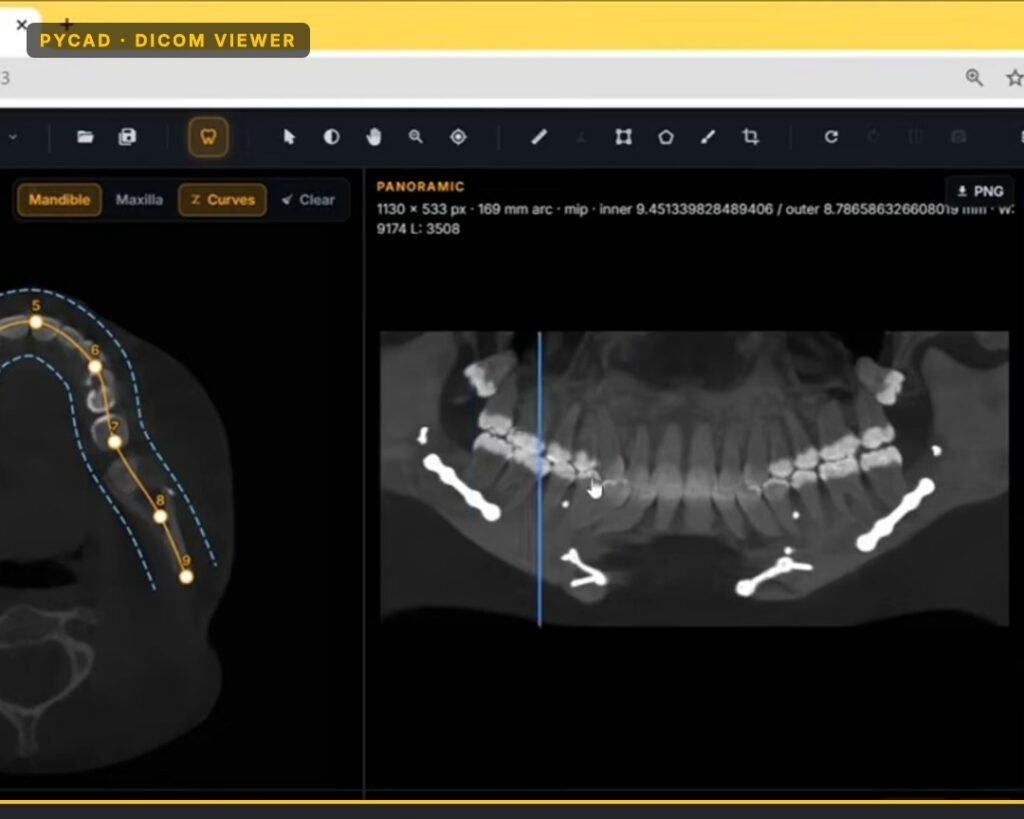
When a team asks us to build a custom DICOM viewer, the first engineering fork is not the UI. It is where the heavy rendering runs: in the browser (VTK.js) or on a server (Trame / VTK). We pick that path from constraints, not from preference.
This post is how we decide on real builds. It is not a tour of what a DICOM viewer is.
The decision tree we run first
We ask four questions before we touch layout or branding.
- Does PHI leave the device? If the buyer needs files to stay on the laptop, we bias hard to the browser path.
- Multi-user concurrent sessions? Many simultaneous heavy 3D sessions on shared GPU boxes push us toward a controlled server path (and a real scaling plan).
- Study size? Large CT, MRI, or CBCT volumes change the answer. Worst-case study size matters more than the happy-path demo.
- WebGL / memory budget on the user’s machine? Unknown tablets and low-memory laptops fail client-side volume work. We treat that as a product risk, not a support ticket later.
| Signal | Lean browser (VTK.js) | Lean server (Trame / VTK) |
|---|---|---|
| PHI must stay local | Strong | Only if pixels stream and files stay backend-side by design |
| Many concurrent heavy sessions | Cheap on your infra; cost sits on user GPUs | Needs session + GPU planning |
| Large CT / MRI / CBCT volumes | OK if devices are known and strong | Safer when devices vary |
| Weak or unknown client hardware | Risky | Stronger fit |
| Backend cost must stay low | Strong | More expensive per session |
Simple rule we use: if the browser can reliably open the studies your users will actually open, stay in-browser. If you cannot trust the device, the study size, or the concurrency model, move the heavy work to a server you control.
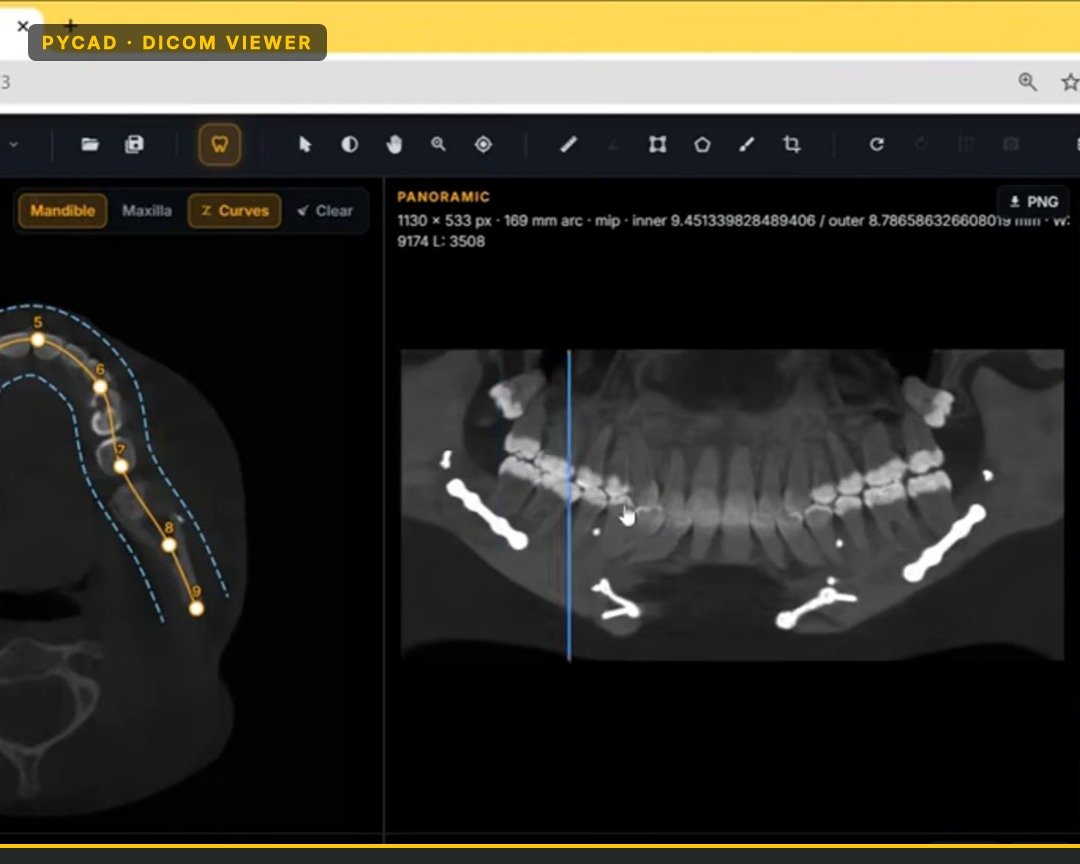
Browser path: VTK.js
Our web DICOM clients render with VTK.js in the browser. The browser downloads or opens the data, decodes it, and draws with WebGL.
What we like about this path:
- Interaction feels immediate once the volume is loaded.
- We do not pay for a rendering GPU per idle user.
- Frontend deploy stays simple compared to session farms.
- Local file open is a real product mode, not a demo trick.
What we watch:
- Browser memory. Large CT, MRI, or CBCT studies blow past soft budgets on weak machines.
- Device variance. A workstation that scrolls fine can hide a tablet that runs out of memory.
- Download and decode time before the first useful frame.
We set honest viewport and memory budgets so we do not pretend every phone can hold a full volume. Budgets force product choices: lower-resolution preview, staged load, or a server path for that cohort.
Privacy-first in-browser mode
One reason we keep a strong browser path: PHI can stay on the laptop.
If the clinician opens local DICOM files in the browser stack, the study never has to leave the machine for rendering. That is a privacy posture, not a marketing slogan. Hospitals and clinics ask for it. We design for it when the brief says “files stay here.”
This mode still needs care around what else the app phones home for (auth, telemetry, share links). Local rendering does not make the whole product local. The rendering path itself can keep pixels and voxels on-device.
We do not sell FDA-cleared diagnostic software. When a build is for education, sales demos, or platform visualization, we say that up front and keep claims inside that box.
Server path: Trame / VTK when compute must be controlled
When studies are large, devices are unknown, or concurrency needs predictable compute, we use a Trame / VTK server stack. The browser becomes a UI shell. User actions (scroll, window/level, MPR, volume render) go to the server. The server sends back rendered views.
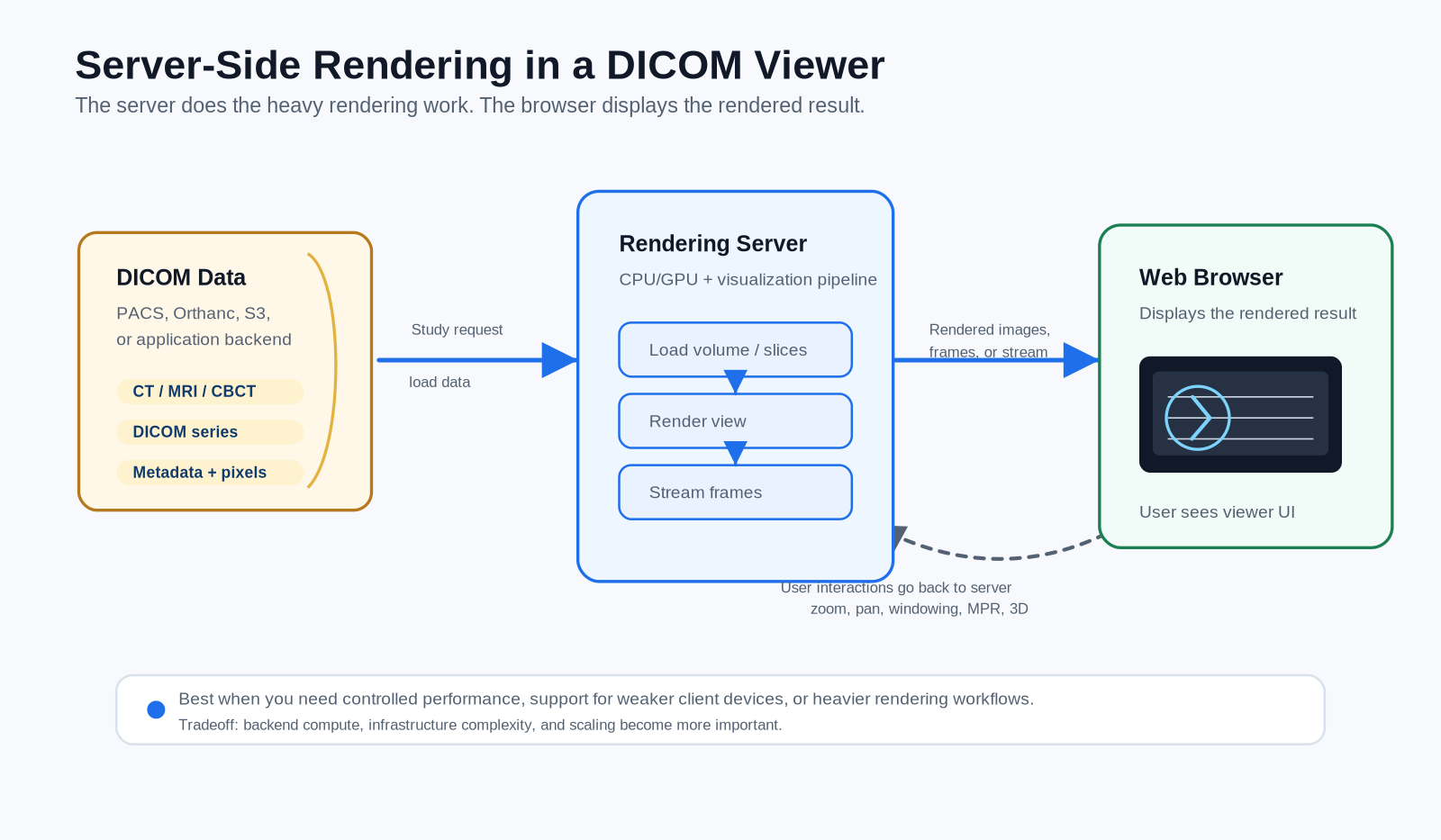
We reach for this when:
- Worst-case CT, MRI, or CBCT studies will not fit comfortably in browser memory.
- Buyers demand consistent performance across sites with mixed hardware.
- Imaging data should stay closer to a controlled backend or on-prem box.
- Advanced volume work would melt mid-range client GPUs.
Costs show up elsewhere: session management, GPU/CPU capacity, network latency on every interaction, and ops for uptime. Server-side buys controlled compute. You pay for that with infrastructure and session ops.
VTK vs VTK.js (same family, different runtimes)
People see “VTK” on both paths and assume it is the same thing. It is not.
VTK is the native C++ visualization toolkit. On the server path it runs next to the GPU and CPU on a machine you control. Trame sits in front of that stack and turns it into a web UI. Heavy volume work stays on the server.
VTK.js is a JavaScript port aimed at the browser. Same mental model for pipelines and actors, different runtime. It uses WebGL on the user’s device. There is no shared process with the C++ server.
So:
- Browser path → VTK.js in the tab
- Server path → VTK (native) behind Trame, frames streamed to the tab
Related libraries, different places they run. That is why both names show up in one architecture decision.
When free OHIF is enough (and when teams still hire us at PYCAD)
If you need a solid open-source radiology web viewer, OHIF is often enough. Study browser, hanging protocols, measurements, community plugins. For many internal portals and research tools, starting there (or staying there) is the right call.
Teams still hire us at PYCAD when the gap is product work beyond a stock radiology viewer:
- Custom workflow that does not match OHIF’s defaults
- Branding and UX owned by their product, not a fork that drifts
- Specialty modules (dental panoramic-style views, forensic layouts, implant overlays, share links)
- Tight integration with their auth, case model, and AI outputs
- A rendering path chosen for their real CT / MRI / CBCT sizes and device mix
We are not competing with free-viewer listicles. We build the parts that make a viewer fit a specific product. That is what you see across our case studies: an orthopedic implant manufacturing platform, a forensic virtual autopsy information system, and a dental platform with orthodontic reporting and CBCT AI segmentation. Same class of work; different product fit each time.
How we pick for a given build
On a new brief we do this in order:
- Write down PHI boundary, concurrency, worst-case study size (CT, MRI, CBCT, or mix), and target devices.
- Prototype the browser path (VTK.js) against real volumes, not demo stacks. Measure time to first image, scroll/MPR feel, and memory.
- If the prototype fails on the buyer’s real hardware mix, move heavy rendering to Trame / VTK and size sessions.
- Only then spend time on branding, specialty modules, share links, and overlays.
If you are choosing a rendering path for a custom viewer build and want a second set of eyes on study size, device mix, and architecture, use our contact page. Bring a worst-case study and the devices your users actually have. That is enough to pick a path.